 letrank
Introduction: What Are Interactive App Prototype Tools and Why They Matter
Interactive app prototype tools are no longer optional in modern product design. They are a critical part of how successful apps are planned, tested, and improved before development begins. Whether you are building a mobile app, a web application, or a SaaS platform, interactive app prototyping tools help turn ideas into realistic, testable experiences.
At a basic level, interactive app prototype tools allow teams to create clickable, tappable, and animated versions of an app without writing production code. Instead of showing static screens, designers can demonstrate real user flows. Users can tap buttons, swipe between screens, fill out forms, and experience transitions just like they would in a live app.
This matters because many apps fail due to poor user experience rather than poor ideas. According to CB Insights, 38% of users stop engaging with an app because of confusing design or usability issues. Interactive app prototype tools help teams identify these problems early, when changes are fast and inexpensive.
Unlike static wireframes or flat mockups, interactive app prototypes:
- Simulate real user behavior
- Reveal usability issues early
- Align designers, developers, and stakeholders
- Reduce rework during development
- Speed up product decision-making
In practical terms, interactive app prototyping tools help answer critical questions such as:
- Does this user flow make sense to first-time users?
- Can users complete key actions without confusion?
- Are transitions smooth and intuitive?
- Does the app feel modern, fast, and responsive?
These tools are widely used across different roles and industries:
- UX/UI designers validating layouts and interactions
- Product managers testing features before development
- Startup founders pitching app ideas to investors
- Developers understanding intended user behavior
- Marketing teams previewing onboarding and conversion flows
Modern interactive app prototype tools go far beyond basic click-through demos. Many advanced tools now support:
- Conditional logic and variables
- Micro-interactions and animations
- Gesture-based navigation (swipe, drag, pinch)
- Real device previews
- Real-time collaboration and commenting
This guide is designed to be a complete, practical, and beginner-friendly resource on interactive app prototype tools. You will learn what they are, how they work, which tools are best, and how to choose the right one for your needs.
By the end of this guide, you will understand how interactive app prototype tools reduce risk, improve user experience, and help teams build better apps faster.
What Are Interactive App Prototype Tools?
Interactive app prototype tools are software platforms that allow designers and product teams to create realistic, clickable versions of an app before it is built. These prototypes simulate how an app works, not just how it looks. Users can interact with screens, trigger actions, and follow full user journeys.
Unlike static mockups, interactive app prototyping tools focus on behavior and flow. They show what happens after a user taps a button, swipes a screen, or submits a form. This makes them essential for validating usability and user experience early in the product lifecycle.
Definition of Interactive App Prototyping
Interactive app prototyping is the process of designing a functional representation of an app that responds to user input.
A true interactive app prototype includes:
- Clickable buttons and links
- Screen-to-screen navigation
- Animations and transitions
- Gesture-based interactions
- Feedback states (loading, errors, success messages)
In simple terms, an interactive prototype answers this question:
“What will it feel like to actually use this app?”
This is why interactive app prototype tools are used heavily in UX design, product strategy, and usability testing.
Interactive App Prototype Tools vs Static Mockups
To understand their value, it helps to compare interactive app prototype tools with static design files.
| Feature | Static Mockups | Interactive App Prototype Tools |
|---|---|---|
| Clickable elements | ❌ No | ✅ Yes |
| Screen transitions | ❌ No | ✅ Yes |
| User flow testing | ❌ Limited | ✅ Full flows |
| Usability testing | ❌ Poor | ✅ Excellent |
| Stakeholder demos | ❌ Hard to visualize | ✅ Easy to understand |
Static mockups show appearance only. Interactive app prototypes show experience.
This difference is critical when presenting ideas to stakeholders, investors, or developers who may not be trained in reading design files.
How Interactive App Prototype Tools Work
Most interactive app prototype tools follow a similar workflow:
- Design screens
- Create wireframes or high-fidelity UI designs
- Import designs from tools like Figma or Sketch
- Define interactions
- Assign click, tap, or swipe actions
- Connect screens using navigation rules
- Add transitions and animations
- Slide, fade, dissolve, or custom motion
- Micro-interactions for feedback
- Preview and test
- Test prototypes on desktop or real devices
- Share links for stakeholder feedback
- Iterate quickly
- Update interactions based on feedback
- Test again before development begins
This workflow allows teams to validate ideas in days instead of weeks.
Levels of Interactivity in App Prototypes
Not all interactive app prototype tools offer the same level of realism. Interactivity generally falls into three levels:
1. Basic Interactivity
- Clickable screens
- Simple navigation
- Linear user flows
Best for: Early concepts and stakeholder reviews
2. Moderate Interactivity
- Conditional navigation
- Hover and pressed states
- Basic animations
Best for: Usability testing and feature validation
3. Advanced Interactivity
- Variables and logic
- Device sensors (camera, GPS, tilt)
- Dynamic content
Best for: Complex apps and realistic simulations
Choosing the right level depends on your goals. Not every prototype needs advanced logic, but the more realistic the prototype, the better the feedback.
Why Interactive App Prototype Tools Are So Effective
Research consistently shows that early usability testing saves time and money. According to IBM, fixing a usability issue after development can cost up to 100x more than fixing it during the design phase.
Interactive app prototype tools help teams:
- Identify usability problems before coding
- Reduce development rework
- Improve user satisfaction
- Launch higher-quality products
This is why interactive app prototyping has become standard practice in modern product teams.
Why Use Interactive App Prototype Tools Instead of Static Wireframes?
Static wireframes have long been used in app design, but they fall short when it comes to testing real user behavior. Interactive app prototype tools provide a much deeper and more accurate understanding of how users experience an app, which is why most modern product teams rely on them instead of static designs.
Static wireframes show layout and structure. Interactive app prototypes show flow, feedback, and behavior. This difference directly impacts usability, decision-making, and development speed.
The Core Problem with Static Wireframes
Static wireframes are limited because they:
- Do not show what happens after a user takes an action
- Require explanation from designers
- Are open to interpretation
- Fail to reveal usability issues
Stakeholders often nod in agreement while reviewing static designs, only for major problems to surface during development or after launch. Interactive app prototype tools reduce this risk by making the experience visible and testable.
Key Benefits of Interactive App Prototype Tools
Interactive app prototyping tools offer several clear advantages over static wireframes.
1. Faster and Better Feedback
When users interact with a prototype, feedback becomes more specific and actionable.
Instead of vague comments like:
“This looks confusing.”
You get insights such as:
“I didn’t realize this button was clickable.”
This level of feedback is only possible with interactive app prototypes.
2. Improved Usability Testing
Usability testing with static wireframes relies on imagination. Interactive app prototype tools remove guesswork.
With interactive prototypes, you can:
- Observe real user behavior
- Measure task completion rates
- Identify friction points in user flows
This leads to better UX decisions and fewer surprises later.
3. Stronger Stakeholder Alignment
Non-designers often struggle to interpret static wireframes. Interactive app prototype tools allow stakeholders to experience the app instead of reviewing it.
This results in:
- Fewer misunderstandings
- Faster approvals
- More confident decision-making
Interactive Prototypes Reduce Development Costs
One of the biggest advantages of interactive app prototype tools is cost reduction.
According to UX research, every $1 invested in UX design can return up to $100 by reducing rework and improving product quality. Interactive prototypes help catch problems before they reach development, where changes are far more expensive.
| Stage | Cost of Fixing a UX Issue |
|---|---|
| Design phase | $1 |
| Development phase | $10 |
| Post-launch | $100+ |
Real-World Example: Startup App Validation
A fintech startup used interactive app prototype tools to test onboarding flows before development. During testing, they discovered:
- Users skipped a critical verification step
- Call-to-action buttons were unclear
- Form fields caused drop-offs
By fixing these issues in the prototype stage, the startup:
- Reduced onboarding drop-off by 27%
- Saved weeks of development time
- Launched with higher user confidence
This level of insight would not have been possible with static wireframes alone.
When Static Wireframes Still Make Sense
Static wireframes still have a place in very early ideation stages. They are useful for:
- Brainstorming layout ideas
- Fast sketching
- Internal design discussions
However, once you need feedback, testing, or stakeholder buy-in, interactive app prototype tools become essential.
Summary: Interactive Prototypes vs Static Wireframes
Static wireframes answer:
“What does the app look like?”
Interactive app prototype tools answer:
“How does the app actually work?”
For any serious app project, the second question matters far more.
Who Uses Interactive App Prototype Tools?
Interactive app prototype tools are used by a wide range of professionals across product, design, development, and business teams. Their value lies in how clearly they communicate ideas, reduce risk, and improve decision-making—regardless of role or company size.
Because interactive app prototyping tools focus on experience rather than documentation, they help align everyone involved in building an app.
UX and UI Designers
UX and UI designers are the primary users of interactive app prototype tools. These tools allow designers to move beyond visuals and validate how users interact with an interface.
Designers use interactive app prototyping tools to:
- Test user flows and navigation
- Validate interaction patterns
- Experiment with animations and micro-interactions
- Run usability tests with real users
For designers, an interactive prototype acts as a living design, not just a static deliverable.
“Design is not just what it looks like and feels like. Design is how it works.”
— Steve Jobs
Interactive app prototype tools make this principle actionable.
Product Managers
Product managers rely on interactive app prototypes to make informed decisions before committing engineering resources.
They use interactive app prototype tools to:
- Validate product ideas early
- Prioritize features based on usability
- Align stakeholders around a shared vision
- Reduce ambiguity in requirements
Interactive prototypes often replace long product requirement documents because they show behavior instead of describing it.
Startup Founders and Entrepreneurs
For startup founders, interactive app prototype tools are invaluable. They allow founders to test ideas without building full products.
Common use cases include:
- Pitching app ideas to investors
- Validating product-market fit
- Testing onboarding and core features
- Collecting early user feedback
Many founders use interactive app prototyping tools to secure funding before writing a single line of code.
Developers and Engineering Teams
Developers benefit from interactive app prototype tools because they reduce guesswork.
Instead of interpreting static screens, developers can:
- Experience the intended user flow
- Understand transitions and edge cases
- Clarify interaction logic
This leads to:
- Fewer revisions
- Faster development cycles
- Higher-quality implementations
Some interactive app prototype tools even integrate with development workflows, bridging the gap between design and code.
Marketing and Sales Teams
Marketing and sales teams increasingly use interactive app prototypes to:
- Demo upcoming features
- Test onboarding and conversion flows
- Create interactive landing experiences
An interactive prototype is often more persuasive than slides or screenshots because it feels like the real product.
Interactive App Prototyping for Different Team Sizes
Interactive app prototype tools scale well across different team sizes.
Solo Creators and Freelancers
- Validate ideas quickly
- Share prototypes with clients
- Iterate without heavy tools
Small Startups
- Align teams with limited resources
- Test MVPs before development
- Pitch to investors confidently
Enterprise Product Teams
- Collaborate across departments
- Maintain design consistency
- Manage complex app workflows
Why Interactive App Prototype Tools Work Across Roles
The reason interactive app prototype tools are so widely used is simple:
They replace assumptions with evidence.
When everyone can interact with the same prototype, discussions become clearer, decisions happen faster, and teams build better apps.
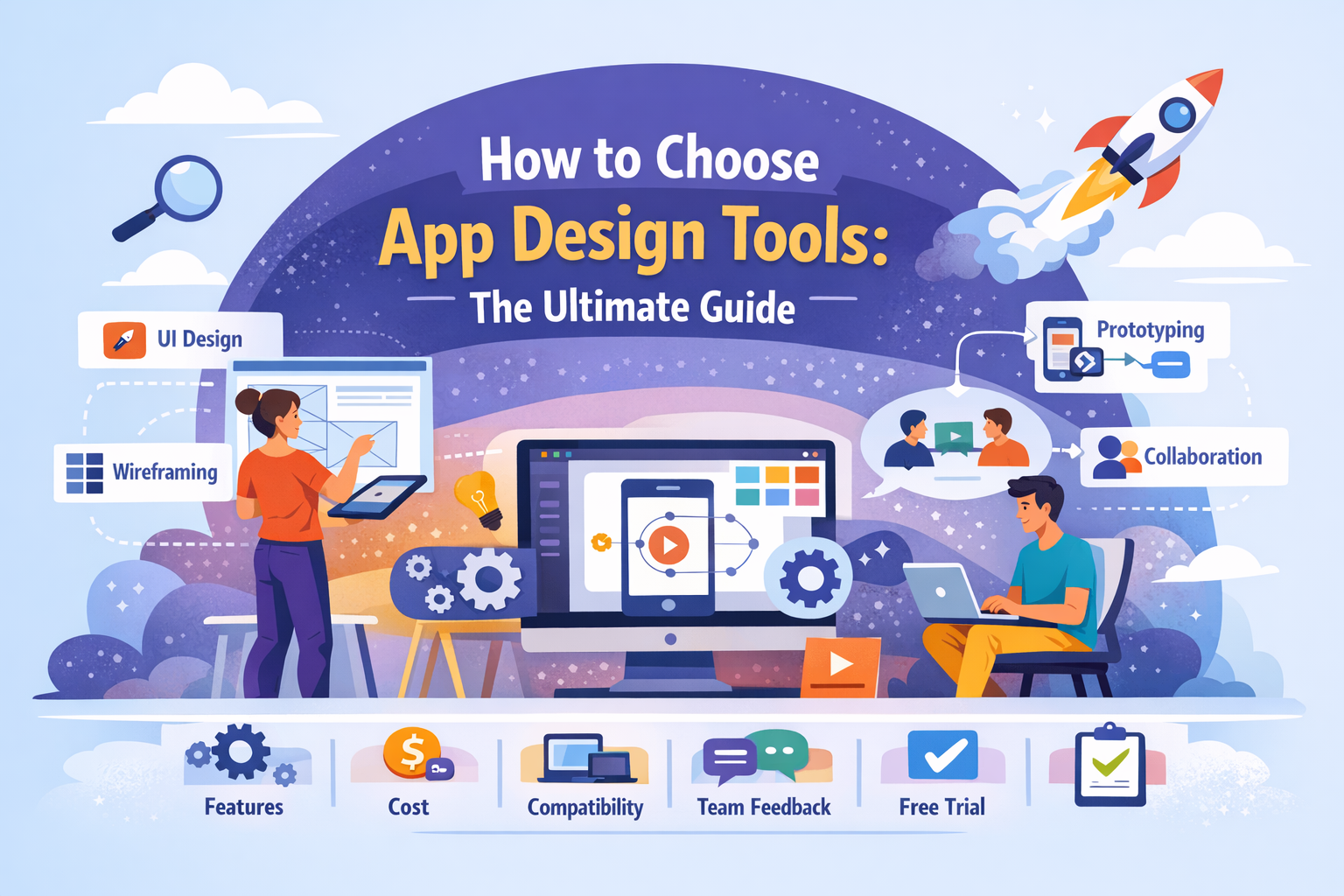
Key Features to Look for in Interactive App Prototype Tools
Not all interactive app prototype tools are created equal. Some are ideal for quick click-through demos, while others support advanced logic, animations, and realistic user interactions. Choosing the right tool depends on the features it offers and how well those features match your app’s complexity and goals.
Understanding these features will help you avoid overpaying for unnecessary functionality—or choosing a tool that cannot scale with your needs.
Essential Interactive Prototyping Features
At a minimum, every interactive app prototyping tool should support the following core features.
Clickable Hotspots and Navigation
Clickable hotspots allow users to interact with screens just like a real app. These define what happens when a user taps, clicks, or presses an element.
Key capabilities include:
- Button-based navigation
- Tap and click interactions
- Screen-to-screen linking
- Back and forward navigation
Without this feature, a tool cannot truly be considered an interactive app prototype tool.
Screen Transitions and Animations
Transitions help users understand how screens are connected. They also communicate hierarchy and flow.
Common transition types include:
- Slide (left, right, up, down)
- Fade and dissolve
- Push and overlay
- Custom easing curves
Well-designed transitions improve usability by reducing cognitive load and making the app feel responsive.
Advanced Features for Modern Interactive App Prototypes
As apps become more complex, advanced interactive features become essential.
Conditional Logic and Variables
Advanced interactive app prototype tools allow you to define rules such as:
- If a user logs in, show Screen A
- If a form is incomplete, show an error state
- If a toggle is on, display additional options
This enables realistic simulations of real app behavior without writing code.
Micro-Interactions and Feedback States
Micro-interactions are subtle but powerful. They provide feedback and guide users.
Examples include:
- Button hover and pressed states
- Loading spinners
- Success and error messages
- Toggle animations
According to UX research, clear feedback reduces user frustration and increases task completion rates.
Gesture and Mobile-Specific Interactions
For mobile apps, gesture support is critical.
Look for interactive app prototype tools that support:
- Swipe gestures
- Drag and drop
- Pinch and zoom
- Long press interactions
These gestures help test real-world mobile usability before development.
Collaboration and Feedback Features
Modern product teams are collaborative by nature. Interactive app prototype tools should support teamwork.
Real-Time Collaboration
Real-time collaboration allows multiple users to work on the same prototype simultaneously.
Benefits include:
- Faster iteration
- Fewer version conflicts
- Better team alignment
Commenting and Annotation Tools
Feedback should be easy to leave and easy to track.
Good tools offer:
- In-context comments
- Mentions and notifications
- Comment resolution tracking
This eliminates long email threads and scattered feedback.
Sharing and Presentation Options
An effective interactive app prototype tool makes sharing simple.
Look for:
- Shareable prototype links
- Password-protected access
- Device previews
- Presentation mode for demos
These features are essential for stakeholder reviews, usability testing, and investor presentations.
Performance and Device Preview
Performance affects perception. Laggy prototypes can skew feedback.
High-quality interactive app prototyping tools offer:
- Smooth transitions
- Real-device previews
- Platform-specific behaviors (iOS vs Android)
This ensures feedback reflects the real user experience.
Feature Comparison Checklist
Use this quick checklist when evaluating interactive app prototype tools:
- Clickable interactions
- Screen transitions and animations
- Gesture support
- Conditional logic
- Collaboration tools
- Easy sharing and previews
Choosing Features Based on Your Needs
Not every project needs advanced logic. However, underpowered tools can limit insight and slow iteration.
- Simple apps → basic interactive features
- Complex apps → advanced logic and gestures
- Large teams → collaboration and version control
The best interactive app prototype tools balance ease of use with realistic interactivity.
Types of Interactive App Prototype Tools
Interactive app prototype tools come in different forms, each designed for a specific stage of the design process or level of complexity. Understanding these types will help you choose the right tool based on your goals, timeline, and team skill set.
Not every project needs the same level of fidelity. The key is matching the type of interactive app prototyping tool to the problem you are trying to solve.
Low-Fidelity Interactive App Prototyping Tools
Low-fidelity interactive app prototype tools focus on structure and flow rather than visuals. They are often used early in the design process.
What Low-Fidelity Tools Are Best For
- Early ideation and brainstorming
- Testing basic user flows
- Validating navigation structure
- Quick stakeholder alignment
These tools typically use grayscale designs, simple shapes, and minimal styling. Interactions are basic but sufficient for understanding flow.
Benefits of Low-Fidelity Interactive Prototypes
- Fast to create and modify
- Encourage feedback on usability, not visuals
- Low time and cost investment
Limitations
- Not visually realistic
- Limited animation and polish
- Not ideal for investor or marketing demos
Low-fidelity interactive app prototype tools are ideal when speed and clarity matter more than aesthetics.
High-Fidelity Interactive App Prototype Tools
High-fidelity interactive app prototype tools create prototypes that closely resemble the final product. These are the most commonly used tools in modern UX design.
What High-Fidelity Tools Include
- Pixel-perfect UI design
- Brand colors, typography, and spacing
- Smooth animations and transitions
- Advanced interaction logic
High-fidelity interactive app prototypes are often indistinguishable from real apps during demos.
Benefits of High-Fidelity Interactive Prototypes
- Realistic user testing results
- Strong stakeholder and investor buy-in
- Clear developer handoff
Limitations
- More time to create
- Requires design expertise
- Can distract feedback toward visuals if used too early
High-fidelity interactive app prototype tools are best used after core user flows are validated.
No-Code and Low-Code Interactive App Prototyping Tools
No-code and low-code tools blur the line between prototyping and building.
What No-Code Interactive App Prototyping Tools Offer
- Drag-and-drop components
- Built-in logic and workflows
- Data simulation
- Reusable components
These tools allow non-technical users to create complex interactive app prototypes without coding.
When No-Code Prototyping Makes Sense
- Rapid MVP testing
- Founder-led prototyping
- Internal tools and dashboards
- Early-stage product validation
Some no-code interactive app prototype tools can even evolve into production apps, although this depends on scalability needs.
Developer-Focused Interactive App Prototype Tools
Some interactive app prototyping tools are designed for teams that want code-level control.
Characteristics of Developer-Focused Tools
- Code-based animations
- React or component-driven workflows
- High-performance interactions
These tools are powerful but require technical knowledge. They are best suited for teams where designers and developers work closely together.
Choosing the Right Type of Interactive App Prototype Tool
Use the table below to match tool types to project needs:
| Project Need | Best Tool Type |
|---|---|
| Early idea validation | Low-fidelity interactive tools |
| Usability testing | High-fidelity interactive tools |
| MVP experimentation | No-code / low-code tools |
| Complex interactions | Developer-focused tools |
Why Tool Type Matters
Using the wrong type of interactive app prototype tool can slow progress or distort feedback. For example:
- High-fidelity prototypes too early can distract from usability
- Low-fidelity tools too late can miss visual issues
The best teams progress through tool types as the product matures.
Best Interactive App Prototype Tools in 2025
Choosing the right interactive app prototype tools can have a major impact on how efficiently your team designs, tests, and validates app ideas. In 2025, the best tools combine powerful interactivity with ease of use, collaboration, and realistic previews.
Below is a detailed breakdown of the top interactive app prototyping tools, including what they do best, their strengths, and when to use them.
1. Figma for Interactive App Prototyping
Figma has become one of the most widely used interactive app prototype tools in the world. Its browser-based approach and real-time collaboration make it ideal for modern teams.
Key interactive features:
- Clickable prototypes and navigation flows
- Smart animate transitions
- Interactive components and variants
- Real-time multiplayer editing
Why Figma stands out:
- No installation required
- Designers and stakeholders collaborate live
- Easy sharing with simple links
Best use cases:
- UX/UI design teams
- Startups and SaaS products
- Rapid iteration and feedback
Limitations:
- Advanced logic is limited compared to specialized tools
- Complex simulations may require plugins
2. Adobe XD Interactive App Prototype Tools
Adobe XD is a mature interactive app prototyping tool designed for designers already using Adobe products.
Key interactive features:
- Auto-animate transitions
- Voice and gesture interactions
- Component states
- Design system support
Strengths:
- Smooth animations
- Strong integration with Creative Cloud
- Clean interface for prototyping
Best use cases:
- Designers working in Adobe ecosystems
- Mobile app prototypes with motion
Limitations:
- Collaboration features are weaker than competitors
- Slower innovation compared to newer tools
3. ProtoPie for Advanced Interactive App Prototypes
ProtoPie is one of the most powerful interactive app prototype tools available, especially for complex interactions.
Advanced capabilities include:
- Conditional logic and variables
- Device sensors (camera, GPS, tilt)
- Multi-touch and gesture inputs
- Hardware interaction simulation
Why teams choose ProtoPie:
- Extremely realistic prototypes
- Ideal for testing complex app behavior
Best use cases:
- Fintech and IoT apps
- Complex mobile workflows
- Advanced UX research
Limitations:
- Steeper learning curve
- Less suitable for quick wireframes
4. InVision for Interactive App Prototyping
InVision focuses heavily on collaboration and stakeholder feedback rather than advanced interaction logic.
Key features:
- Clickable prototypes
- Commenting and feedback tools
- Presentation mode
Strengths:
- Excellent for stakeholder reviews
- Simple learning curve
Best use cases:
- Design reviews
- Client approvals
- Early-stage prototyping
Limitations:
- Limited advanced interactions
- Less flexible than newer tools
5. Axure RP for Logic-Driven App Prototypes
Axure RP is a robust interactive app prototype tool built for complex, logic-heavy applications.
Key features:
- Conditional logic
- Dynamic panels
- Data-driven prototypes
Why Axure excels:
- Handles enterprise-level complexity
- Strong documentation capabilities
Best use cases:
- Enterprise software
- Complex workflows
- Internal business apps
Limitations:
- Interface feels dated
- Not beginner-friendly
6. Framer for Interactive Mobile App Prototypes
Framer bridges the gap between design and development using a code-driven approach.
Core strengths:
- React-based components
- High-performance animations
- Responsive layouts
Best use cases:
- Design-engineering teams
- Motion-heavy apps
- Production-quality prototypes
Limitations:
- Requires technical knowledge
- Not ideal for non-developers
Comparison Table: Interactive App Prototype Tools
| Tool | Best For | Skill Level | Advanced Interactions |
|---|---|---|---|
| Figma | Collaboration & speed | Beginner–Intermediate | Medium |
| Adobe XD | Motion & design | Intermediate | Medium |
| ProtoPie | Complex logic | Advanced | High |
| InVision | Feedback & reviews | Beginner | Low |
| Axure RP | Enterprise workflows | Advanced | High |
| Framer | Code-based prototypes | Advanced | High |
How to Choose the Best Interactive App Prototype Tool
Ask yourself:
- How complex are the interactions?
- Do you need advanced logic?
- Who will use the tool?
- How important is collaboration?
There is no “one-size-fits-all” solution. The best interactive app prototype tools are the ones that match your team’s skills and your product’s needs.
How to Choose the Right Interactive App Prototype Tool
With so many interactive app prototype tools available, choosing the right one can feel overwhelming. The best tool is not necessarily the most powerful or expensive. It is the tool that fits your project goals, team skills, and app complexity.
Making the right choice early can save weeks of work and prevent costly tool switching later.
Start With Your App’s Purpose
Before evaluating features, clarify what you need the prototype to achieve.
Ask yourself:
- Are you validating an idea or refining a near-final product?
- Is the prototype for user testing, stakeholder approval, or development handoff?
- Do you need realism or speed?
Your answers will guide the level of interactivity you need.
Questions to Ask Before Choosing a Tool
These questions help narrow down the right interactive app prototyping tool.
What Platform Are You Designing For?
- Mobile (iOS, Android)
- Web applications
- Cross-platform apps
Some interactive app prototype tools handle mobile gestures better, while others excel at responsive web design.
How Complex Are the Interactions?
- Simple navigation flows
- Conditional logic
- Dynamic content
- Device sensor simulations
Choose a tool that can handle your most complex interaction, not just the average case.
Who Will Use the Tool?
- Designers only
- Cross-functional teams
- Non-technical stakeholders
Ease of use matters. A powerful tool is useless if your team cannot adopt it.
Comparing Interactive App Prototype Tools by Use Case
Different teams have different needs. Below is a practical comparison.
Startups and Early-Stage Teams
- Prioritize speed and ease of use
- Minimal setup and fast iteration
- Strong sharing features
Best fit: Figma, InVision
UX and Product Design Teams
- Need usability testing
- High-fidelity prototypes
- Component systems
Best fit: Figma, Adobe XD, ProtoPie
Enterprise and Complex Applications
- Logic-heavy workflows
- Detailed documentation
- Multiple user roles
Best fit: Axure RP, ProtoPie
Design + Engineering Teams
- Code-driven interactions
- Performance realism
- Component reuse
Best fit: Framer
Budget and Pricing Considerations
Interactive app prototype tools vary widely in pricing.
Consider:
- Free vs paid tiers
- Cost per editor
- Viewer or stakeholder access
- Enterprise licensing needs
Many tools offer free plans for basic prototyping. Advanced features usually require paid subscriptions.
Collaboration and Workflow Integration
If your team collaborates across time zones or departments, collaboration features are critical.
Look for:
- Real-time editing
- Commenting and mentions
- Version history
- Integration with design or project tools
Strong collaboration reduces friction and speeds up feedback cycles.
Tool Longevity and Scalability
Avoid tools that work only for one stage of the product lifecycle.
The best interactive app prototype tools:
- Scale from wireframes to high-fidelity designs
- Support growing teams
- Integrate with development workflows
Switching tools mid-project can introduce errors and slow progress.
A Simple Decision Framework
Use this checklist to make a confident choice:
- ✅ Matches your app complexity
- ✅ Fits your team’s skill level
- ✅ Supports required platforms
- ✅ Offers collaboration features
- ✅ Fits your budget
Final Advice
The goal of interactive app prototype tools is not perfection. It is learning fast.
Choose the tool that helps you test ideas, gather feedback, and improve user experience as early as possible.
Interactive App Prototype Tools for Mobile Apps
Designing for mobile requires a different mindset than designing for desktop or web. Interactive app prototype tools for mobile apps must accurately simulate touch, gestures, screen sizes, and real device behavior. Without this, usability testing results can be misleading.
Mobile users expect intuitive gestures, smooth animations, and fast feedback. Interactive app prototyping tools help teams test these expectations before development begins.
Why Mobile App Prototyping Is Different
Mobile apps are interaction-heavy. Users rely on gestures rather than clicks, and screen space is limited.
Key mobile-specific challenges include:
- Thumb reach and ergonomics
- Gesture discoverability
- Navigation depth
- Performance perception
Interactive app prototype tools allow teams to test these challenges in a realistic environment.
Essential Mobile Features in Interactive App Prototype Tools
When prototyping mobile apps, look for tools that support the following features.
Touch and Gesture Support
Mobile prototypes should simulate real gestures, including:
- Tap and double tap
- Swipe (left, right, up, down)
- Drag and drop
- Long press
Gesture support ensures usability testing reflects real user behavior.
Device Previews and Screen Sizes
Good interactive app prototype tools allow you to preview designs on:
- Different phone sizes
- Tablets
- Orientation changes
This helps identify layout issues early.
Interactive App Prototype Tools for iOS Apps
iOS apps follow specific design conventions. Interactive app prototype tools should support these patterns.
Important iOS prototyping features:
- iOS-style transitions
- Navigation stacks
- Tab bars and modals
- Native gesture behavior
Tools like Figma, ProtoPie, and Adobe XD are commonly used for iOS interactive app prototypes.
Interactive App Prototype Tools for Android Apps
Android apps have different interaction patterns and navigation models.
Key Android considerations:
- Back navigation behavior
- Material Design components
- System gestures
Interactive app prototyping tools that support Android-specific behaviors help create more accurate prototypes.
Cross-Platform Mobile Prototyping
Many apps target both iOS and Android. Interactive app prototype tools should handle cross-platform design efficiently.
Best practices include:
- Shared components
- Platform-specific interactions
- Adaptive layouts
Some tools allow a single prototype to simulate both platforms with minimal adjustments.
Testing Mobile App Prototypes on Real Devices
Testing on real devices provides more accurate feedback than desktop previews.
Look for tools that offer:
- Native mobile preview apps
- QR code sharing
- Offline testing modes
Real-device testing helps uncover:
- Gesture friction
- Animation timing issues
- Accessibility problems
Case Study: Improving Mobile Onboarding
A SaaS startup used interactive app prototype tools to test mobile onboarding flows. By testing on real devices, they discovered:
- Users missed swipe gestures
- Buttons were hard to reach with one hand
- Transitions felt too slow
After adjusting the prototype:
- Onboarding completion increased by 31%
- Support requests dropped significantly
This improvement happened before development, saving time and cost.
Summary: Mobile Prototyping Best Practices
For effective mobile app prototyping:
- Always test gestures
- Use real device previews
- Follow platform conventions
- Keep interactions realistic
Interactive app prototype tools are essential for building mobile apps that feel intuitive and responsive from day one.
Interactive App Prototype Tools for Web Apps
Web apps present a different set of challenges than mobile apps. While mobile focuses on touch and gestures, interactive app prototype tools for web apps must accurately simulate responsiveness, hover states, keyboard input, and browser-based interactions.
Modern web applications behave more like software products than websites. Interactive app prototyping tools help teams design, test, and validate these complex behaviors before development.
What Makes Web App Prototyping Unique
Web apps must work across:
- Different screen sizes
- Multiple browsers
- Mouse, keyboard, and touch inputs
Unlike mobile apps, web apps often include:
- Dense interfaces
- Complex dashboards
- Data-heavy workflows
Interactive app prototype tools allow teams to test these interactions early.
Essential Web App Features in Interactive App Prototype Tools
When prototyping web apps, the tool should support behaviors users expect on desktop and web.
Hover States and Cursor Interactions
Hover interactions are critical in web apps.
Examples include:
- Tooltips
- Dropdown menus
- Hover-based navigation
- Icon state changes
Interactive app prototypes should simulate these behaviors accurately to ensure usability.
Responsive Layouts and Breakpoints
Responsive design is essential for modern web apps.
Good interactive app prototyping tools allow:
- Multiple breakpoints
- Fluid layouts
- Adaptive components
This helps teams test how designs behave on desktops, tablets, and smaller screens.
Interactive App Prototype Tools for SaaS and Dashboards
SaaS platforms and dashboards are among the most complex web apps to prototype.
Key considerations include:
- Data visualization
- Multi-step workflows
- Role-based interfaces
Advanced interactive app prototype tools support:
- Dynamic panels
- Conditional logic
- Simulated data states
Tools like Axure RP and Framer are particularly strong in this area.
Keyboard Navigation and Accessibility
Accessibility is often overlooked in prototyping, but interactive app prototype tools can help address it early.
Important accessibility features include:
- Keyboard navigation
- Focus states
- Error messaging
- Screen reader considerations
Testing these behaviors early leads to more inclusive web apps.
Browser-Based Preview and Testing
Web app prototypes should be tested in environments that feel realistic.
Look for tools that offer:
- Browser-based previews
- Shareable prototype links
- Presentation modes
This makes it easier to gather feedback from remote teams and users.
Case Study: Redesigning a SaaS Dashboard
A B2B SaaS company used interactive app prototype tools to redesign its analytics dashboard. During testing, they discovered:
- Users overlooked key metrics
- Navigation labels were unclear
- Hover interactions caused confusion
By iterating on the interactive prototype:
- Task completion time dropped by 22%
- User satisfaction scores increased
- Fewer changes were needed during development
Best Practices for Web App Prototyping
To get the most out of interactive app prototype tools for web apps:
- Prototype realistic workflows
- Include hover and keyboard interactions
- Test responsive behavior
- Simulate real data scenarios
Summary: Why Web App Prototypes Matter
Web apps are complex systems. Static designs cannot capture real behavior.
Interactive app prototype tools give teams the ability to experience, test, and refine web apps before they are built, reducing risk and improving user experience.
How to Create an Interactive App Prototype Step-by-Step
Creating an effective prototype is not about adding every animation or feature possible. The goal of interactive app prototype tools is to help you learn fast, validate assumptions, and improve usability before development begins.
Below is a clear, practical step-by-step process used by high-performing product teams.
Step 1: Define User Goals and Core User Flows
Before opening any interactive app prototyping tool, clarify what users are trying to accomplish.
Start by identifying:
- Primary user goals
- Key tasks users must complete
- Critical success paths
Common examples include:
- Signing up
- Completing onboarding
- Making a purchase
- Submitting a form
Mapping user flows first prevents unnecessary screens and interactions later.
Tip: If you cannot describe the flow in words, the prototype will be confusing.
Step 2: Create Wireframes or Base Screens
Next, design the core screens needed to support your user flows.
You can start with:
- Low-fidelity wireframes for speed
- High-fidelity UI if visual accuracy matters
At this stage:
- Focus on layout and hierarchy
- Avoid over-polishing visuals
- Keep screens simple
Interactive app prototype tools allow you to evolve these screens over time.
Step 3: Connect Screens and Add Interactions
This is where interactive app prototyping tools shine.
Define:
- Click, tap, or gesture triggers
- Screen-to-screen navigation
- Back and cancel behaviors
Ensure that:
- Every button has a clear outcome
- Navigation matches user expectations
Poor interaction logic is easier to fix now than during development.
Step 4: Add Transitions and Micro-Interactions
Transitions help users understand context and flow.
Use transitions to:
- Show hierarchy
- Indicate progress
- Provide feedback
Examples of useful micro-interactions:
- Loading indicators
- Button press feedback
- Error messages
Avoid unnecessary animation. Clarity always comes before flair.
Step 5: Test the Interactive App Prototype with Real Users
Testing is the most valuable step.
Use interactive app prototype tools to:
- Share prototypes via links
- Test on real devices
- Observe user behavior
During testing, watch for:
- Hesitation or confusion
- Repeated errors
- Missed calls to action
Do not explain the prototype. Let users struggle. That’s where insights come from.
Step 6: Collect Feedback and Iterate Quickly
After testing, review feedback and identify patterns.
Common improvement areas include:
- Navigation clarity
- Button labeling
- Screen order
Iterate fast. Interactive app prototype tools are designed for rapid changes.
Rule of thumb: If multiple users struggle at the same point, the design—not the user—is the problem.
Step 7: Share the Prototype with Stakeholders
Once refined, share the prototype with:
- Product teams
- Developers
- Executives
- Clients or investors
Interactive prototypes reduce misunderstandings because everyone experiences the same flow.
Step 8: Prepare for Development Handoff
A good interactive app prototype becomes a reference for development.
Ensure:
- Interactions are clearly defined
- Edge cases are considered
- Components are consistent
Many interactive app prototype tools integrate with development workflows, making handoff smoother.
Common Mistakes to Avoid
- Over-animating the prototype
- Prototyping every edge case too early
- Skipping user testing
- Treating the prototype as final
Summary: Why This Process Works
This step-by-step approach ensures that:
- User needs come first
- Feedback is data-driven
- Development risk is reduced
Interactive app prototype tools are most powerful when used early and often.
Best Practices for Interactive App Prototyping
Using interactive app prototype tools effectively requires more than just connecting screens. The best prototypes are clear, purposeful, and focused on learning. Following proven best practices helps teams avoid wasted effort and extract real value from interactive app prototyping.
Below are practical guidelines used by experienced UX and product teams.
Focus on User Outcomes, Not Features
A common mistake is prototyping features instead of experiences.
Always ask:
- What problem is this solving?
- What should the user feel at this step?
- What action should be obvious?
Interactive app prototypes should guide users toward goals, not overwhelm them with options.
Keep Interactions Realistic
Prototypes should reflect how the final app will behave.
Avoid:
- Impossible transitions
- Instant responses where loading is expected
- Interactions that developers cannot realistically build
Realistic behavior leads to better feedback and fewer surprises during development.
Choose the Right Fidelity Level
Not every prototype needs to look polished.
| Stage | Recommended Fidelity |
|---|---|
| Early concept | Low-fidelity interactive |
| Usability testing | Mid to high-fidelity |
| Stakeholder demos | High-fidelity interactive |
High-fidelity interactive app prototype tools should be used only after core flows are validated.
Limit the Scope of Each Prototype
Prototypes do not need to cover the entire app.
Focus on:
- One key user journey
- One problem area
- One feature set
Smaller prototypes are easier to test, update, and understand.
Design for Feedback, Not Approval
Prototypes are learning tools, not final products.
Encourage feedback by:
- Asking open-ended questions
- Observing behavior instead of opinions
- Avoiding defensive explanations
Interactive app prototype tools help expose problems early. That is a success, not a failure.
Test Early and Often
Testing should begin as soon as interactions are added.
Best practices include:
- Testing with 5–7 users per round
- Running multiple short sessions
- Iterating between tests
According to usability research, five users can uncover up to 85% of usability issues.
Collaborate Across Teams
Interactive app prototyping works best when it is collaborative.
Involve:
- Designers
- Product managers
- Developers
- Stakeholders
Shared understanding reduces friction and speeds up execution.
Document Key Decisions
Even the best interactive app prototype tools benefit from documentation.
Document:
- Design assumptions
- Known limitations
- Open questions
This prevents confusion during handoff and future iterations.
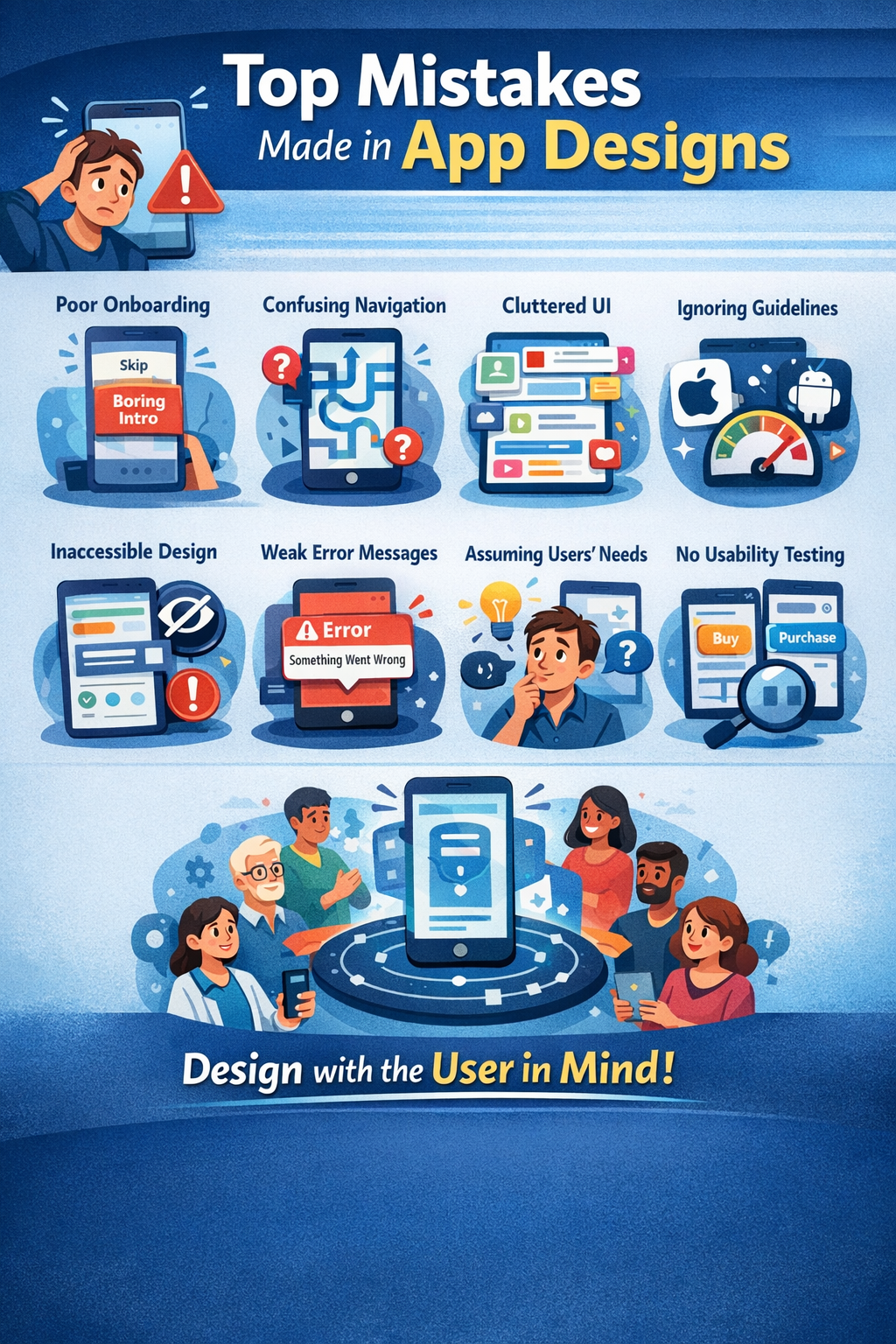
Common Interactive App Prototyping Mistakes
Avoid these common pitfalls:
- Overloading prototypes with animations
- Ignoring accessibility
- Testing too late
- Treating prototypes as final designs
Each mistake reduces the value of interactive app prototyping.
Best Practices Summary Checklist
- Focus on user goals
- Keep interactions realistic
- Match fidelity to stage
- Test early and often
- Encourage honest feedback
Why Best Practices Matter
Interactive app prototype tools are powerful, but only when used intentionally. Following best practices ensures prototypes lead to better UX, faster development, and stronger products.
How Interactive App Prototypes Improve UX and Conversion Rates
One of the biggest advantages of interactive app prototype tools is their direct impact on user experience (UX) and conversion rates. By allowing teams to test real interactions early, these tools help identify friction points that would otherwise go unnoticed until after launch.
Better UX leads to better business outcomes. Interactive app prototyping makes that connection measurable.
Interactive Prototypes Reveal Real User Behavior
Users behave very differently when interacting with a prototype compared to viewing static screens.
Interactive app prototype tools allow teams to observe:
- Where users hesitate
- Which elements are ignored
- How users navigate between screens
- Where drop-offs occur
These insights are critical for improving usability and engagement.
“You can’t improve what you can’t observe.”
Interactive prototypes make user behavior visible.
Reducing Friction in User Journeys
Friction occurs when users feel confused, delayed, or blocked.
Common friction points include:
- Unclear calls to action
- Too many steps
- Unexpected navigation
- Poor feedback after actions
Interactive app prototype tools help teams identify and remove friction before development, when changes are fastest and cheapest.
Improving Onboarding Experiences
Onboarding is one of the most important flows in any app.
Using interactive app prototypes, teams can test:
- Sign-up flow length
- Field clarity
- Error handling
- Progress indicators
Even small improvements in onboarding can have a major impact on retention and conversion.
Data-Backed UX Improvements
Research consistently shows the value of UX improvements.
- 88% of users are less likely to return after a bad experience
- Well-designed UX can increase conversion rates by up to 200%
- UI improvements alone can increase conversion by up to 400%
Interactive app prototype tools make these improvements achievable earlier.
Case Study: Increasing Conversion Before Launch
A subscription-based app tested its pricing flow using an interactive prototype. Testing revealed:
- Users misunderstood the plan options
- The CTA was not visible without scrolling
- Confirmation messaging was unclear
After revising the prototype:
- Trial sign-ups increased by 24%
- Pricing page drop-offs decreased
- Fewer changes were required post-launch
This optimization happened before development, saving time and cost.
Aligning UX With Business Goals
Interactive app prototyping bridges the gap between UX and business objectives.
Prototypes help answer questions like:
- Does this flow support conversions?
- Are users guided toward key actions?
- Is value communicated clearly?
By testing these questions early, teams avoid costly redesigns later.
Measuring Success With Interactive Prototypes
While prototypes are not analytics tools, they support:
- Task completion tracking
- Qualitative feedback
- Usability benchmarks
These insights inform smarter design decisions that improve UX and conversion.
Why Interactive Prototypes Lead to Better Products
The biggest advantage of interactive app prototype tools is confidence.
Teams launch knowing:
- Users understand the app
- Flows have been tested
- Major UX risks are addressed
Better UX leads to higher engagement, stronger retention, and improved conversions.
Collaboration and Handoff: From Prototype to Development
One of the most overlooked benefits of interactive app prototype tools is how they improve collaboration and streamline the handoff from design to development. When done correctly, interactive prototypes become a shared source of truth for everyone involved in building the app.
Clear handoff reduces misunderstandings, rework, and delays.
Why Traditional Design Handoff Fails
Traditional handoff often relies on:
- Static design files
- Long documentation
- Verbal explanations
This creates gaps in understanding. Developers are forced to interpret behavior instead of seeing it.
Interactive app prototype tools eliminate this ambiguity by showing how the app is supposed to work.
Interactive Prototypes as a Communication Tool
An interactive prototype communicates:
- Navigation logic
- Transitions and animations
- Edge cases and error states
- User intent
Developers can experience the product instead of guessing behavior.
“A prototype is worth a thousand specs.”
Improving Designer–Developer Collaboration
Interactive app prototyping tools bring designers and developers closer together.
Benefits include:
- Shared understanding of flows
- Faster clarification of questions
- Reduced back-and-forth
Many teams review prototypes together during sprint planning.
What Developers Look for in Interactive Prototypes
To support development, prototypes should clearly show:
- What triggers actions
- What happens next
- What feedback users receive
Developers should not have to guess how interactions work.
Best Practices for Developer-Friendly Prototypes
To improve handoff:
- Label interactions clearly
- Include edge cases
- Keep flows consistent
- Avoid hidden logic
Interactive app prototype tools make these practices easier to follow.
Integrating Prototypes Into Development Workflows
Modern tools integrate with:
- Design systems
- Task management platforms
- Version control systems
This keeps design and development aligned throughout the build.
Reducing Rework and Technical Debt
Poor handoff leads to:
- Rebuilt features
- Missed requirements
- UX regressions
Interactive app prototype tools reduce these risks by clarifying expectations early.
Case Study: Faster Development Through Better Handoff
A product team used interactive prototypes during sprint planning. Developers reported:
- Fewer clarification meetings
- Faster implementation
- Less rework
As a result:
- Sprint velocity increased
- Bugs related to UX decreased
From Prototype to Production
Interactive prototypes should:
- Inform development decisions
- Guide implementation
- Support QA testing
They are not replacements for code, but they are essential bridges between design and development.
Summary: Why Collaboration Matters
The success of an app depends on alignment.
Interactive app prototype tools create that alignment by making behavior visible, expectations clear, and collaboration easier.
Future Trends in Interactive App Prototype Tools
Interactive app prototype tools continue to evolve as app complexity, user expectations, and development workflows change. In the coming years, these tools will become even more powerful, intelligent, and integrated into the product lifecycle.
Understanding these trends helps teams stay competitive and future-proof their design processes.
AI-Powered Interactive App Prototyping
Artificial intelligence is already reshaping design tools, and interactive app prototyping is no exception.
Emerging AI capabilities include:
- Auto-generated user flows
- Smart layout suggestions
- Automated interaction linking
- Predictive usability feedback
AI-powered interactive app prototype tools will reduce repetitive work and allow designers to focus on strategy and creativity.
Faster Prototyping With Natural Language Input
Some tools are beginning to support text-based commands such as:
“Create a login flow with validation errors”
This trend will:
- Lower the barrier to entry
- Speed up prototyping
- Empower non-designers
Interactive app prototyping will become more accessible across teams.
More Realistic User Behavior Simulation
Future interactive app prototype tools will better simulate:
- Network delays
- Loading states
- Real data scenarios
This realism will lead to more accurate usability testing and fewer surprises after launch.
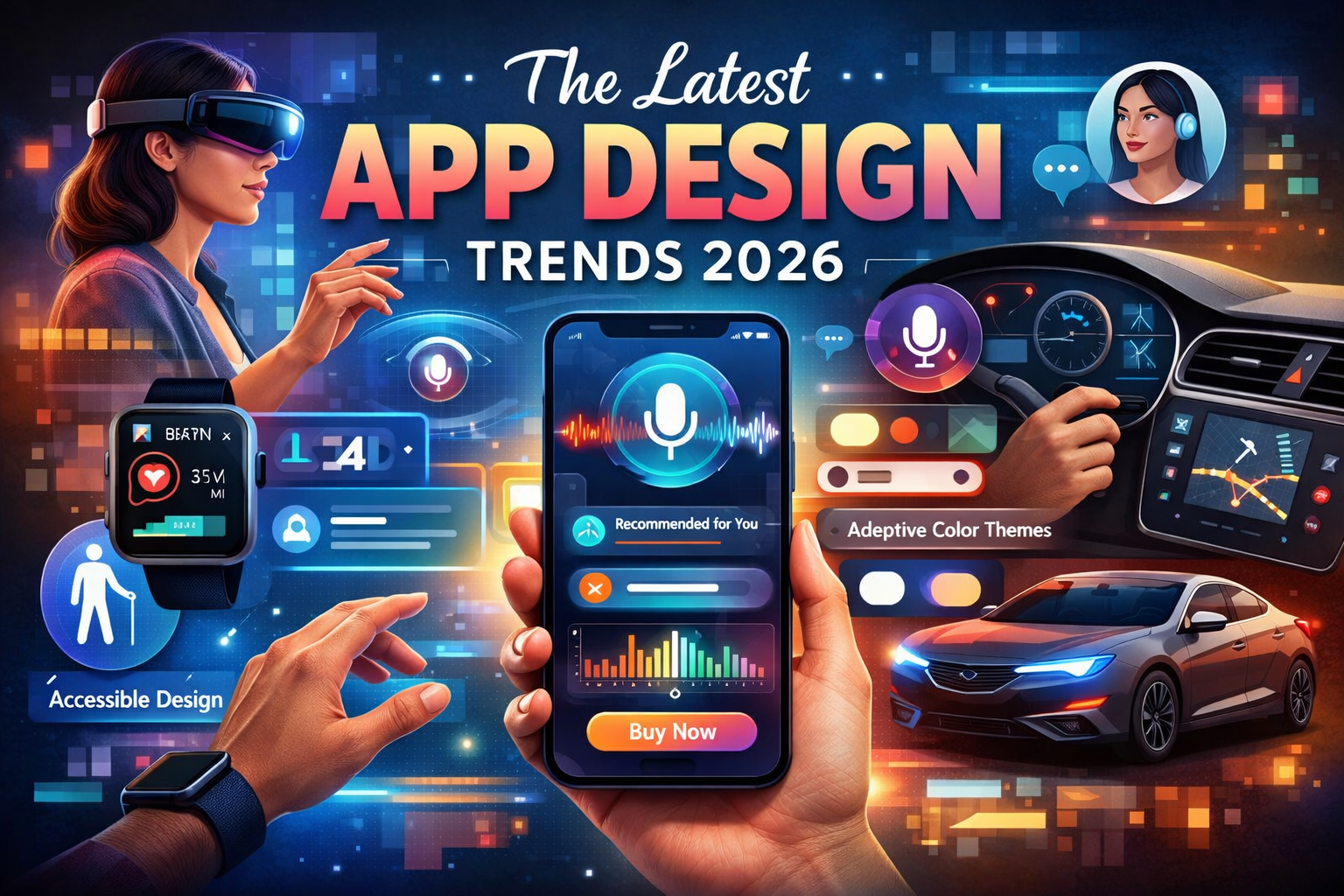
Voice, Gesture, and Multimodal Interfaces
As apps move beyond screens, prototypes must follow.
Interactive app prototype tools will increasingly support:
- Voice interactions
- Advanced gestures
- Wearables and mixed reality
These capabilities will be essential for next-generation apps.
Deeper Integration With Development Tools
Prototyping and development workflows will continue to converge.
Future tools will:
- Sync with design systems
- Share components across platforms
- Improve developer handoff
This reduces duplication and speeds up delivery.
Collaboration Will Become the Default
Remote and distributed teams are now standard.
Interactive app prototype tools will prioritize:
- Real-time collaboration
- Async feedback
- Better version control
Design will become more transparent and inclusive.
What This Means for Teams
The future of interactive app prototyping is:
- Faster
- Smarter
- More collaborative
Teams that adopt modern interactive app prototype tools early will:
- Reduce risk
- Improve UX
- Ship better products
Frequently Asked Questions About Interactive App Prototype Tools
This section addresses the most common questions people have when researching interactive app prototype tools. These answers are written to be clear, concise, and optimized for featured snippets.
What Is the Best Interactive App Prototype Tool for Beginners?
The best interactive app prototype tool for beginners is one that balances ease of use with enough interactivity to be useful.
Beginner-friendly options include:
- Figma for simple interactive prototypes and collaboration
- InVision for basic click-through flows
- Adobe XD for designers familiar with Adobe tools
These tools require minimal setup and allow beginners to start prototyping quickly without advanced technical knowledge.
Are Interactive App Prototype Tools Free?
Many interactive app prototype tools offer free plans with limited features.
Typical free plan limitations include:
- Limited number of prototypes
- Reduced collaboration options
- Fewer advanced interactions
Paid plans unlock:
- Advanced logic
- Team collaboration
- Real-device previews
Free plans are usually sufficient for learning and early experimentation.
Do I Need Coding Skills to Use Interactive App Prototype Tools?
No. Most interactive app prototyping tools are designed for non-developers.
However:
- Advanced tools like Framer may require coding knowledge
- No-code tools allow complex interactions without programming
The majority of interactive app prototype tools use visual interfaces and drag-and-drop workflows.
How Realistic Should an Interactive App Prototype Be?
The level of realism depends on the stage of the project.
- Early stage → Low to medium fidelity
- Usability testing → Medium to high fidelity
- Stakeholder demos → High fidelity
The goal is clarity, not perfection. Too much realism too early can slow iteration.
Can Interactive App Prototypes Be Used for User Testing?
Yes. Interactive app prototypes are ideal for user testing.
They allow teams to:
- Observe real behavior
- Identify usability issues
- Test flows without development
Many usability studies rely entirely on interactive app prototype tools.
How Long Does It Take to Create an Interactive App Prototype?
Time varies based on complexity.
- Simple prototype → A few hours
- Medium complexity → A few days
- Advanced prototype → One to two weeks
Interactive app prototype tools significantly reduce prototyping time compared to building real apps.
Are Interactive App Prototype Tools Worth It?
Yes. The return on investment is high.
Benefits include:
- Faster validation
- Reduced development cost
- Better UX outcomes
Most teams find that interactive app prototype tools pay for themselves after the first project.
Can One Tool Handle Both Mobile and Web Prototypes?
Many modern interactive app prototype tools support both mobile and web prototyping.
Examples include:
- Figma
- Adobe XD
- ProtoPie
However, complex projects may require specialized tools.
Final Thoughts on Interactive App Prototype Tools
Interactive app prototype tools are essential for modern product teams. They reduce risk, improve user experience, and enable faster decision-making.
By choosing the right tool and following best practices, teams can design better apps—before writing a single line of code.
Conclusion: Choosing the Best Interactive App Prototype Tools for Your Needs
Choosing the right interactive app prototype tools is not about finding the most advanced platform. It is about selecting a tool that helps your team learn faster, reduce risk, and build better user experiences.
Interactive app prototyping has become a standard practice because it works. It allows teams to test ideas early, identify usability issues before development, and align everyone around a shared vision of how an app should function.
Key Takeaways to Remember
When evaluating interactive app prototype tools, keep these principles in mind:
- Start with user goals, not features
- Choose the level of interactivity that matches your project stage
- Prioritize clarity and realism over visual perfection
- Test early and iterate often
- Use prototypes as collaboration tools, not final deliverables
The most effective teams use interactive app prototyping tools throughout the product lifecycle, from early ideation to development handoff.
There Is No One-Size-Fits-All Tool
Different projects require different tools.
- Simple apps benefit from fast, collaborative tools
- Complex apps require advanced logic and interactions
- Large teams need strong collaboration and handoff features
The best interactive app prototype tools are the ones that fit your workflow, team skills, and product complexity.
Why Interactive App Prototyping Is a Competitive Advantage
In today’s fast-moving digital landscape, speed and usability matter.
Teams that use interactive app prototype tools effectively:
- Launch faster
- Make fewer costly mistakes
- Deliver better user experiences
- Achieve higher engagement and conversion rates
Prototyping is no longer optional. It is a strategic advantage.
Final Recommendation
If you are building an app—mobile, web, or SaaS—start with interactive app prototyping. Choose a tool that helps you test assumptions, gather real feedback, and improve user experience before committing development resources.
Interactive app prototype tools help teams build the right product, not just build the product right.