
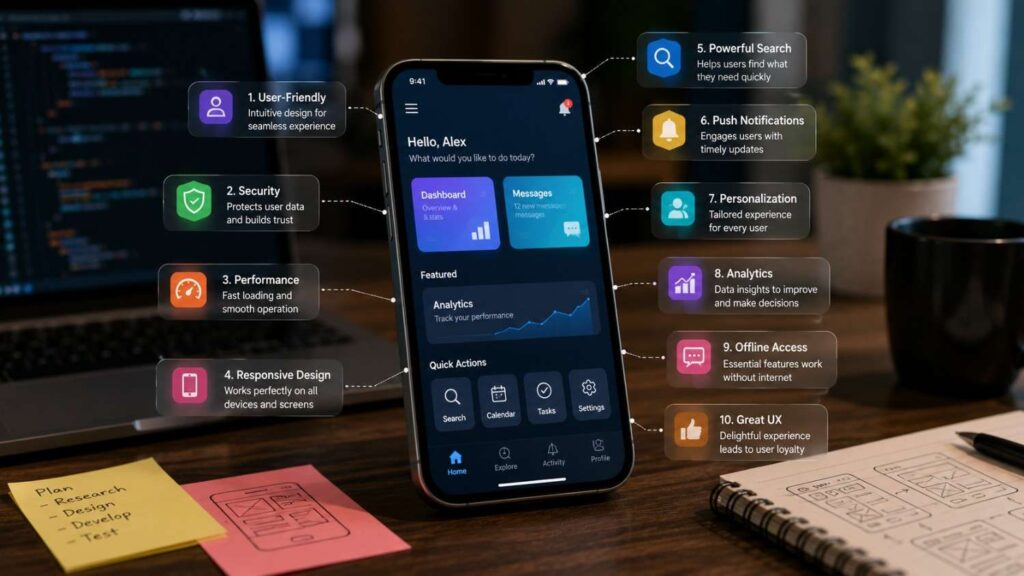
Top 10 Must-Have Features for Successful Mobile Apps
The Top 10 Must-Have Features for Successful Mobile Apps provide a practical framework for turning a product idea into a dependable mobile experience. They cover more than visible functionality. They also address the reliability, trust, accessibility, and recovery mechanisms that determine whether users can complete important tasks consistently.
Mobile users often interact under difficult conditions. They may be travelling, multitasking, using one hand, operating in bright sunlight, dealing with a weak network, or switching quickly between applications. Mobile interfaces must communicate value clearly and avoid unnecessary memory, attention, or physical demands.
Visual design alone is not sufficient. A polished application can still disappoint users when onboarding blocks access, navigation is inconsistent, startup is slow, permissions appear intrusive, or the product loses work during a connection failure. Features must function as part of a coherent journey rather than as separate additions.
Platform requirements also continue to evolve. Android’s current core-quality guidelines emphasise consistent experiences, contextual permission requests, graceful degradation, correct platform behaviour, and structured testing. Apple’s Human Interface Guidelines encourage designers to create clear, accessible, familiar experiences that integrate naturally with Apple platforms.
The table below summarises the ten capabilities and the main outcome each should support.
| Feature | Primary User Benefit | Key Product Metric |
|---|---|---|
| 1. Frictionless onboarding | Faster understanding and activation | Onboarding completion |
| 2. Intuitive adaptive navigation | Easier task completion | Task-success rate |
| 3. Fast, stable performance | Greater confidence and less abandonment | Startup, crash, and response metrics |
| 4. Offline access and synchronisation | Continuity during poor connectivity | Offline task completion |
| 5. Security and privacy controls | Greater trust and reduced risk | Authentication and permission success |
| 6. Accessible design | Wider and more inclusive usability | Accessibility-test completion |
| 7. Personalisation | More relevant experiences | Feature adoption and retention |
| 8. Search and discovery | Faster access to content | Search-success rate |
| 9. Relevant notifications | Timely re-engagement | Opt-in and action rates |
| 10. Support and error recovery | Faster problem resolution | Resolution and recovery rates |
One thing I always check first is the app’s primary user journey. Product teams should be able to describe who the user is, what result they need, which steps they must complete, and what could prevent success. If that journey is not clear and reliable, additional functionality will usually increase complexity rather than produce value.
The following sections explain how each feature contributes to the user experience, how it should be implemented, and which measurements can help teams determine whether it is working.
Features 1 and 2: Onboarding and Intuitive Navigation
Onboarding and navigation form the foundation of the mobile app user experience. Onboarding helps new users understand what the product offers and how to obtain its main value. Navigation allows them to move through the product independently after the initial guidance disappears.
These capabilities should work as one system. A tutorial that describes features using different names or structures from the live interface creates confusion. Similarly, excellent navigation cannot rescue an onboarding process that demands extensive registration before users understand why the app is useful.
The opening experience should minimise unnecessary decisions. Users should not be asked to configure every preference, accept every permission, or learn every advanced feature during the first session. Instead, the app should guide them toward one meaningful outcome and introduce additional capabilities in context.
Navigation should then make repeated use predictable. Important destinations need clear labels, consistent placement, and an understandable hierarchy. Secondary options should remain available without competing visually with core actions.
Both features must accommodate new and experienced users. Beginners may need contextual explanations, while returning users should be able to skip instruction and continue quickly. Android’s current user-experience guidance recommends designing onboarding for the intended audience and allowing people to configure significant aspects of the experience. Apple recommends interactive onboarding that lets people learn through meaningful actions rather than passive instruction.
Together, onboarding and navigation answer four questions: What does this app do? Why should I use it? What should I do next? How can I find this function again?
Feature 1: Frictionless Onboarding and Sign-In
Effective onboarding helps users experience value instead of forcing them to study the interface. Replace long introductory slides with contextual guidance, sample content, sensible defaults, and a guided first task whenever possible.
Apple’s onboarding guidance recommends teaching through interaction so people can safely try the action or feature they are learning. This approach makes the instruction easier to understand and connects it directly with the product’s purpose.
Delay account creation when the core experience does not immediately require identity, synchronisation, payment, or personalised data. When sign-in is necessary, minimise form fields and provide suitable platform-supported methods.
Passkeys can provide passwordless authentication through the device’s screen lock or biometric capabilities. Google describes passkeys as a safer and easier alternative to passwords, while its developer guidance supports registration and authentication through Credential Manager on Android.
A strong onboarding flow should communicate the primary benefit, request only essential information, demonstrate one valuable action, explain permissions in context, and allow experienced users to skip optional instruction.
Teams should measure completion, time to first value, permission acceptance, registration abandonment, and successful completion of the first core task. The purpose of onboarding is activation—not exposure to every feature the product team has built.
Feature 2: Clear Navigation and an Adaptive Interface
Navigation should make the structure of the application predictable. Use familiar platform patterns, plain labels, consistent destinations, and a clear relationship between top-level sections and the content displayed inside them.
Limit permanent navigation to the app’s main destinations. Secondary actions can appear within the relevant screen, menu, toolbar, or contextual surface. Too many top-level options increase visual competition and make it harder for users to understand the product hierarchy.
The interface must also adapt to changing window sizes and device formats. Phones, tablets, foldables, landscape orientation, desktop-style windows, and split-screen environments may require different arrangements without changing the underlying information structure.
Android’s adaptive app-quality guidance expects interfaces to respond appropriately to different dimensions, postures, and input methods instead of assuming one fixed phone layout. The current core-quality guidelines also require apps to preserve state and operate consistently through configuration changes.
Preserve drafts, scroll positions, selections, and task progress when a window resizes or a device rotates. A layout change should not unexpectedly return users to the beginning.
Navigation succeeds when users can quickly answer three questions: Where am I? What actions are available here? How do I return to the previous or primary destination? Test these questions with new users rather than relying only on the product team’s familiarity.
Features 3 and 4: Performance and Offline Reliability
Performance and offline reliability determine whether users can trust the app under real operating conditions. A feature may be valuable in theory, but it provides little practical benefit when screens load slowly, taps feel delayed, the product crashes, or user work disappears during a connection interruption.
Performance is not limited to startup time. It includes visual responsiveness, scrolling, battery use, memory behaviour, data transfer, media loading, background work, and the speed of important server operations. Users experience these technical concerns as confidence or frustration.
Offline reliability also involves more than displaying a generic “no internet” message. The application should identify which functions can continue, preserve important input, explain what is unavailable, and indicate whether pending work has been saved or synchronised.
The appropriate level of offline support depends on the use case. A medical field application, delivery tool, travel product, or inspection platform may require extensive offline workflows. A social application may focus on cached reading and draft preservation. A financial product may allow users to review recent information while preventing unverified transactions.
These capabilities share an important principle: the app must behave honestly. It should not display stale information as current, claim an action succeeded when it is only queued, or lose data without warning.
Production monitoring is essential because laboratory networks and test devices cannot represent every real environment. Teams should review technical quality by app version, operating-system version, device class, connection type, and region. Performance and offline design should be treated as continuing product work, not one-time launch tasks.
Feature 3: Fast, Stable, and Responsive Performance
Mobile performance includes startup, navigation, scrolling, input response, network activity, background processing, memory consumption, battery use, crashes, and application-not-responding events.
Android vitals gathers production signals related to stability, performance, battery behaviour, and permission issues. Google states that some core vitals can influence app discoverability on Google Play, connecting technical performance with both user satisfaction and distribution.
Optimise the path to the first useful screen. Avoid loading every service, recommendation, media asset, or analytics dependency before users can interact. Prioritise essential content, defer noncritical operations, cache suitable resources, compress media, and move expensive work away from the main interface thread.
When an operation requires time, communicate what is happening. A labelled progress state is more informative than an indefinite spinner. Users should understand whether the app is downloading, processing, uploading, verifying, or waiting for another system.
Monitor cold and warm startup, crash-free sessions, unresponsive sessions, frame rendering, network latency, battery consumption, and successful completion of important actions. Segment results by hardware, software version, and connectivity.
Performance work should prioritise user-perceived friction. A technically small delay can be significant when it occurs during sign-in, payment, saving, or another high-stakes action.
Feature 4: Offline Access and Reliable Data Synchronisation
Offline support allows users to complete all or a critical subset of the application’s core functionality without dependable internet access. Android defines an offline-first app as one that can perform all or an important portion of its business logic without a connection.
The correct architecture begins in the data layer. Android’s guidance recommends a local data source for critical reading and describes the local store as the source used by higher layers, with network updates synchronised when connectivity becomes available.
Users should understand which content is current, which actions are stored locally, and which operations are waiting to sync. Useful states include “Saved on this device,” “Waiting to sync,” “Upload failed,” and “Updated on another device.”
Reliable synchronisation requires rules for retries, duplicate submissions, ordering, conflicts, and edits made across multiple devices. High-risk actions may need confirmation from the server before appearing complete.
Preserve drafts whenever possible. If an operation cannot continue offline, explain why and keep enough information for the user to resume later.
Offline design improves more than travel use. It also supports users in elevators, tunnels, congested networks, buildings with poor reception, and temporary service outages. The product should degrade gracefully rather than presenting every connection problem as a complete failure.
Features 5 and 6: Security, Privacy, and Accessibility
Security, privacy, and accessibility are not optional enhancements to be added after the main product is complete. They determine who can use the app, whether users can trust it, and whether sensitive information or important actions remain protected.
Security addresses threats such as unauthorised access, insecure data storage, intercepted communications, manipulated application behaviour, and compromised accounts. Privacy addresses what information the app collects, why it is needed, how it is shared, and whether users retain meaningful control.
Accessibility ensures that people with visual, hearing, motor, speech, or cognitive disabilities can complete the same essential tasks. It also improves everyday use for people interacting in bright light, using one hand, recovering from injury, reading small screens, or operating under stress.
These areas overlap. An inaccessible authentication flow can lock users out of security controls. A privacy notice that cannot be read by a screen reader is not genuinely transparent. A permission request that appears without context can damage trust even when the underlying feature is legitimate.
Platform guidance increasingly treats these concerns as fundamental quality requirements. Android recommends minimising permission requests and providing graceful behaviour when users deny access. Apple requires app privacy disclosures that include relevant third-party data practices. OWASP MASVS provides an industry-standard set of controls for evaluating mobile application security.
Teams should include security reviews, privacy mapping, accessibility audits, and assistive-technology testing throughout design and development—not only immediately before store submission.
Related Articles
Feature 5: Secure Authentication and Transparent Privacy Controls
Collect only the data required for legitimate product functions. Every additional permission, identifier, profile field, or tracking technology increases responsibility and creates another potential source of user concern.
Request permissions at the point where the feature becomes understandable. Android’s current guidance recommends minimising permission usage because requests interrupt the user journey and may be denied. Its core-quality tests also expect sensitive permissions to be requested lazily and supported by a clear explanation.
Authentication should reflect the risk of the action. Options may include federated sign-in, passkeys, multifactor authentication, device biometrics, session management, and step-up verification for sensitive changes.
Passkeys use public-key credentials and device-based verification, reducing dependence on reusable passwords. Google describes them as a safer and easier password alternative and supports Android implementation through Credential Manager.
OWASP MASVS can structure reviews of authentication, storage, cryptography, network communication, platform interaction, code quality, privacy, and resilience.
Privacy controls should use understandable language and remain easy to revisit. Users need practical control over permissions, account data, communication preferences, connected services, data export, and account deletion. Security should protect people without turning every routine action into unnecessary friction.
Feature 6: Accessible and Inclusive Design
Accessible design allows users with different abilities, devices, and interaction methods to complete the app’s core journeys independently.
Provide meaningful labels for screen readers, logical focus order, clear control states, and descriptive error messages. Text should scale without overlapping, truncating essential information, or hiding actions. Controls must remain usable with alternative input methods and practical touch targets.
Apple’s accessibility guidance encourages teams to audit interfaces throughout design and support platform features such as VoiceOver, scalable text, keyboard interaction, and alternatives to purely visual communication. Apple also recommends treating accessibility as a priority from the beginning.
Android recommends concise descriptions for interface elements, accessible complete user flows, automated checks, and testing with tools such as Accessibility Scanner.
Do not communicate meaning through color, sound, or motion alone. Maintain sufficient contrast, provide captions or transcripts where relevant, and respect reduced-motion settings.
Automated testing can identify missing labels or contrast problems, but it cannot determine whether the overall task makes sense. Test complete journeys using VoiceOver, TalkBack, large text, keyboard navigation, and representative user research.
Accessibility should cover onboarding, authentication, payments, errors, support, and account controls—not only the primary content screens.
Features 7 and 8: Personalization, Search, and Discovery
As a mobile application grows, users need efficient ways to shape the experience and locate information. Personalisation reduces irrelevant choices, while search and discovery help people navigate content, products, documents, conversations, or services that cannot fit within a simple menu.
These capabilities depend on strong information architecture. Personalisation cannot correct poorly defined categories, and search cannot compensate completely for inconsistent names, incomplete metadata, or unreliable data.
Useful personalisation should increase relevance without making the product unpredictable. Users should understand why they are seeing certain recommendations and should be able to adjust or reset important preferences.
Search should support both known-item and exploratory behaviour. Some users know the exact title, product, person, or document they need. Others know only a broad topic or characteristic and require suggestions, filters, and related content.
Discovery complements search by helping users find valuable options before they can formulate a precise query. Recent items, favourites, curated collections, popular categories, and contextually relevant recommendations can reduce effort.
Both features require responsible measurement. Teams should track whether recommendations lead to useful actions, whether users regularly undo personalisation, which search queries return no results, and how often people reformulate their terms.
The goal is not to display more content. It is to reduce the distance between intent and value. A well-designed system helps users reach an appropriate result quickly while preserving a clear route back to the complete catalogue, default view, or unpersonalised experience.
Feature 7: Useful Personalisation and User Settings
Personalisation can include saved preferences, favourite items, language, theme, accessibility settings, content interests, dashboard arrangement, remembered filters, preferred locations, and notification categories.
Begin with explicit choices. Let users tell the app what they want before relying heavily on inferred behaviour. Direct preferences are easier to understand, correct, and explain than hidden assumptions.
Recommendations should provide context when useful. Labels such as “Because you saved this item” or “Based on your selected topics” help users understand why content appears.
Android’s current user-experience guidance recommends allowing people to configure important areas such as notifications, privacy, and security. It also treats personal choice as part of a high-quality user experience rather than an advanced decorative feature.
Users should be able to edit, reset, or disable major personalisation settings. Do not trap people in a narrow recommendation loop or hide the complete catalogue.
Personalisation also requires privacy discipline. Avoid collecting additional behavioural data unless it provides a defined benefit, and explain how preferences affect the experience.
Measure adoption, repeated use, recommendation acceptance, settings changes, resets, and retention. A personalised experience is successful when it feels useful and controllable—not when users cannot determine why the application behaves differently.
Feature 8: Fast Search, Filters, and Content Discovery
Search becomes essential when users cannot reasonably browse the complete collection of content, products, files, messages, services, or records.
Use a familiar search field with descriptive placeholder text. Apple’s current search guidance recommends reinforcing what users are searching and supporting patterns such as recent searches, suggestions, completions, corrections, scoping, and filters where appropriate.
Results should appear quickly and rank useful matches clearly. Highlight relevant terms and preserve active filters so users understand why an item is included.
Design productive empty states. Instead of displaying only “No results,” suggest corrected spelling, broader filters, related categories, popular alternatives, or another query.
Search analytics should track zero-result rates, reformulations, time to selection, abandonment, and successful result actions. A result click alone may not represent success if the user immediately returns and tries another query.
Discovery should supplement search with recent items, favourites, curated collections, recommended categories, and contextually relevant options. Search helps users express existing intent; discovery helps them develop it.
Provide a clear route to remove filters and return to the full collection. Search should reduce effort without becoming another complicated navigation system that users must learn.
Features 9 and 10: Notifications, Support, and Recovery
Notifications, support, and recovery extend the user experience beyond the app’s ideal path. Notifications bring people back when something important occurs. Support and recovery help users continue when they encounter confusion, invalid data, a failed service, or an unexpected result.
Both features require restraint. Excessive notifications interrupt users and encourage them to disable all communication. Poor support sends people through repetitive forms, generic articles, or disconnected teams without resolving the underlying problem.
The right notification strategy begins with user value. A direct message, security alert, delivery update, appointment reminder, or completed process may deserve immediate attention. A routine promotion usually requires separate consent and careful frequency controls.
Support should be available at the point of difficulty. A user who cannot complete payment needs relevant assistance within that journey, not a general help centre with hundreds of unrelated articles.
Recovery design should assume that networks, services, devices, and users can all make mistakes. The app needs clear error language, preserved progress, retry options, and safe alternatives.
Apple distinguishes notifications from alerts and recommends using alerts for important issues that need immediate decisions inside the app rather than using notifications as error messages. Android requires notification permission on newer versions and provides user-facing controls for notification categories.
Together, these capabilities determine whether the product respects users’ attention and whether it can maintain trust when the experience does not proceed as planned.
Feature 9: Relevant and User-Controlled Notifications
Notifications should communicate timely information that remains useful outside the application. Examples include direct messages, delivery changes, appointment reminders, security warnings, price alerts requested by the user, and confirmation that a long-running process has finished.
Android describes notifications as information shown outside the application’s interface. Current Android versions require runtime permission for most notifications, meaning apps must earn the opportunity to communicate rather than assuming access.
Request permission after demonstrating a clear benefit. Asking immediately after installation gives users little reason to agree.
Provide category-level settings for transactional updates, reminders, social activity, security, and marketing. Support quiet hours, frequency controls, and easy opt-out.
Every notification should open the relevant destination. A message about an order, conversation, or task should not lead only to the generic home screen.
Avoid placing sensitive information in notification previews because devices may be unattended or visible to other people. Apple’s notification guidance requires consent and encourages respectful, useful communication.
Measure opt-in, opens, completed actions, mutes, category changes, and uninstall patterns. Delivery volume is not a meaningful success metric when the messages do not help users.
Feature 10: In-App Support, Feedback, and Error Recovery
Users need an obvious route to help when they cannot complete a task. Support may include searchable guidance, contextual explanations, troubleshooting steps, live chat, email, secure messaging, or a structured contact form.
Display relevant help near the point of difficulty. A user experiencing an upload failure needs guidance about file limits, connection status, retries, and saved progress—not a generic product introduction.
Error messages should explain what happened, what remains safe, and what action is available. Offer retry, undo, restore, edit, save draft, or contact support where appropriate.
Apple’s alert guidance recommends reserving alerts for important information, destructive actions, and decisions that genuinely require attention. Routine information should use less disruptive presentation methods.
Automatically attach useful technical context to support requests, such as app version and device type, while avoiding unnecessary personal information.
Feedback should connect to an operational process. Categorise recurring problems, monitor failed journeys, prioritise high-impact issues, and inform users when significant defects are resolved.
A successful recovery flow does more than apologise. It helps users complete the original goal, protects their work, or provides a clear and credible path to resolution.
How to Prioritise Mobile App Features Before Launch
The ten capabilities in this guide should not automatically become ten large development projects before the first release. Product teams need a disciplined method for deciding which implementations are essential now, which can be simplified, and which should wait until evidence demonstrates demand.
Prioritisation begins with the product’s primary outcome. Teams should identify the user, the problem, the current alternative, and the smallest complete journey that provides meaningful value. Every proposed feature should be evaluated according to its contribution to that journey.
User value is only one factor. Teams must also consider business value, technical effort, data sensitivity, safety, accessibility, regulatory requirements, operational support, and dependency on external services.
Security, privacy, accessibility, basic performance, and error recovery should not be treated as optional post-launch additions. Their implementations may be proportionate to the product, but the underlying quality requirements belong in the first release.
Feature planning should include failure states. A workflow is not complete merely because it succeeds under ideal test conditions. Teams need to understand what happens when users deny permissions, lose connectivity, enter invalid data, switch devices, abandon onboarding, or return after a long absence.
Prototypes and user research can reveal unnecessary complexity before expensive development begins. Production monitoring then shows how the real application performs across devices, users, networks, and versions.
Prioritisation is not a one-time meeting. It is a continuing process of defining assumptions, releasing controlled functionality, measuring results, and improving the product based on evidence rather than internal enthusiasm.
Reviewing different approaches to essential mobile app features can also help product teams validate feature priorities and build a more balanced roadmap before development begins.
| Mobile App Feature | Priority for MVP | Business Impact | User Impact |
|---|---|---|---|
| Frictionless Onboarding | High | Faster user activation | Easy first-time experience |
| Intuitive Navigation | High | Better task completion | Improved usability |
| Fast Performance | High | Higher retention | Smooth interaction |
| Offline Functionality | Medium | Better reliability | Continued access without internet |
| Security & Privacy | High | Increased trust | Safer user data |
| Accessibility | High | Wider audience reach | Inclusive user experience |
| Personalization | Medium | Improved engagement | Relevant content |
| Search & Discovery | Medium | Faster content access | Better navigation experience |
| Push Notifications | Medium | Higher re-engagement | Timely updates |
| In-App Support | High | Reduced churn | Faster issue resolution |
A Step-by-Step Mobile App Feature Framework
Use the following process to prioritise mobile app features:
- Define the primary user outcome. Describe the result users need, not the interface you plan to build.
- Map the critical journey. Document every step from entry to successful completion.
- Identify failure risks. Consider denied permissions, poor connections, invalid input, service outages, and abandoned sessions.
- Select essential capabilities. Include only the features necessary for a usable, secure, accessible, and trustworthy journey.
- Define success measures. Choose activation, completion, stability, retention, and recovery indicators.
- Prototype and test. Observe representative users completing realistic tasks.
- Release with monitoring. Track technical and behavioural performance in production.
- Expand from evidence. Add features that address verified needs or opportunities.
Separate user needs from implementation ideas. A requirement to “find a previous order” does not automatically require a sophisticated global search engine; a filtered history screen may be sufficient initially.
Document assumptions and revisit them after launch. Features should earn complexity by improving a measurable result.
The framework should also include operational ownership. Every capability needs a team responsible for maintenance, support, privacy, security, accessibility, analytics, and future platform changes.
Measure and Improve Features After Release
A feature is not complete when it becomes available in the store. Teams need evidence that users can find it, understand it, use it successfully, and obtain the intended benefit.
Combine quantitative and qualitative methods. Analytics reveal where users stop, how long actions take, and which functions are ignored. Interviews, usability sessions, reviews, and support conversations help explain the reasons behind those patterns.
Monitor technical signals such as startup, crashes, unresponsive sessions, synchronisation failures, network errors, and notification permission denials. Android vitals provides production data for stability, performance, battery behaviour, and permissions, but teams should supplement it with platform-appropriate monitoring and internal business metrics.
Review results by device, operating-system version, app version, user segment, region, connection type, and accessibility configuration. Acceptable averages can conceal serious problems affecting a smaller group.
Prioritise improvements according to user harm, journey importance, and business impact. Repair broken core tasks before adding decorative features.
Measurement should also detect negative side effects. A notification strategy may improve opens while increasing opt-outs. Faster onboarding may reduce understanding. Personalisation may improve clicks while narrowing discovery.
The objective is not to maximise isolated metrics. It is to improve the complete user outcome responsibly.
Quick Answer About Top 10 Must-Have Features for Successful Mobile Apps
The Top 10 Must-Have Features for Successful Mobile Apps are frictionless onboarding, intuitive navigation, fast and stable performance, appropriate offline functionality, strong security and privacy controls, accessible design, useful personalisation, effective search and discovery, relevant notifications, and dependable in-app support.
These features address the most important stages of the user journey. Onboarding helps people understand the product. Navigation and search help them reach important functions. Performance and offline support keep tasks moving under imperfect conditions. Security, privacy, and accessibility establish trust. Personalisation, notifications, and support encourage continued use without creating unnecessary friction.
However, these features should not be copied mechanically into every application. A focused calculator does not need the same search or personalisation architecture as an e-commerce marketplace. A banking app requires stronger identity and transaction controls than a casual content application.
The correct approach is to scale each capability according to the app’s primary purpose, user expectations, technical environment, and risk level. Product teams should begin with the core user journey, test it with representative users, and add supporting functionality only when it improves a measurable outcome.
A successful application is not defined by the number of features it contains. It succeeds because each included feature is understandable, dependable, secure, accessible, and relevant to the problem users are trying to solve.
What Makes a Mobile App Successful?
A successful mobile app solves a meaningful problem with less effort, confusion, or risk than the available alternatives. Users should understand its purpose quickly, locate important actions without extensive instruction, and complete their main task without unnecessary delays.
Technical reliability is equally important. The app should start promptly, remain responsive, preserve user progress, protect sensitive information, and recover gracefully when a connection or supporting service fails. Attractive screens cannot compensate for repeated crashes, unexplained permission requests, inaccessible controls, or lost data.
Success must also be measured beyond downloads. Teams should examine activation, successful task completion, repeat use, retention, support volume, crash-free sessions, conversion, and user satisfaction. A large installation count has limited value when most people abandon the product before completing its primary journey.
Android’s current core-quality guidance connects intuitive experiences, appropriate permission requests, graceful degradation, testing, and reliable behaviour with an app’s long-term performance. Apple’s Human Interface Guidelines similarly promote familiar patterns, clarity, accessibility, and platform-appropriate behaviour.
The strongest mobile products align user value with sustainable business value. Each feature should help users achieve an outcome while supporting responsible growth, revenue, efficiency, or service quality.
While every product has different priorities, comparing successful mobile app features across real-world projects can provide additional insight into how leading development teams balance usability, performance, security, and long-term engagement.
Does Every App Need All Ten Features?
Every application needs the principles represented by these ten features, but it does not need the same implementation depth. A simple utility may not require advanced personalisation, filters, or multiple notification categories. A marketplace, media platform, or enterprise application may depend heavily on all three.
Offline capability provides another example. A field-service application may need complete offline records, local form completion, queued uploads, and conflict resolution. A streaming platform may only need downloaded content and saved preferences. An account-management app may preserve drafts while preventing high-risk transactions without a verified connection.
Teams should therefore treat the list as a product-quality framework rather than a demand to build ten large systems before launch. Each capability should be adapted to the app’s purpose, users, data sensitivity, operating environment, and business model.
The important question is not whether a feature sounds modern or appears in a competitor’s product. The question is whether it removes friction, manages a meaningful risk, improves an important outcome, or supports continued use.
Even when an advanced implementation is postponed, the underlying concern should remain visible. An MVP may not offer sophisticated recommendations, but it still needs understandable navigation, reasonable performance, secure data handling, accessible core tasks, and a way to recover from errors.
Frequently Asked Questions About Top 10 Must-Have Features for Successful Mobile Apps
Questions about the Top 10 Must-Have Features for Successful Mobile Apps often focus on MVP scope, performance, offline use, accessibility, security, and engagement. The correct answer depends on the product’s purpose and the consequences of failure.
A simple consumer utility does not need the same architecture as a banking, healthcare, logistics, or enterprise application. However, every product requires clear navigation, reasonable performance, appropriate security, accessible core tasks, and understandable recovery.
Teams should avoid interpreting “must-have” as “maximum possible implementation.” A new app can launch without advanced recommendations or a complex support centre, but it still needs a reliable way to guide users, protect data, communicate limitations, and preserve progress.
Quality requirements also change as the application grows. A small catalogue may work with category navigation, while a large marketplace eventually needs search, filtering, ranking, and suggestions. A basic reminder system may evolve into user-controlled notification categories as the number of message types increases.
The following answers provide practical guidance for founders, product managers, designers, developers, and business stakeholders. They should be adapted according to user research, platform requirements, technical architecture, data sensitivity, legal obligations, and organisational capacity.
A successful feature strategy starts with the core journey and expands deliberately. The product should become more useful over time without becoming harder to understand, less accessible, or more intrusive.
What Features Make a Mobile App Successful?
Successful mobile apps usually combine clear onboarding, understandable navigation, stable performance, appropriate offline behaviour, strong security, transparent privacy practices, accessibility, useful personalisation, effective search, relevant notifications, and dependable support.
The exact implementation depends on the product. A banking app may emphasise authentication, session controls, transaction verification, and fraud alerts. A media app may invest more heavily in search, recommendations, downloads, and playback continuity.
Features should be evaluated by the outcomes they support. Onboarding should improve activation. Search should help users locate useful results. Notifications should prompt relevant actions without creating interruption. Support should help users recover and complete their original task.
Technical and experiential quality must work together. A feature-rich product can still fail when it crashes, excludes assistive-technology users, requests excessive permissions, or loses data.
The strongest applications also improve after launch. Teams monitor behaviour, production performance, reviews, and support signals, then refine the product according to evidence.
Success comes from delivering meaningful value reliably—not from copying the longest feature list available in the market.
Which Features Should an App MVP Include?
An MVP should include the smallest set of capabilities required to deliver and test the product’s primary value. It should not be an incomplete collection of screens that ignores security, accessibility, performance, or recovery.
Begin with the critical journey. Include the onboarding, navigation, data, and action flows users need to achieve one meaningful result.
Add the minimum quality controls necessary for trust. These may include secure authentication, contextual permissions, understandable privacy information, accessible controls, saved progress, error handling, and support contact.
Advanced personalisation, extensive notification categories, sophisticated recommendations, or secondary workflows can wait when they are not required to test the central assumption.
The MVP should also include measurement. Teams need activation, completion, stability, and qualitative feedback to determine whether users receive value.
Scope reduction should remove optional breadth, not basic integrity. A smaller application can still be well designed and dependable.
A practical rule is that every included feature must support the core outcome, manage a significant risk, or provide evidence needed for the next decision. Everything else should remain in the roadmap until real user behaviour justifies its development.
Why Is Mobile App Performance Important?
Performance affects whether users can begin and complete tasks without frustration. Slow startup, frozen screens, delayed taps, dropped frames, failed network calls, and crashes reduce confidence and can cause users to abandon important journeys.
The effect is especially serious around authentication, payment, booking, saving, uploading, and other high-stakes actions. Users may repeat an action when the interface does not respond, creating duplicate submissions or uncertainty.
Android vitals monitors quality signals such as crashes, application-not-responding events, performance, battery use, and permission issues. Google states that core vitals can affect app visibility on Google Play.
Performance also shapes accessibility. Delayed focus, unstable layouts, and unexpected screen changes can make assistive-technology interaction more difficult.
Teams should optimise user-perceived outcomes rather than chasing one technical score. Measure how long it takes to reach useful content, complete the main action, and receive confirmation.
Production monitoring is essential because device capabilities, operating-system versions, network conditions, and user data differ substantially from controlled development environments.
Fast performance is valuable, but predictable and correct performance is even more important.
Should Every Mobile App Work Offline?
Every mobile app should handle connectivity loss gracefully, but not every product needs complete offline functionality.
At minimum, the app should preserve important input, explain which functions are unavailable, avoid presenting stale information as current, and provide a safe way to retry suitable actions.
Applications used during travel, deliveries, inspections, fieldwork, healthcare visits, or unreliable connectivity may require a comprehensive offline-first architecture. This can include local databases, queued writes, background synchronisation, conflict management, and visible pending states.
Android defines offline-first apps as applications capable of performing all or a critical subset of their core functionality without internet access. Its guidance recommends using local data as a source for critical reads and synchronising with the network appropriately.
Other applications may need only cached content, saved preferences, and draft protection.
High-risk actions such as payments or account-security changes may still require server confirmation.
The appropriate question is not whether every screen works offline. It is whether the user can continue safely, understand the current state, and avoid losing valuable progress when connectivity becomes unreliable.
How Can Developers Make an App More Secure?
Developers should begin by minimising data collection, permissions, exposed interfaces, and unnecessary dependencies. Smaller attack surfaces are easier to understand and protect.
Use secure authentication appropriate to the risk, protect network communication, store sensitive information using platform-supported mechanisms, validate important actions on trusted servers, and manage sessions carefully.
Passkeys can reduce reliance on reusable passwords, while multifactor or step-up verification may be appropriate for sensitive operations.
Android recommends minimising permission requests and avoiding access that is not necessary for the feature. Apple requires developers to disclose relevant data practices, including those of integrated third-party code.
OWASP MASVS provides a structured baseline for mobile security and privacy controls across storage, cryptography, authentication, network communication, platform interaction, code quality, and resilience.
Security continues after launch. Teams need dependency monitoring, vulnerability management, logging, incident response, access reviews, and supported update processes.
Security must rely on sound architecture and verifiable controls—not only obfuscation, anti-tampering, or the assumption that mobile application code cannot be inspected.
Are Push Notifications Essential?
Push notifications are useful when an event matters outside the application, but they are not essential for every mobile product.
A delivery update, security warning, direct message, appointment reminder, or completed process may deserve timely communication. A basic offline utility may provide full value without sending notifications.
Ask for permission after explaining the benefit. Apple requires notification consent, and newer Android versions require runtime permission for most application notifications.
Let users control categories, frequency, quiet hours, and marketing communication separately. A single all-or-nothing setting encourages people to disable useful transactional alerts along with unwanted promotions.
Notifications should open the relevant destination and avoid displaying sensitive information unnecessarily.
Measure more than open rates. Review opt-in, action completion, mute behaviour, category changes, disable rates, and uninstall patterns.
The purpose is to provide timely value, not to manufacture engagement. A product that functions well without frequent interruption may develop stronger long-term trust than one that treats every possible event as a reason to contact the user.
Why Is Accessibility a Must-Have Feature?
Accessibility allows more people to complete the application’s essential tasks independently. It supports users with visual, hearing, motor, speech, and cognitive disabilities while also improving usability in many temporary or situational conditions.
Screen-reader labels, logical focus order, scalable text, sufficient contrast, captions, alternatives to color-only meaning, and practical touch targets should be integrated into design and development.
Apple advises teams to audit interface accessibility throughout the design process and support features such as VoiceOver and scalable content. Android recommends accessible complete user flows, meaningful element descriptions, and testing with automated and manual tools.
Accessibility also affects business reach, customer support, brand trust, and compliance obligations. Retrofitting it after launch is usually more expensive and less effective than designing inclusively from the beginning.
Automated checks are helpful but incomplete. Teams should test onboarding, authentication, payments, settings, support, and error recovery with assistive technologies and representative users.
An app is not genuinely successful when a significant group of people cannot complete its primary journey.
Conclusion
The Top 10 Must-Have Features for Successful Mobile Apps form a practical quality system rather than a list of fashionable functionality. Each capability addresses a different part of the relationship between the product and its users.
Frictionless onboarding and intuitive navigation help people understand the application and reach its main value. Performance and offline reliability keep important tasks moving under real conditions. Security, privacy, and accessibility build trust and ensure the experience serves a wider audience.
Personalisation and search help users manage a growing product without unnecessary effort. Relevant notifications extend the experience beyond the application without demanding constant attention. Support and error recovery protect the relationship when a task fails or a user becomes confused.
The appropriate implementation depends on the product. A banking application requires stronger authentication and transaction controls than a casual utility. A marketplace needs more advanced search and filtering than a focused productivity tool. A field-service application requires deeper offline capability than a product used primarily on dependable networks.
The best teams begin with the primary journey, define the minimum complete experience, and design for failure as well as success. They use platform guidance, security standards, user research, accessibility testing, and production data to improve the product over time.
A successful application is not the one that contains the most features. It is the one that helps users achieve an important result consistently, safely, inclusively, and with less effort than the alternatives.
| Quality Factor | User Benefit | Business Benefit |
|---|---|---|
| Easy Onboarding | Faster learning | Higher activation rate |
| Responsive Performance | Smooth experience | Better app ratings |
| Secure Authentication | User trust | Lower security risks |
| Offline Access | Uninterrupted usage | Higher reliability |
| Accessible Design | Inclusive usability | Broader user base |
| Personalized Experience | Relevant content | Increased retention |
| Smart Search | Faster information access | Improved engagement |
| Relevant Notifications | Timely updates | More returning users |
| In-App Support | Quick issue resolution | Higher customer satisfaction |
| Error Recovery | Reduced frustration | Lower app abandonment |
Build the Core Experience Before Adding Complexity
Begin by identifying the one result users expect from the app. Make that journey understandable, stable, accessible, and secure before expanding into secondary functionality.
Do not add sophisticated personalisation when users cannot find basic settings. Do not send notifications when the destination they open remains incomplete. Do not prioritise decorative animation while startup, scrolling, or saving remains unreliable.
Every new feature creates design, engineering, testing, analytics, security, privacy, accessibility, support, and maintenance responsibilities. Features therefore need to justify their ongoing complexity.
Prototype important journeys before building a complete system. Observe representative users and identify where they hesitate, misunderstand labels, deny permissions, or abandon the task.
A focused product that performs several tasks exceptionally well creates a stronger foundation than a broad application containing many incomplete capabilities.
Complexity should be introduced gradually. Add functions when they address verified needs, improve measurable outcomes, or manage an important risk.
The core experience also includes failure handling. Users must know what happened, whether their information is safe, and how to continue.
Strong foundations make future development faster because teams are not repeatedly repairing unstable navigation, architecture, security, or data behaviour.
Treat Quality as an Ongoing Product Feature
Quality is not a final testing phase. It includes product decisions, interface design, technical architecture, performance, privacy, accessibility, security, support, monitoring, and continuous improvement.
Review production data after meaningful releases. Test the app across different devices, window sizes, operating-system versions, network conditions, accessibility settings, and account states.
Android vitals can reveal stability and performance issues in production, while Apple and Android platform guidance can inform evolving design and quality expectations.
Combine technical monitoring with user research. Support conversations, app reviews, interviews, usability tests, and behavioural analytics reveal different parts of the experience.
Quality work should prioritise the most important user harm. Repair crashes, lost data, blocked authentication, inaccessible tasks, and misleading privacy behaviour before refining lower-impact visual details.
Assign ongoing ownership. Someone should be responsible for each feature’s reliability, measurements, privacy implications, accessibility, and future updates.
Successful apps continue adapting as devices, operating systems, security threats, user expectations, and business goals change.
Treating quality as a visible product feature encourages teams to invest in dependable experiences rather than assuming that users will tolerate instability in exchange for additional functionality.