
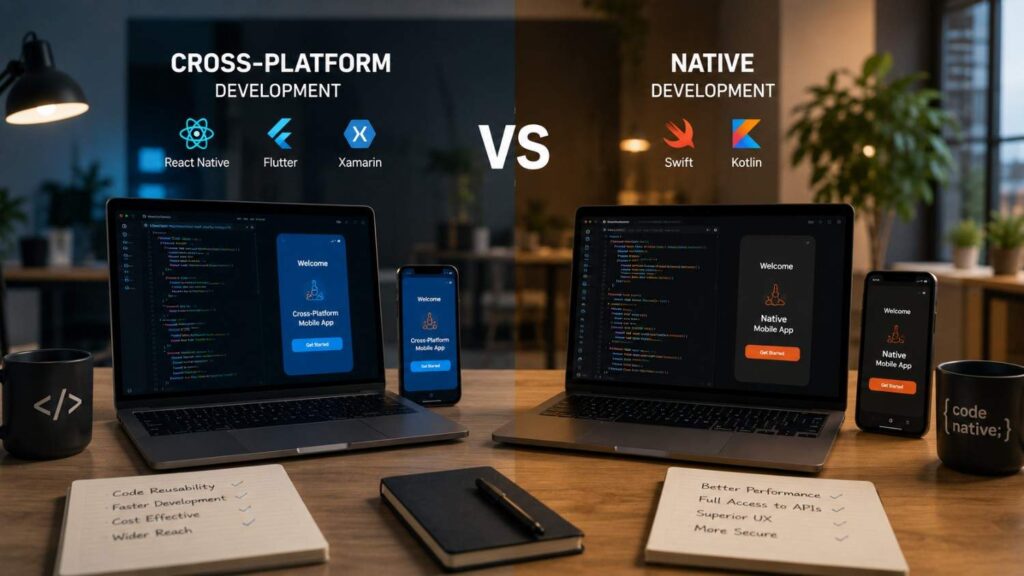
Cross-Platform vs Native Development: Which Is Best for Your App?
Choosing the right mobile development approach is one of the earliest and most important decisions in an app project. It influences how quickly the product can be launched, how much it may cost to maintain, which developers must be hired, and how easily the app can use platform-specific features. A poor decision at this stage can create unnecessary technical limitations, duplicated work, or expensive redevelopment later.
The debate around cross-platform vs native development is often presented as a simple comparison between one shared codebase and two separate applications. In practice, the decision is more complex. A successful app must also meet expectations for speed, security, accessibility, user experience, device compatibility, scalability, and long-term support.
Native development gives a team direct access to the tools and technologies designed for a specific operating system. Cross-platform development allows substantial parts of an application to be shared across iOS, Android, and sometimes additional platforms. Both approaches can produce reliable, polished applications when the architecture, framework, and development process are appropriate for the product.
The best choice therefore depends on the app’s actual requirements rather than broad claims about one method being universally superior. A content platform, booking application, mobile game, banking app, and augmented-reality tool may all require very different technical strategies. This guide explains those differences in practical terms so that business owners, product managers, startups, and technical teams can make a more informed decision.
The Best Default Choice
For many standard business applications, cross-platform development is a sensible starting point. Most mobile products are built around familiar workflows such as user registration, account management, product browsing, messaging, online payments, appointment booking, notifications, data entry, and dashboard reporting. These features normally behave in similar ways across Android and iOS, which creates a strong opportunity to share code without reducing the quality of the experience.
A shared codebase can also simplify coordination. Instead of maintaining separate teams that may implement the same feature differently, a business can manage one core application architecture and release schedule. Bugs in shared logic may be corrected once, and new features can often be introduced across platforms during the same development cycle.
This does not mean a cross-platform app should look or behave identically on every device. Skilled developers can still adapt navigation, permissions, gestures, typography, and interface elements to the conventions of each operating system. The objective is to reuse code where it creates efficiency while retaining platform-specific behaviour where it improves usability.
For startups, service businesses, and organisations validating a new digital product, this balance often provides the most practical combination of speed, market coverage, development cost, and maintainability.
The Main Exception
Native development deserves priority when the application’s main value depends on capabilities that are closely connected to the operating system or device hardware. Examples include professional camera tools, high-performance games, augmented-reality experiences, advanced audio applications, fitness tracking platforms, navigation systems, Bluetooth-controlled devices, or software that performs continuous processing in the background.
In these situations, the additional abstraction introduced by a cross-platform framework may create limitations. The team may need to write extensive native modules, depend on third-party plugins, or wait for framework maintainers to support a recently released platform feature. If large parts of the application eventually require native code, the intended benefits of a shared codebase may become less significant.
Native development can also be the better choice when iOS and Android users need substantially different experiences. A product built deeply around Apple services may not have an equivalent Android implementation, while an Android application may use system capabilities that are not available on iOS.
The exception is therefore not simply “high performance.” It is any situation where direct platform control is essential to the product’s reliability, user experience, regulatory requirements, or competitive advantage.
What Is the Difference Between Native and Cross-Platform Development?
The main difference between native and cross-platform development is how the application is created for each operating system. Native applications are developed with platform-specific languages, frameworks, software development kits, and interface components. Cross-platform applications use a framework that allows a substantial portion of the application to be shared between multiple platforms.
However, code sharing is only one part of the distinction. The development approach also affects how the app renders its interface, communicates with hardware, manages memory, handles background activity, responds to accessibility settings, and adopts new operating-system features. These technical differences can influence both the development process and the final user experience.
A native application communicates directly with the APIs provided by the operating system. This gives developers immediate access to supported capabilities and detailed control over how the application behaves. A cross-platform framework introduces a shared development layer. Depending on the framework, this layer may render its own interface, map shared components to native controls, or allow developers to share only selected parts of the application.
It is also important to distinguish cross-platform development from older interpretations of hybrid development. Some hybrid apps primarily display web content inside a mobile container. Modern frameworks such as Flutter, React Native, Kotlin Multiplatform, and .NET MAUI use more advanced development models and can produce applications that interact closely with native platform capabilities.
Understanding these architectural differences makes it easier to evaluate cost, performance, maintenance, and suitability for a particular product.
What Is Native App Development?
Native app development means building an application specifically for one operating system. An iOS app is created with technologies supported by Apple, while an Android app is created with technologies supported by Google and the Android ecosystem. The code, interface implementation, platform integrations, and release process are normally managed separately for each version.
For iOS development, teams commonly use Swift, SwiftUI, UIKit, and Xcode. Apple describes SwiftUI as a framework for building interfaces across Apple platforms with the Swift programming language. Android teams commonly use Kotlin, Jetpack Compose, Android Studio, and Android platform APIs. Google promotes Kotlin as a preferred language for modern Android application development.
The most important benefit of this approach is direct access. Developers can use the latest operating-system APIs without waiting for a cross-platform framework or plugin to support them. They can also optimise performance, memory usage, animations, accessibility, notifications, background services, and device communication at a detailed level.
The trade-off is that supporting both iOS and Android usually requires separate development work. Although the apps may share backend services, product requirements, visual design, and API documentation, much of the mobile implementation must be created, tested, and maintained independently.
What Is Cross-Platform App Development?
Cross-platform app development allows a team to create applications for more than one operating system while sharing part or most of the codebase. Instead of implementing the same business rules separately for iOS and Android, developers can reuse code for functions such as authentication, data processing, networking, form validation, state management, and interface logic.
Different frameworks achieve this in different ways. Flutter uses the Dart programming language and provides its own rendering approach for creating consistent interfaces across platforms. React Native allows developers to use React concepts while mapping components to native platform building blocks. .NET MAUI enables developers to build applications for several platforms through a shared C# project. Kotlin Multiplatform allows teams to share selected layers, including business logic and data handling, while retaining native interfaces when preferred.
Cross-platform does not mean that every line of code must be shared. A well-designed application may use common code for most workflows while introducing platform-specific implementations for notifications, payments, widgets, sensors, or other specialised functions.
The effectiveness of this approach depends on architecture and discipline. Excessive dependence on unstable plugins or poorly planned platform exceptions can reduce maintainability. When implemented carefully, however, cross-platform mobile application development can provide broad market coverage without requiring two completely independent applications.
How Do Native and Cross-Platform Apps Compare?
A useful comparison must consider more than initial development cost. Businesses also need to evaluate performance, user experience, security, maintenance, platform support, testing, hiring, and long-term scalability. One approach may appear cheaper during the first release but become expensive if the team later needs extensive custom native integrations. Another may require a larger initial investment but offer greater technical control over the lifetime of the product.
The comparison should also be based on the actual application rather than general assumptions. A straightforward content app may perform equally well with a cross-platform framework, while a real-time video editor may benefit significantly from native development. Similarly, a startup with a small team may gain considerable value from code sharing, whereas a large organisation with established iOS and Android departments may prefer separate native applications.
Testing requirements exist in both approaches. A shared codebase does not remove the need to test different devices, operating-system versions, screen sizes, permissions, accessibility settings, and network conditions. Native development does not guarantee quality either. Poor architecture, inefficient code, or inconsistent design can still produce a weak application.
The following comparison provides a practical overview, but each factor should be weighted according to the product’s priorities.
| Factor | Cross-Platform Development | Native Development |
|---|---|---|
| Codebase | A substantial amount of code can be shared | Separate platform implementations are normally required |
| Initial delivery | Often faster for simultaneous iOS and Android launches | May require parallel platform development |
| Development team | One core team may support several platforms | Platform-specific specialists are usually needed |
| Performance | Strong for most business and consumer applications | Greater control for demanding or specialised workloads |
| User interface | Consistent design with platform-specific adjustments | Direct alignment with each platform’s design system |
| Hardware access | Available through framework APIs, packages, or native modules | Direct access to platform APIs and device capabilities |
| Maintenance | Shared fixes can reduce duplicated work | Fixes and features may need separate implementation |
| New OS features | May depend on framework or plugin support | Usually available directly through official SDKs |
| Best fit | MVPs, marketplaces, content apps, portals, and business tools | Games, AR, advanced media, hardware-heavy, and platform-specific apps |
Development Cost and Time to Market
Cross-platform development can reduce the amount of duplicated work required to support iOS and Android. Common screens, API connections, data models, calculations, business rules, and validation logic can often be implemented once. This efficiency may help a company release both versions within a shorter development cycle and with a smaller core team.
The cost advantage is strongest when the product behaves similarly across platforms. For example, a booking app may use the same account creation, search, scheduling, payment, and notification workflows on both operating systems. Sharing these components can make development and future updates more efficient.
However, businesses should avoid assuming that a shared codebase will cut the budget exactly in half. Developers still need to configure platform-specific builds, store submissions, permissions, payment systems, push notifications, analytics, accessibility behaviour, and device testing. Complicated integrations may also require custom native code.
Native development normally involves more parallel work because each platform has its own implementation. This may increase the initial mobile app development cost and require additional coordination. The investment can still be justified when platform-specific quality, performance, or functionality is central to the product.
Time to market should therefore be evaluated together with technical risk, not as an isolated target.
Performance and Responsiveness
Performance is one of the most discussed differences in the native vs cross-platform app development debate. Native development offers the most direct relationship with the operating system, which gives developers detailed control over rendering, memory management, threads, background tasks, hardware acceleration, and platform APIs.
This level of control can be valuable for applications that process large amounts of data, display complex animations, manipulate video, generate advanced graphics, or communicate continuously with sensors and connected devices. In these cases, even small delays or inefficient resource use may affect the user experience.
Modern cross-platform frameworks can still deliver excellent performance for a wide range of applications. Most users will not notice a meaningful difference in a well-built booking app, marketplace, account portal, content platform, or e-commerce application. Slow performance in these products is often caused by poor API design, excessive network requests, unoptimised images, weak state management, or inefficient application architecture rather than the framework itself.
Performance should be tested using realistic scenarios. Teams should measure launch time, screen transitions, scrolling, battery use, memory consumption, offline behaviour, and lower-end device performance. A technical prototype is more reliable than assuming that one approach will automatically be fast or slow.
User Experience and Platform Consistency
A successful application should feel familiar to the people using it. Android and iOS users may expect different navigation patterns, gestures, permission flows, keyboard behaviour, typography, menus, and accessibility interactions. An interface that ignores these expectations can feel awkward even when it looks visually polished.
Native development provides direct access to the components and design systems of each platform. This makes it easier to adopt operating-system conventions and respond quickly when those conventions change. Developers can also fine-tune interactions for platform-specific features such as widgets, system menus, dynamic type, haptic feedback, and accessibility services.
Cross-platform development can also produce a high-quality user experience, but it requires deliberate adaptation. The team should not simply create one rigid design and force it onto every device. Important behaviours may need platform-specific layouts, controls, icons, spacing, gestures, or navigation structures.
Consistency should mean that users receive the same brand identity, information, features, and quality across platforms. It should not mean that every screen must be identical. The strongest cross-platform products combine shared design principles with appropriate platform behaviour.
Apple’s Human Interface Guidelines and Android’s design and architecture guidance should therefore be consulted regardless of which development approach is selected.
When Is Cross-Platform Development the Better Choice?
Cross-platform development is the better choice when code reuse directly supports the business objectives of the project. It is particularly valuable when a company needs to reach iOS and Android users at the same time but does not have the budget, timeline, or staffing capacity to maintain two entirely separate mobile applications.
This approach works best when the core features are largely the same across platforms. Account management, forms, product catalogues, booking workflows, messaging, dashboards, subscriptions, order tracking, notifications, and content delivery can usually share substantial logic. A common architecture can also help teams maintain consistency in calculations, permissions, API handling, and product rules.
Cross-platform development may also simplify future releases. When a shared feature changes, the team can often update the central implementation rather than repeating the change in two codebases. This can reduce the chance that one platform receives a feature later or behaves differently because separate teams interpreted the requirements in different ways.
However, companies should still evaluate the framework’s ecosystem, plugin quality, upgrade process, and ability to support critical integrations. A cross-platform approach becomes less attractive when the application requires many native exceptions or depends heavily on packages that are poorly maintained.
The objective should not be to maximise code sharing at any cost. The objective is to share code where it improves delivery and maintenance while using native implementations where they provide meaningful technical or user-experience benefits.
Choose It for MVPs and Faster Market Validation
Minimum viable products are designed to test whether a product solves a meaningful problem before a company invests in a full-scale solution. Cross-platform development supports this goal because it can help a small team release an application to both major mobile ecosystems without building every feature twice.
This broader release allows the business to gather more useful evidence. Teams can measure registration rates, feature usage, retention, purchases, subscription activity, support requests, and user feedback across a larger audience. These insights can then guide the next development phase.
Typical MVP candidates include appointment platforms, e-commerce applications, online marketplaces, educational tools, subscription services, customer portals, internal business systems, event apps, and community platforms. Their main workflows are usually based on data, accounts, content, forms, and APIs rather than intensive device processing.
Speed should not be confused with carelessness. An MVP still requires secure authentication, stable architecture, privacy protection, accessible interfaces, analytics, error monitoring, and proper device testing. Cross-platform development reduces duplicated implementation; it does not remove the need for professional engineering.
A carefully structured MVP can also grow into a long-term product. The team should use maintainable architecture from the beginning so that new features, platform-specific modules, and increased traffic can be supported without a complete rebuild.
Choose It When Features Are Similar Across Platforms
Cross-platform development provides the greatest benefit when Android and iOS users complete similar tasks. A customer who searches for a service, creates an account, makes a booking, pays an invoice, and receives a confirmation generally expects the same outcome regardless of the device being used.
In this type of product, shared business logic reduces inconsistency. Pricing calculations, validation rules, API communication, account permissions, and data formatting can remain aligned across platforms. Designers can also maintain a unified brand system while adapting platform-specific navigation or interface details where necessary.
Modern frameworks allow developers to introduce native functionality without abandoning the shared architecture. Flutter can communicate with platform-specific code through platform channels. React Native supports native modules, platform detection, and separate platform files. Kotlin Multiplatform allows teams to decide which layers should be shared and which should remain native.
This flexibility is important because very few serious applications are completely identical across operating systems. Payment flows, notification settings, file systems, privacy permissions, and hardware behaviour may differ.
A cross-platform strategy is therefore most effective when the shared features form the majority of the product and the platform-specific exceptions remain clearly defined, limited, and maintainable.
When Is Native Development the Better Choice?
Native development becomes the stronger option when direct control over the platform is more valuable than code sharing. This often occurs in products where performance, hardware communication, background activity, security, accessibility, or operating-system integration is central to the user experience.
Because native developers work directly with official platform tools and APIs, they can respond quickly to new operating-system releases and use capabilities without waiting for a third-party framework to introduce support. They can also troubleshoot behaviour closer to the platform level, which may be valuable in complex or highly regulated applications.
Native development may also fit organisations that already employ dedicated Android and iOS teams. In that environment, separate codebases are not necessarily an operational disadvantage. Each team can optimise its application independently while coordinating through shared product standards, APIs, analytics, and design systems.
The approach is particularly useful when platform experiences need to differ. An application may integrate deeply with Apple services on iOS while using Android-specific system features on other devices. Attempting to force both versions through a single shared abstraction can sometimes make the architecture more complicated.
The higher initial cost should therefore be weighed against the value of control. When an app’s primary selling point depends on specialised mobile capabilities, native development may reduce technical risk and prevent the shared framework from becoming a restriction.
Choose It for Performance-Critical Products
Performance-critical products often need more detailed optimisation than a general business application. A high-end game, live video editor, professional audio tool, augmented-reality experience, or 3D modelling application may perform intensive calculations continuously while also maintaining smooth input, animation, and rendering.
Native development gives engineers greater control over memory allocation, graphics APIs, concurrency, background processes, hardware acceleration, and device-specific optimisation. This can make it easier to diagnose performance problems and adjust behaviour for different generations of hardware.
Other suitable examples include applications that process camera frames in real time, track continuous location data, connect to medical or industrial devices, analyse sensor information, or manage complex Bluetooth communication. These products may also need careful battery management because inefficient background activity can quickly reduce device life.
Cross-platform frameworks may still be capable of supporting some demanding functions, especially when performance-sensitive components are written natively. The important question is how much native code will eventually be required. If the core product must rely heavily on custom native modules, maintaining a cross-platform layer may provide limited benefit.
For performance-critical applications, teams should build a proof of concept early and test it on both high-end and lower-end physical devices.
Choose It for Deep Platform Integration
Deep platform integration refers to features that depend closely on services, behaviours, or interface elements provided by a particular operating system. Examples may include home-screen widgets, health data, wearables, digital wallets, system extensions, accessibility services, advanced notification actions, CarPlay, Android Auto, or platform-specific authentication systems.
Native development offers direct access to these capabilities through official software development kits. It also allows the team to respond quickly when Apple or Google changes an API, permission requirement, background-execution rule, or interface standard.
A cross-platform framework may support many of these features through plugins or native modules. However, plugin support can vary in quality and may not be updated immediately after a new operating-system release. A critical feature should not depend entirely on an unmaintained package without a plan for internal support.
Native development is also appropriate when platform integration is part of the product’s identity rather than an additional feature. An Apple-focused productivity app, for example, may benefit from deep integration across iPhone, iPad, Apple Watch, widgets, and other Apple services.
When direct platform capabilities define the product, building natively can create a cleaner architecture and reduce dependence on abstraction layers.
Which Development Technologies Should You Consider?
The selection of a framework or programming language should happen after the business and technical requirements have been defined. Choosing a technology first and then attempting to reshape the product around its limitations can create unnecessary compromises.
Teams should compare technologies based on more than popularity. Important factors include developer experience, ecosystem maturity, documentation, package quality, testing support, release stability, platform coverage, accessibility, hiring availability, and the expected life of the application. The best framework for one organisation may be a poor choice for another because their products and internal skills are different.
The backend technology does not necessarily determine the mobile framework. A mobile app can connect to services created with many different backend languages and platforms. The mobile decision should focus on interface requirements, device behaviour, code-sharing opportunities, and team capability.
Businesses should also consider ownership. A framework may speed up development when experienced specialists are available, but it can create risk if only one contractor understands the codebase. Documentation, automated tests, architectural standards, and internal knowledge transfer should form part of the technology decision.
It is also possible to combine approaches. A company may use shared business logic with native interfaces, create a cross-platform application with custom native modules, or maintain separate applications that use common backend services. The following technologies represent several of the most established options.
| Technology | Development Approach | Primary Language | Best For |
|---|---|---|---|
| Flutter | Cross-Platform | Dart | Business apps, MVPs, multi-platform projects |
| React Native | Cross-Platform | JavaScript / TypeScript | React-based teams and mobile apps |
| Kotlin Multiplatform | Cross-Platform | Kotlin | Shared business logic with native UI |
| .NET MAUI | Cross-Platform | C# | Microsoft ecosystem applications |
| Swift + SwiftUI | Native | Swift | Native iOS application development |
| Kotlin + Jetpack Compose | Native | Kotlin | Native Android application development |
Native iOS and Android Technologies
Native iOS development commonly uses Swift, SwiftUI, UIKit, and Xcode. SwiftUI provides a modern declarative approach to interface development across Apple platforms, while UIKit remains relevant for existing projects and specialised interface requirements. Native iOS developers can work directly with Apple frameworks, accessibility systems, performance tools, and device capabilities.
Native Android development commonly uses Kotlin, Jetpack Compose, Android Studio, and Android platform libraries. Jetpack Compose provides a modern declarative system for building Android interfaces. Kotlin is widely used for application logic, asynchronous work, data handling, and platform integrations.
A native project should still use a structured architecture. Separating interface logic, data access, business rules, networking, and platform services makes the application easier to test and maintain. Google’s Android architecture guidance recommends clear UI and data layers, with a domain layer when complex or reusable business logic requires further separation.
Businesses should consider native technologies when they require maximum platform control or already maintain specialised teams. The cost of separate development can be managed through consistent API contracts, shared design systems, automated testing, coordinated release processes, and common product documentation.
Native technologies provide flexibility, but they still require disciplined architecture to prevent duplication and technical debt.
Flutter and React Native
Flutter and React Native are two widely recognised options for cross-platform mobile app development, but they use different technical models.
Flutter uses the Dart programming language and provides a broad collection of interface widgets. Its rendering approach allows teams to create highly controlled, consistent designs across platforms. Flutter also supports communication with native platform code when an application requires functionality not available directly through the framework or its package ecosystem.
React Native uses React concepts and is commonly developed with JavaScript or TypeScript. It allows developers to build mobile interfaces using components that connect with native platform capabilities. Teams with existing React and web-development experience may find its concepts familiar. Official React Native guidance also recommends using a supporting framework such as Expo for many new applications.
The choice between Flutter and React Native should not be based on online popularity alone. Teams should compare the quality of required packages, native integration needs, available developers, testing processes, upgrade history, accessibility support, and internal language experience.
A prototype can reveal practical differences. Building the most difficult screen or hardware integration in both technologies may provide stronger evidence than a general feature checklist. The framework should support the app’s hardest requirements, not merely its simplest screens.
Kotlin Multiplatform and .NET MAUI
Kotlin Multiplatform offers a flexible model in which teams decide how much code to share. A company may share networking, data models, validation, caching, and business logic while keeping fully native interfaces for iOS and Android. This can provide code reuse without requiring both platforms to use the same visual framework.
The approach may be especially attractive to teams with strong Kotlin and Android experience. It can also be introduced gradually, allowing selected modules to be shared rather than requiring an immediate rewrite of the entire application.
.NET MAUI is a cross-platform framework for organisations working within the Microsoft and C# ecosystem. It supports shared projects targeting Android, iOS, macOS, and Windows. Developers can use cross-platform controls and APIs while also accessing platform-specific functionality when necessary.
Both technologies can be effective, but their suitability depends heavily on existing expertise and target platforms. A C# organisation may gain more operational value from .NET MAUI than a team that would need to learn the entire Microsoft development stack. Similarly, Kotlin Multiplatform may provide greater value when Kotlin is already part of the company’s engineering environment.
The best decision should consider long-term ownership, hiring, documentation, testing, deployment, and framework support—not only code-sharing percentages.
How Should You Choose the Right Approach?
Selecting between cross-platform and native development should be treated as a structured product and engineering decision. A company should not choose a framework simply because a competitor uses it, a developer recommends it, or it currently receives strong attention in technical communities.
The process should begin with the product. Teams need to understand what the application must do, which platforms it must support, how users will interact with it, and which features create the greatest technical risk. Only then should they compare development approaches and frameworks.
Budget and deadline remain important, but they should be examined together with maintenance, security, performance, hiring, and future expansion. A rushed framework decision may create a faster first release but make every later feature more difficult. Conversely, an unnecessarily complex native architecture may consume resources that could have been used to test the product and serve customers.
A useful decision process should include product documentation, technical discovery, risk assessment, framework evaluation, and practical prototyping. Business stakeholders and engineers should participate together. Product leaders can define priorities, while technical specialists can explain the consequences of different architectural choices.
The goal is not to identify the technology with the longest feature list. It is to choose the simplest maintainable approach that can meet current requirements and support realistic future growth.
| Project Requirement | Cross-Platform | Native |
|---|---|---|
| Limited development budget | ✓ | |
| Fast MVP launch | ✓ | |
| Shared codebase required | ✓ | |
| One development team | ✓ | |
| Maximum app performance | ✓ | |
| Advanced graphics or gaming | ✓ | |
| Deep hardware integration | ✓ | |
| Platform-specific user experience | ✓ | |
| Frequent OS feature adoption | ✓ | |
| Long-term code sharing | ✓ |
Step 1—Define the Product Requirements
Begin by documenting the application’s functional and non-functional requirements. Functional requirements describe what users need to do, such as creating accounts, making payments, uploading files, booking services, messaging other users, or connecting to external devices.
Non-functional requirements describe how well the application must perform. These may include speed, security, accessibility, offline support, reliability, battery use, data privacy, device compatibility, and expected traffic.
The requirements should clearly identify target platforms, supported devices, minimum operating-system versions, and necessary hardware functions. The team should also document camera, microphone, location, Bluetooth, sensor, notification, payment, authentication, and background-processing needs.
Future requirements deserve attention, but they should remain realistic. A business should not choose an expensive architecture for features that may never be built. At the same time, the team should avoid an approach that cannot support a confirmed future requirement without major redevelopment.
Prioritising features can help. Mark each requirement as essential, valuable, or optional. Then identify which features create the highest technical risk. This structured information provides a far more reliable basis for selecting a mobile app development approach than broad assumptions about cost or framework popularity.
Step 2—Evaluate the Team and Lifecycle
The experience of the development team can significantly affect the success of a framework. A technology may be technically suitable but operationally risky when the organisation cannot hire, retain, or manage developers who understand it.
Review the languages, frameworks, testing tools, deployment systems, and architectural patterns already used by the team. A company with experienced React developers may find React Native easier to adopt. An organisation built around C# and Microsoft services may gain efficiencies from .NET MAUI. A team with strong Android and Kotlin skills may be well positioned to evaluate Kotlin Multiplatform.
The analysis should extend beyond the first release. Consider who will maintain the app, handle security updates, respond to operating-system changes, review third-party dependencies, fix production problems, and manage store submissions.
Framework upgrades can also affect lifecycle cost. A project that depends on many external packages may experience compatibility problems when platform or framework versions change. Automated tests, monitoring, documentation, and controlled dependency management can reduce this risk.
The cheapest development proposal is not always the cheapest ownership model. Businesses should estimate the resources required over several years, including maintenance, testing, feature development, technical support, and potential migration.
Step 3—Prototype the Riskiest Feature
A proof of concept is one of the most effective ways to reduce uncertainty before full development begins. Instead of prototyping a simple login page or static dashboard, the team should test the feature that is most likely to expose limitations.
For a camera app, this may involve real-time image processing. For a logistics platform, it may involve continuous location tracking and background updates. For a financial application, it may involve secure authentication and document capture. For an advanced interface, it may involve complex animation and accessibility behaviour.
The prototype should be tested on physical Android and iOS devices, including at least one lower-performance device where appropriate. Simulators are useful during development, but they cannot reproduce every hardware, memory, battery, network, notification, or permission condition.
Teams should define measurable success criteria. These may include launch speed, frame rate, battery consumption, memory usage, response time, offline reliability, accessibility, and integration stability.
The results should be documented and reviewed by both technical and product stakeholders. If the framework performs well on the hardest requirement, it is more likely to support the rest of the application. If it fails, the team can reconsider the architecture before a large investment has been made.
Quick Answer About Cross-Platform vs Native Development
Cross-platform development is generally the stronger option when a business wants to release an application on iOS and Android within a controlled budget and timeline. It allows developers to reuse a substantial amount of code, maintain common business logic, and introduce updates across platforms without recreating every feature separately. This makes it especially useful for minimum viable products, marketplaces, e-commerce apps, internal tools, booking systems, and applications whose main functions remain similar on different devices.
Native development is usually the better option when an application depends heavily on platform-specific hardware, advanced animations, complex background processing, intensive graphics, or immediate access to new operating-system features. Because native apps are built directly with technologies supported by Apple or Google, developers gain greater control over memory, performance, interface behaviour, accessibility, and device integration.
The right choice is not based only on initial cost. Businesses should also consider maintenance, hiring, testing, future features, expected traffic, security requirements, and the technical experience of the development team. A cross-platform solution may reduce duplicated development, but native modules may still be required for specialised functions. Similarly, native development may cost more initially, but it can reduce technical compromises in complex products.
Official Kotlin guidance takes a similarly balanced position. Its comparison of native and cross-platform approaches recommends evaluating project requirements, available expertise, development timelines, performance expectations, and long-term maintenance before selecting a strategy.
Frequently Asked Questions
Questions about cross-platform and native development often focus on cost or performance, but businesses usually need a broader understanding before making a final decision. The suitability of each approach depends on the type of application, the number of target platforms, the importance of hardware integration, and the long-term product roadmap.
A cross-platform framework can be highly effective for applications built around accounts, content, forms, online transactions, messaging, and API-based workflows. Native development becomes more attractive when the product relies on advanced media processing, specialised platform services, real-time graphics, or extensive background activity.
It is also important to separate framework capability from implementation quality. A poorly designed native app can perform badly, while an experienced team can build a polished, responsive cross-platform application. Architecture, testing, backend performance, interface design, and dependency management all influence the final result.
The following answers address common questions raised by startups, business owners, product managers, and development teams. They provide general guidance rather than universal rules. Before committing to a technology, organisations should still complete technical discovery and test critical features on real devices.
Is native development better than cross-platform development?
Native development is not automatically better in every situation. It is better when the application requires direct platform access, advanced device integration, maximum performance control, or an experience designed specifically for one operating system.
Cross-platform development may be more suitable when the product must reach iOS and Android users quickly and most features are similar across both platforms. A shared codebase can reduce duplicated development and make common updates easier to coordinate.
The final choice should reflect the product rather than a general preference. A mobile game, professional camera tool, and augmented-reality application may benefit from native development. A booking system, marketplace, customer portal, or educational app may gain more value from cross-platform delivery.
Team expertise also matters. An experienced cross-platform team may produce a better result than an inexperienced native team, and the reverse is equally true.
The strongest approach is the one that meets performance, usability, security, maintenance, and business requirements with the least unnecessary complexity.
Are cross-platform apps slower than native apps?
Cross-platform applications are not always noticeably slower than native applications. For many standard business and consumer workflows, a professionally built cross-platform app can provide smooth navigation, responsive forms, fast data loading, and reliable interactions.
Performance differences become more important when the app performs demanding work. Complex games, real-time video processing, advanced audio functions, continuous sensor analysis, or detailed animations may benefit from the additional control provided by native technologies.
The framework is only one factor. Backend response times, network requests, image sizes, database queries, state management, interface structure, and memory handling can all affect speed. A native app with poor architecture may perform worse than a well-optimised cross-platform product.
Teams should therefore test realistic user journeys rather than relying on assumptions. Performance should be measured on physical devices, including older or lower-cost models where relevant.
If a cross-platform framework handles the most demanding feature within acceptable performance limits, its code-sharing and maintenance benefits may outweigh any theoretical native advantage.
Is Flutter native or cross-platform?
Flutter is a cross-platform development framework. It allows developers to create applications for multiple platforms using the Dart programming language and a shared codebase.
Flutter applications are compiled for their target platforms, and the framework provides its own rendering system for building consistent, customisable interfaces. This approach differs from frameworks that rely primarily on native platform controls.
Flutter can also interact with native Android and iOS functionality. When a required feature is not available through the framework or an existing package, developers can use platform channels to communicate with Kotlin, Java, Swift, or Objective-C code.
This means Flutter is cross-platform, but it is not restricted to generic features. It can include native integrations where necessary.
Whether Flutter is suitable depends on the product, team, package ecosystem, and platform requirements. It can work well for many consumer, business, and content-driven applications. Teams should still prototype advanced hardware, background, media, or platform-specific features before selecting it for a technically demanding product.
Can cross-platform apps access device hardware?
Yes, cross-platform applications can access many device capabilities, including cameras, microphones, location services, files, sensors, biometric authentication, notifications, and Bluetooth functions.
Access is normally provided through framework APIs, official packages, community packages, plugins, or custom native modules. The exact method depends on the framework and the hardware feature involved.
Common features are often supported well because they are required by many applications. More specialised capabilities may need native development. For example, an uncommon Bluetooth device, advanced camera processing workflow, or newly released operating-system API may not have a reliable cross-platform package.
Teams should evaluate the quality of each required integration before development begins. Important questions include whether the package is actively maintained, supports current operating-system versions, has suitable documentation, and can be replaced or maintained internally if support ends.
For hardware-heavy products, a prototype is essential. Testing the actual device connection, background behaviour, permission flow, and battery impact provides stronger evidence than relying only on package descriptions.
Is cross-platform development cheaper?
Cross-platform development can be cheaper when a substantial amount of code can be shared and the application has similar features across iOS and Android. A common implementation may reduce duplicated work in interface development, business logic, API communication, testing, and maintenance.
However, it is not automatically the lowest-cost option. Complex platform-specific features can require native modules, specialist developers, additional testing, and ongoing plugin maintenance. These requirements may reduce the expected savings.
The quality of the architecture also influences cost. A well-structured shared codebase can make updates efficient, while a poorly structured project may become difficult to change. Framework upgrades and third-party package compatibility should also be included in long-term estimates.
Businesses should compare total ownership costs rather than only the initial proposal. This includes development, testing, app-store releases, monitoring, security updates, support, framework upgrades, feature expansion, and possible migration.
Cross-platform development is most cost-effective when code sharing remains high, native exceptions remain manageable, and the team has the experience required to maintain the selected framework.
Which approach is best for a startup?
Cross-platform development is often the most practical starting point for a startup because it can support faster market validation and wider mobile coverage with limited resources.
A startup usually needs to determine whether users want the product before investing in separate platform teams. A shared application can help the company launch core features on Android and iOS, measure usage, collect feedback, and refine the business model.
Native development may still be the better choice when the startup’s central innovation depends on specialised mobile capabilities. Products based on augmented reality, advanced gaming, real-time audio, medical devices, camera processing, or deep operating-system integration may require native control from the beginning.
The team should also consider its own skills. A founder or development group with strong native experience may deliver more efficiently with native tools than with an unfamiliar cross-platform framework.
The best startup strategy is to build the smallest reliable product that can test the key business assumption. The technology should support that objective without blocking confirmed future requirements.
Can a cross-platform app be converted to native later?
A cross-platform app can be replaced with native applications later, but the process normally requires substantial frontend redevelopment. The existing backend, APIs, databases, design assets, analytics, content, and business documentation may still be reused.
The difficulty of migration depends on the original architecture. If business rules and data access are clearly separated from the interface, teams can reproduce those behaviours more accurately in the native versions. Automated tests can also help confirm that calculations and workflows remain consistent.
Some organisations migrate gradually. They may replace one performance-sensitive module with native code, build a new native feature alongside the shared app, or transition one platform before the other.
A complete rewrite should not be treated as a routine upgrade. It can introduce new bugs, change user behaviour, and require extensive testing. Businesses should migrate only when clear technical or commercial benefits justify the cost.
Planning for maintainability from the beginning makes future options easier. Clean APIs, documented requirements, modular code, and controlled dependencies reduce the risk of becoming permanently tied to one framework.
Conclusion
The cross-platform vs native development decision should be based on the specific product rather than a belief that one method is always superior. Cross-platform development offers valuable efficiencies when the application needs to serve several operating systems with similar features. Native development offers deeper control when performance, hardware access, platform integration, or specialised user experience is central to the product.
Businesses should consider both immediate and long-term factors. Initial development cost and release speed are important, but they should be balanced against maintenance, security, accessibility, testing, hiring, framework upgrades, and future feature requirements.
For many startups and business applications, evaluating cross-platform development first is reasonable. A shared codebase can support faster validation and coordinated releases. However, companies developing advanced media tools, games, hardware-connected applications, or deeply integrated platform experiences may gain more value from native development.
The most reliable approach is to document the requirements, identify the riskiest features, evaluate the team’s skills, and build a technical prototype. Evidence from realistic testing is more valuable than general claims about framework performance.
The selected technology should make the application easier to build, operate, and improve. It should not force the product into unnecessary limitations or introduce complexity that the business cannot maintain.
Match the Technology to the Product
Technology should support the product strategy rather than determine it. Begin with the users, the problem being solved, and the experience the application must provide. Then identify the technical capabilities required to deliver that experience reliably.
A service marketplace may benefit from a shared cross-platform codebase because its main functions involve accounts, search, communication, bookings, and payments. A professional video tool may require native development because low-level media processing and performance are central to its value.
The same principle applies to budget. The least expensive initial option may not provide the best long-term value. A framework that requires extensive workarounds can become costly to maintain, while an unnecessarily complex native solution can delay market validation.
I recommend choosing the simplest architecture that meets all essential requirements and can support realistic growth. Avoid designing for unlikely scenarios, but do not ignore confirmed future needs.
When technology, team capability, and product requirements are properly aligned, both native and cross-platform development can produce secure, scalable, and professional mobile applications.
Make an Evidence-Based Decision
An evidence-based decision combines business analysis with technical validation. Start by documenting the target audience, platforms, features, hardware requirements, performance expectations, security obligations, and expected product lifecycle.
Next, compare the available approaches against those requirements. Evaluate code sharing, developer availability, testing effort, operating-system support, package quality, and long-term ownership. The decision should include input from product managers, designers, developers, security specialists, and business stakeholders where appropriate.
The highest-risk feature should then be prototyped on real devices. This step can expose performance problems, missing APIs, plugin limitations, accessibility issues, or background-processing restrictions before full development begins.
The final decision should be documented so future teams understand why the architecture was selected. It should also include conditions that may trigger a review, such as a new hardware integration, major increase in traffic, or expansion to additional platforms.
Cross-platform vs native development is not a permanent ideological choice. It is a practical architectural decision that should continue to serve the product as requirements evolve.