
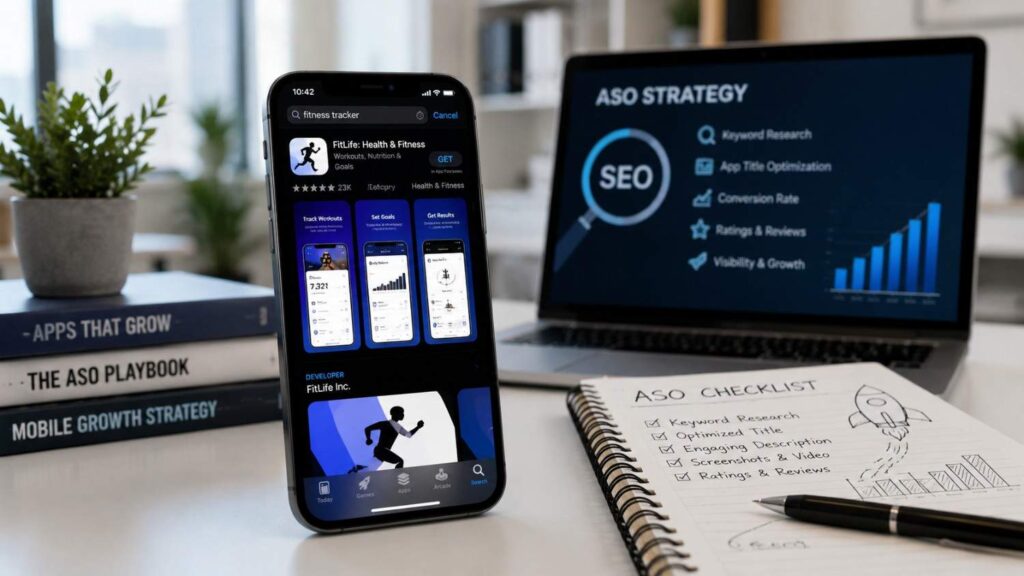
How to Optimize Your App for App Store SEO in 2026
Learning how to optimize your app for App Store SEO in 2026 requires a broader strategy than inserting popular phrases into a title. Apple App Store and Google Play search systems need to understand what an app does, who it serves, and whether users are likely to have a positive experience after downloading it.
App store optimization, commonly called ASO, is the process of improving an app’s discoverability and conversion performance within app marketplaces. Discoverability helps the app appear in relevant searches, category pages, recommendations, and other store surfaces. Conversion optimization encourages suitable visitors to move from viewing the listing to installing the product.
Apple and Google use different metadata systems. Apple provides a dedicated keyword field and identifies the app name, keywords, and primary category as relevance signals. Its subtitle also helps communicate the app’s purpose. Google Play does not provide the same hidden keyword field, so developers communicate relevance through the app title, short description, full description, category, visual assets, functionality, and user experience. Both platforms prohibit misleading metadata, impersonation, and unnatural keyword repetition.
A strong strategy therefore connects mobile app keyword research with clear positioning, persuasive screenshots, localized messaging, ratings, reviews, technical performance, testing, and post-install retention. The objective is not to generate the largest possible number of impressions. It is to attract users whose needs match the product and who are likely to install, engage, subscribe, purchase, or recommend the app.
The following guide explains how to build that process for both major stores. It covers search intent, metadata, custom listings, visual conversion, technical quality, localization, ratings, analytics, and testing so beginners can follow the fundamentals while experienced teams can improve an established ASO programme.
Related Articles
What App Store SEO Means in 2026
App Store SEO is often described as keyword optimization for mobile applications, but that definition is no longer complete. Keywords remain important because they help Apple and Google understand an app’s subject, purpose, and relevance to a search. However, the stores also need evidence that users find the app useful, trustworthy, stable, and worth keeping.
Apple states that its search results consider text relevance, including matches involving the app title, keywords, and primary category. Customer behaviour, including downloads and the number and quality of ratings and reviews, also affects ranking. Depending on the device and presentation, search results may show the app’s rating and up to three screenshots or previews.
Google Play similarly focuses on relevance and positive user experience. Its official guidance says the most effective way to improve discovery is to build an app that people enjoy and recommend. Google Play also uses titles, developer names, descriptions, technical performance, ratings, reviews, and other quality information to understand and present apps.
This means ranking and product quality should not be treated as separate projects. Metadata may earn an impression. A strong icon and screenshots may earn a product-page visit. Clear positioning may earn an install. Stable performance and useful onboarding can then turn that install into a retained user and a positive review.
Modern ASO therefore covers the complete store journey: search discovery, listing conversion, installation, first-use experience, retention, and ongoing reputation. Optimizing only metadata leaves several of the strongest growth opportunities untouched.
Understand Search Intent Before Selecting Keywords
A keyword is useful only when it matches the app’s real functionality and the searcher’s objective. Someone searching for “budget planner” may want a simple personal-finance tool, while a person searching for “business expense tracker” may need receipt scanning, tax categories, team permissions, or export features. These users may respond to different screenshots and value propositions even when both searches relate to financial management.
Begin by collecting language from customer interviews, support requests, onboarding surveys, website analytics, paid-search campaigns, competitor listings, reviews, and store-console data. Google Play acquisition reporting can help developers understand how users discover a listing, including relevant search and acquisition information.
Organize potential keywords by several dimensions:
- Problem the user wants to solve
- Feature or task they need
- Audience or profession
- Desired outcome
- Location or language
- Purchase or subscription intent
- Stage of awareness
Prioritize relevance before popularity. A broad phrase may create more impressions but attract visitors who do not need the product. That mismatch can weaken conversion and produce misleading conclusions about the quality of the listing.
Following enterprise ASO and SEO best practices can also help developers build a more structured keyword research process before optimizing their app store listings.
Each selected keyword should connect naturally to a feature, benefit, screenshot, or custom page. When the listing fulfils the promise made by the search, both discoverability and conversion become easier to improve.
| Search Intent Type | User Goal | Keyword Focus | Listing Element to Optimize | Business Impact |
|---|---|---|---|---|
| Informational | Learn about a solution | Educational keywords | App title, description | Increases discovery |
| Problem-Solving | Fix a specific issue | Feature-based keywords | Screenshots, short description | Improves conversion |
| Comparison | Compare similar apps | Competitive search terms | Ratings, reviews, visuals | Builds user trust |
| Transactional | Download or subscribe | High-intent keywords | CTA messaging, product page | Increases installs |
| Localized Search | Find region-specific apps | Local language keywords | Localized metadata | Expands regional reach |
Separate Ranking Optimization From Conversion Optimization
Ranking optimization and conversion optimization are connected, but they solve different problems. Ranking optimization helps the app appear for relevant searches and other discovery surfaces. Conversion optimization persuades people who see the app to open the listing and install it.
Metadata fields, keyword relevance, categories, localization, and custom search listings support discovery. The icon, screenshots, app previews, short description, ratings, review summary, and benefit-focused messaging support conversion.
Consider a meditation app that ranks for “sleep sounds” but uses its first three screenshots to promote breathing exercises and daytime focus. The keyword may be relevant to one feature, yet the visible message fails to continue the user’s search intent. The app can receive impressions without producing enough downloads.
Track the funnel in separate stages:
- Search impressions
- Product-page views
- First-time downloads
- Conversion rate
- Activation
- Retention
- Ratings or reviews
An increase in impressions without a corresponding rise in product-page views may suggest a weak icon, title, or search presentation. More page views without installs may indicate poor screenshots, weak trust, or an unclear value proposition. Strong installs followed by rapid churn usually point to onboarding or product-quality problems.
Effective ASO connects every stage. The listing should attract a suitable user, communicate the right expectation, and lead into a product experience that delivers what the store page promised.
Optimize Keywords and Metadata for Apple and Google
Apple App Store and Google Play use different fields, indexing systems, policies, and testing tools. A common mistake is preparing one block of promotional copy and placing it into both stores without adapting it to their individual structures.
Apple allows a localized app name of up to 30 characters and a subtitle of up to 30 characters. Its dedicated keyword field accepts up to 100 bytes. The full description can contain up to 4,000 characters, while promotional text can contain up to 170 characters. Apple also states that the description may be used for web-engine search results after the app is released, but promotional text does not affect App Store search ranking.
Google Play allows an app name of up to 30 characters, a short description of up to 80 characters, and a full description of up to 4,000 characters. Google recommends using the short description to communicate the app’s biggest benefit and warns developers against repetition, irrelevant terms, misleading claims, ranking statements, and promotional pricing language.
The correct approach is to begin with one positioning strategy but implement it differently on each store. The app should retain a consistent brand and promise while using each platform’s fields effectively.
| Store Element | Apple App Store | Google Play | Optimization Approach |
|---|---|---|---|
| App name/title | Up to 30 characters | Up to 30 characters | Combine a clear brand with a relevant value term |
| Subtitle/short description | Subtitle up to 30 characters | Short description up to 80 characters | Communicate the primary benefit quickly |
| Keyword field | Up to 100 bytes | No equivalent field | Use relevant, efficient Apple keyword combinations |
| Full description | Up to 4,000 characters | Up to 4,000 characters | Explain benefits, features, use cases, and proof |
| Custom pages | Up to 70 custom product pages | Up to 50 custom store listings | Match creative and copy to audience intent |
| Native testing | Up to three alternate treatments | Store Listing Experiments | Test a clear hypothesis and one major variable |
Optimize Apple App Store Metadata
Use the Apple app name to establish the brand and communicate the clearest description of the product. It should remain readable and memorable instead of becoming a compressed list of unrelated phrases. The subtitle can add a use case, audience, or benefit that the name does not explain.
Use the keyword field efficiently. Apple permits up to 100 bytes and advises developers not to repeat the app name or company name because the app is already searchable through those values. Names of competing apps or companies are not permitted. Keywords can be localized, making the field useful for market-specific search behaviour.
Avoid repeating the same term unnecessarily across the name, subtitle, and keyword field. Use the available space to increase relevant semantic coverage instead of placing one phrase everywhere.
Select the primary category carefully. Apple identifies text relevance, including the primary category, as part of search ranking and discoverability.
The description should explain the app’s important features and functionality honestly. Promotional text can highlight timely news or features without a full version update, but it should not be used as a keyword field because Apple states that it does not affect App Store search ranking.
Finally, ensure the metadata matches the actual product. Misleading claims may weaken conversion and create App Review problems.
Optimize Google Play Metadata
Google Play does not provide a hidden keyword field equivalent to Apple’s. Search relevance must therefore be communicated naturally through the app title, short description, full description, category, visual assets, functionality, and broader quality signals.
The title should be unique, accessible, and closely connected to the product. Google permits up to 30 characters and warns against misleading language, excessive capitalization, irrelevant symbols, pricing claims, and statements such as “#1” or “Best.”
Use the short description to explain the biggest user benefit in 80 characters or fewer. It may appear beyond the full store listing, so it should make sense without additional context. Do not repeat it word for word at the beginning of the full description.
The full description should explain:
- The main problem the app solves
- The target user
- Key features and outcomes
- Important trust information
- Subscription or access expectations
- Meaningful differences from alternatives
Use natural language and readable paragraphs. Google encourages SEO best practices but explicitly warns against keyword spamming, repetition, impersonation, and misleading references to other products.
The objective is not to place the same phrase as many times as possible. It is to give Google enough accurate context while helping a potential user understand the product quickly.
Use Custom Listings for Search Intent and Localization
Custom pages are one of the most important ASO opportunities in 2026 because they allow developers to replace a generic message with a listing designed around a specific audience or search.
Apple allows up to 70 custom product pages for iPhone and iPad apps. Each page can contain different screenshots, promotional text, and app previews. Developers can assign relevant keywords to a custom product page so it may appear for selected App Store searches instead of the default product page. A deep link can also take the user to a relevant destination after installation or opening.
Google Play allows up to 50 custom store listings. A listing can target countries or regions, Google Ads traffic, specific search keywords, pre-registration users, inactive users, churned users, buyers, and custom audiences. Developers can customize the app name, icon, descriptions, and graphic assets.
Use these pages to match different intentions. A fitness app could present strength-training features to people searching for “gym workout,” home routines to people searching for “no equipment exercise,” and nutrition tracking to another relevant audience.
Localization should cover the complete message, not individual keywords alone. Adapt screenshots, captions, examples, terminology, measurement units, and cultural context. Google notes that custom store listings are not automatically translated, so translations need to be added deliberately for targeted markets.
Improve Conversion, Quality, and Long-Term Discoverability
Keyword optimization can create visibility, but sustainable growth requires the product page and app experience to convert that visibility into satisfied users. A listing should communicate value quickly, establish trust, and set an accurate expectation about what will happen after installation.
Apple Product Page Optimization lets developers test up to three alternative treatments against the original product page. The treatments can use different app icons, screenshots, and previews. Results are viewed through App Analytics, and a successful treatment can be applied to the main page. Product Page Optimization is designed for the default iOS or iPadOS page rather than custom product pages.
Google Play Store Listing Experiments allow developers to A/B test text and graphic assets. Google recommends testing one asset at a time for clearer results, running tests for at least one week to account for weekday and weekend differences, and revisiting creative assets as audiences, locations, and seasons change. Reports include acquisition and one-day retention information.
Testing should begin with a specific hypothesis. “Showing the finished result in screenshot one will increase conversion” can be evaluated. Changing the icon, colours, copy, screenshot order, and video together may produce a result without revealing which change caused it.
Long-term discoverability also depends on technical quality and user satisfaction. Google states that apps exceeding defined bad-behaviour thresholds for core Android Vitals may become less discoverable or receive warnings. Apple confirms that ratings and reviews can affect search ranking and influence potential customers.
Design Screenshots Around Benefits and Search Intent
The first screenshots should explain the app’s value before the user reads the full description. Many visitors scan the icon, title, rating, and opening screenshots before deciding whether to continue. Those assets should answer three questions quickly: What does the app do? Who is it for? What result can the user expect?
Lead with the primary outcome rather than a generic welcome screen. A background-removal app should show the before-and-after result immediately. A budgeting app should demonstrate how it helps users understand or control spending. A language-learning app should show a realistic learning activity.
Use short, readable captions. Avoid placing several tiny interface screens inside one image, using claims that cannot be verified, or showing functionality that is unavailable in the actual product. Google requires listing graphics and descriptions to accurately represent the app and prohibits misleading promotional or ranking claims.
Align screenshots with the target search or custom page. A visitor searching for “invoice maker” should not see general business-management messaging first.
Localize text inside screenshots for priority markets. Google recommends using appropriate localized graphic assets when images contain text.
Test screenshot order, benefit captions, interface emphasis, social proof, and visual style separately. The best-looking design internally is not always the version that communicates value most effectively to new users.
Improve Ratings, Reviews, Retention, and Stability
Ratings and reviews influence trust before installation and provide useful feedback after launch. Request a rating after a positive, meaningful moment, such as when a user completes a task, saves a result, reaches a milestone, or successfully uses an important feature. Avoid interrupting onboarding or asking immediately after an error.
Apple says an app’s summary rating is displayed on its product page and in search results. Ratings and reviews can also influence App Store search ranking.
Review feedback should be grouped into themes such as bugs, missing features, pricing confusion, subscription cancellation, login problems, and onboarding difficulty. Respond professionally and use repeated complaints to guide product improvements.
On Google Play, monitor crashes, application-not-responding errors, startup issues, battery behaviour, and device-specific problems through Android Vitals. Google identifies user-perceived crash and ANR rates as core Vitals that can affect discoverability. Apps exceeding bad-behaviour thresholds may be made less discoverable, redirected away from affected device users, or accompanied by quality warnings.
Retention should also be examined alongside acquisition. A listing may generate strong installs while attracting unsuitable users who leave quickly. That pattern often indicates a mismatch between the promise and the product.
ASO therefore continues after the download. A useful, stable, understandable app is more likely to retain users, earn positive reviews, and maintain organic growth.
Measure, Test, and Update Continuously
Create an ASO dashboard that connects store visibility with product outcomes. Reviewing one ranking position or download number in isolation can hide important problems elsewhere in the funnel.
A practical dashboard should include:
- Search impressions
- Search terms or acquisition sources
- Product-page views
- First-time downloads
- Store-page conversion rate
- Performance by country and language
- Custom-page or custom-listing results
- Ratings and review themes
- Activation and retention
- Crash and ANR performance
Review the data on a regular schedule, such as monthly, while monitoring major launches or experiments more closely.
Document every significant change. Record the hypothesis, original assets, new treatment, audience, start date, traffic allocation, result, confidence level, and final decision. This prevents teams from repeating unsuccessful tests or applying changes without understanding their effect.
Apple allows Product Page Optimization results to be evaluated within App Analytics, while its custom product pages can be measured separately. Google Play provides Store Listing Experiments, custom listings, acquisition reporting, ratings data, and Android Vitals.
Change one major variable at a time when possible. Do not update successful metadata merely to appear active. A change should be connected to user research, product development, localization, seasonality, policy requirements, or test evidence.
Many developers also share practical ASO testing workflows and experiment results through developer community case studies, providing useful implementation ideas alongside official platform documentation.
Continuous optimization works because the market changes. Competitors launch, search language evolves, product features improve, and user expectations shift.
Quick Answer About How to Optimize Your App for App Store SEO in 2026
To optimize your app for App Store SEO in 2026, begin with the language real users use when searching for a solution. Place relevant terms naturally in the indexed metadata available on each platform, then create a product page that explains the app’s value within a few seconds. Apple and Google use different metadata structures, so each listing should be optimized separately instead of copying the same title and description between stores.
On Apple, prioritize the app name, subtitle, keyword field, primary category, visual assets, ratings, and relevant custom product pages. On Google Play, optimize the title, short description, full description, screenshots, custom store listings, Android Vitals, and overall user experience.
A complete ASO strategy also requires localization, A/B testing, review management, stable technical performance, and strong onboarding. Keywords may help an app earn visibility, but conversion and post-install quality determine whether that visibility produces sustainable growth.
In practice, the best approach is an ongoing cycle: research user intent, improve metadata, test creative assets, monitor search and conversion data, fix product-quality problems, and repeat the process using evidence rather than assumptions.
What Has Changed in 2026?
App Store SEO in 2026 is becoming more personalized, visual, and connected to product quality. Apple allows developers to publish up to 70 custom product pages for iPhone and iPad apps. These pages can contain different screenshots, promotional text, previews, deep links, and assigned keywords. When the keywords match the page’s content and search intent, a custom page may appear in relevant App Store search results instead of the default listing.
Google Play allows developers to create up to 50 custom store listings. These versions can target locations, advertising traffic, pre-registration users, inactive or churned users, purchase segments, custom audiences, and people searching with selected keywords. The app name, icon, descriptions, and graphic assets can be customized for each listing.
Google has also added recommended-keyword and Gemini-assisted listing capabilities within Play Console. In the United States, Google Play app listing assets began becoming available to enrolled third-party Android app stores on July 22, 2026, unless the developer selects an alternative catalog preference.
The result is a move away from one generic listing toward several relevant experiences designed around different searches, markets, and audiences.
The Core ASO Formula
A strong ASO strategy combines relevance, conversion, product quality, and retention. Relevance helps the store understand what the app does and which searches it should match. Conversion determines whether people who see the listing become first-time users. Product quality influences satisfaction, reviews, and technical signals. Retention shows whether the app continues providing value after installation.
Apple explains that App Store search ranking considers text relevance, including matches involving the app title, keywords, and primary category. Customer behaviour, including downloads and the number and quality of ratings and reviews, also contributes to discoverability.
Google similarly says it generally favours relevant, high-quality apps that provide positive experiences. Google Play needs to understand an app’s content and functionality, but developers also need to monitor technical performance, ratings, reviews, and customer support.
The practical formula is straightforward:
- Target relevant searches.
- Make the value clear.
- Deliver the promised experience.
- Retain satisfied users.
- Improve the listing and product continuously.
Keywords can create an opportunity, but they cannot compensate for misleading screenshots, crashes, weak onboarding, or poor reviews.
| ASO Component | Primary Objective | Optimization Focus | Performance Metric |
|---|---|---|---|
| App Metadata | Improve search visibility | Titles, descriptions, keywords | Search impressions |
| Visual Assets | Increase install rate | Icons, screenshots, preview videos | Conversion rate |
| Custom Listings | Match user intent | Audience-specific pages | CTR by audience |
| Ratings & Reviews | Build credibility | User feedback management | Average rating |
| Technical Performance | Maintain discoverability | Stability, crash reduction | Crash & ANR rate |
| Localization | Expand market reach | Language and regional adaptation | Country-wise installs |
| Continuous Testing | Improve listing performance | A/B testing assets | Winning experiment results |
Frequently Asked Questions
App Store SEO includes keyword relevance, metadata, visual presentation, technical quality, ratings, reviews, localization, experimentation, and user retention. It is therefore normal for developers to have questions about which actions affect ranking and which actions primarily improve conversion.
The answers below separate confirmed platform guidance from common ASO assumptions. Apple and Google do not publish complete ranking formulas, and results may differ by country, device, query, user history, and competitive environment. Google explicitly states that search results can change regularly and may differ according to device, location, carrier, and supported features.
Developers should be careful with any tool or consultant that promises a guaranteed ranking position. The stores constantly test their discovery systems, and no outside provider controls the ranking algorithms.
A better approach is to focus on elements the developer can improve directly: accurate metadata, relevant positioning, clear creative assets, useful custom listings, stable performance, honest reviews, and a valuable product.
The following FAQs address the practical questions most likely to arise during an ASO project. Each answer should be considered within the wider strategy. A perfect title cannot rescue poor screenshots. Strong screenshots cannot compensate for frequent crashes. High download numbers do not create sustainable growth if users uninstall immediately.
The best results come from treating discovery, conversion, activation, quality, and retention as one connected system rather than separate marketing tasks.
What Is App Store SEO?
App Store SEO, also called app store optimization or ASO, is the process of improving how easily an app can be discovered and how effectively its store listing converts visitors into users.
Discovery work includes keyword research, title optimization, category selection, localization, custom search pages, and accurate descriptions. Conversion work includes icons, screenshots, videos, ratings, reviews, benefit-focused copy, and A/B testing.
Modern ASO also includes technical and post-install quality. Google says it generally favours relevant, high-quality apps and provides tools such as Android Vitals, ratings analysis, and performance reporting to help developers improve discovery. Apple states that text relevance, downloads, ratings, and reviews contribute to App Store search ranking.
ASO is not the same as paid user acquisition. Advertising buys visibility, while ASO improves the store experience that paid and organic users see.
The two disciplines work well together. Paid campaigns can reveal high-performing audiences and messages, while custom product pages and custom store listings can continue that message when users arrive at the store.
The goal is not simply more installs. It is attracting appropriate users who understand the app and are likely to remain engaged.
How Many Keywords Should I Use?
There is no universal number of keywords that guarantees stronger ranking. The correct number depends on the app’s purpose, the available metadata fields, market competition, localization, and how clearly the selected terms fit the product.
Apple provides a keyword field containing up to 100 bytes. Developers should use this limited space efficiently, avoid repeating the app or company name, and exclude names belonging to other apps or businesses.
Google Play has no equivalent hidden keyword field. Relevant language should appear naturally in the app title, short description, and full description. Google specifically warns against repetition and long strings of keyword variations.
A useful keyword portfolio normally includes:
- One core category term
- Several feature or problem terms
- Audience-specific phrases
- Long-tail search variations
- Localized market terms
- Relevant brand or feature language
Do not include a phrase merely because a research tool reports high volume. Every targeted term should match an actual feature, audience, or benefit.
It is better to rank and convert for a smaller set of relevant searches than to generate broad impressions from users who are unlikely to install or remain active.
Does Repeating Keywords Improve Rankings?
Repeating keywords unnaturally is not a recommended App Store SEO strategy. It reduces readability, wastes limited metadata space, and may violate store policies when it becomes excessive or misleading.
On Apple, the app is already searchable by its name and company name, so Apple advises developers not to duplicate those values in the keyword field. The 100-byte field should be used to expand relevant coverage rather than repeating information Apple already indexes.
Google explicitly warns against repetition of words and long sequences of closely related keyword variations. Its examples identify strings such as multiple versions of “car racing” and “driving” as poor store-listing practice.
Natural repetition can occur when a central product term is genuinely required for clarity. The problem is forcing the exact phrase into every sentence or field.
Use close semantic variations only when they represent real differences in how users search. For example, “expense tracker,” “spending tracker,” and “budget planner” may indicate related but distinct intentions.
The correct test is readability and relevance. If the copy sounds unnatural when read aloud or includes a term the product cannot support, remove it. Search optimization should clarify the app rather than make the listing difficult to understand.
Are Screenshots a Ranking Factor?
Apple and Google do not publicly describe screenshot design as a direct text-relevance factor in the same way that titles or descriptions are discussed. However, screenshots can strongly affect product-page conversion, and conversion performance is a major part of successful app growth.
Apple may display up to three screenshots or previews within search results, depending on the platform and asset orientation. This means screenshots can influence the user before the full product page is opened.
Both stores provide native experimentation tools specifically for visual assets. Apple Product Page Optimization can test up to three alternative combinations of icons, screenshots, and previews. Google Play Store Listing Experiments can test icons, screenshots, videos, and localized text while reporting acquisition and one-day retention information.
Screenshots should therefore be treated as conversion assets rather than decorative images. Their job is to explain the app’s most important outcome, demonstrate real functionality, and continue the promise made by the search term.
A strong screenshot sequence may not directly change text relevance, but it can improve the likelihood that relevant visitors install the product.
How Often Should I Update My App Listing?
Review the listing regularly, but update it only when there is a clear reason. A monthly performance review is suitable for many apps, while launches, seasonal campaigns, major experiments, and sudden conversion changes may require closer monitoring.
Useful reasons to update include:
- A major product feature has launched
- Search behaviour has changed
- A new market has been localized
- Screenshots no longer match the interface
- An experiment produced a reliable winner
- Reviews reveal repeated confusion
- A seasonal use case has become relevant
- Metadata no longer reflects the product
Avoid making several unconnected changes simultaneously. When the title, icon, screenshots, and description all change together, it becomes difficult to understand which decision affected performance.
Apple Product Page Optimization and Google Play Store Listing Experiments provide structured methods for testing meaningful creative changes. Google recommends allowing experiments to run for at least one week and testing one asset at a time for clearer conclusions.
Do not change successful metadata merely to signal activity. Stores and users benefit from accuracy and relevance, not unnecessary rewriting.
Maintain a change log so the team can connect performance movements with specific listing, product, campaign, or market updates.
Do App Ratings Affect Search Visibility?
Yes. Apple states that ratings and reviews appear on product pages and in search results and can influence how an app ranks in App Store search. The overall rating also helps potential users decide whether the app appears trustworthy.
Google does not present a simple formula connecting one rating level to one ranking position. However, it says app quality, positive user experiences, recommendations, ratings, reviews, and technical performance are important to discovery.
Developers should not attempt to manipulate ratings. The sustainable approach is to improve the product, request feedback after meaningful success, and respond professionally to genuine user concerns.
Review sentiment can reveal issues that store analytics alone cannot explain. Users may complain about subscription terms, onboarding, login problems, missing features, device compatibility, or crashes. Fixing those problems can improve both product performance and listing trust.
Ratings should be analyzed by country, version, device, and time period where possible. A sudden decline after an update may indicate a new product problem rather than a store-listing issue.
Good reviews are an outcome of a good experience, not a replacement for one.
Conclusion
Understanding how to optimize your app for App Store SEO in 2026 means looking beyond keyword density. Search relevance remains essential, but successful ASO now depends on the complete path from query to product-page view, installation, activation, retention, and recommendation.
Begin with real user intent. Collect language from customers, store analytics, reviews, paid campaigns, support messages, and competitor research. Create focused keyword clusters based on problems, features, audiences, and desired outcomes.
Implement those insights differently on Apple and Google. Use Apple’s app name, subtitle, keyword field, primary category, custom product pages, and Product Page Optimization tools carefully. On Google Play, optimize the app name, short description, full description, visual assets, Custom Store Listings, Store Listing Experiments, and Android Vitals.
The next priority is conversion. Show the app’s main result in the opening screenshots, maintain accurate messaging, use ratings and reviews to establish trust, and localize the complete experience for important markets.
Finally, connect the listing with product quality. Crashes, poor onboarding, misleading expectations, slow performance, and weak retention can limit long-term growth even when the metadata is carefully optimized.
The strongest approach is a continuous system:
- Research
- Prioritize
- Optimize
- Test
- Measure
- Improve
This process turns ASO from a one-time launch checklist into an ongoing growth programme informed by real user behaviour and platform data.
[INSERT CTA HERE]
The Main Steps to Remember
The first step is understanding the target user and the reason they search. Without that foundation, keyword tools may produce phrases that look attractive but bring the wrong audience.
Next, create a realistic keyword map and implement it according to the platform. Apple and Google provide different fields, and the copy should reflect those differences.
The complete process is:
- Define the target audience and product value.
- Research relevant search terms.
- Group keywords by intent and feature.
- Optimize Apple and Google metadata separately.
- Align screenshots with the targeted search.
- Create localized and intent-specific pages.
- Test icons, screenshots, videos, and text.
- Improve ratings, retention, and technical stability.
- Monitor performance by source and market.
- Repeat based on evidence.
Each step supports the next. Relevant metadata earns visibility. Clear screenshots convert suitable visitors. Accurate expectations improve activation. A stable product supports retention and ratings.
Skipping one stage weakens the complete funnel. More impressions are not valuable when visitors do not install, and more installs are not sustainable when new users leave immediately.
The most effective ASO teams therefore work across marketing, design, product, localization, support, and engineering rather than treating store optimization as a copywriting task alone.
Your Best Next Action
Choose one app, one important market, and one keyword cluster. Avoid beginning with every country, platform, and feature at the same time.
Record the current baseline:
- Search impressions
- Product-page views
- First-time downloads
- Conversion rate
- Search or acquisition terms
- Rating and review themes
- Activation rate
- Short-term retention
- Crash and ANR performance
Review the current listing from the perspective of someone who has never used the app. Ask whether the title, opening screenshot, and short description explain the core value within a few seconds.
Rewrite the metadata around one clear promise. Then create one focused visual experiment and one custom or localized page designed around a specific audience.
Allow the test enough time and traffic to produce a useful result. Do not apply a treatment simply because it appears slightly better during the first few days.
After the experiment, document what changed, what happened, and what the team learned. Apply reliable improvements and use the result to plan the next test.
This focused process is more effective than changing every field at once, following competitors without context, or chasing keyword-volume estimates that do not match the app’s real audience.