
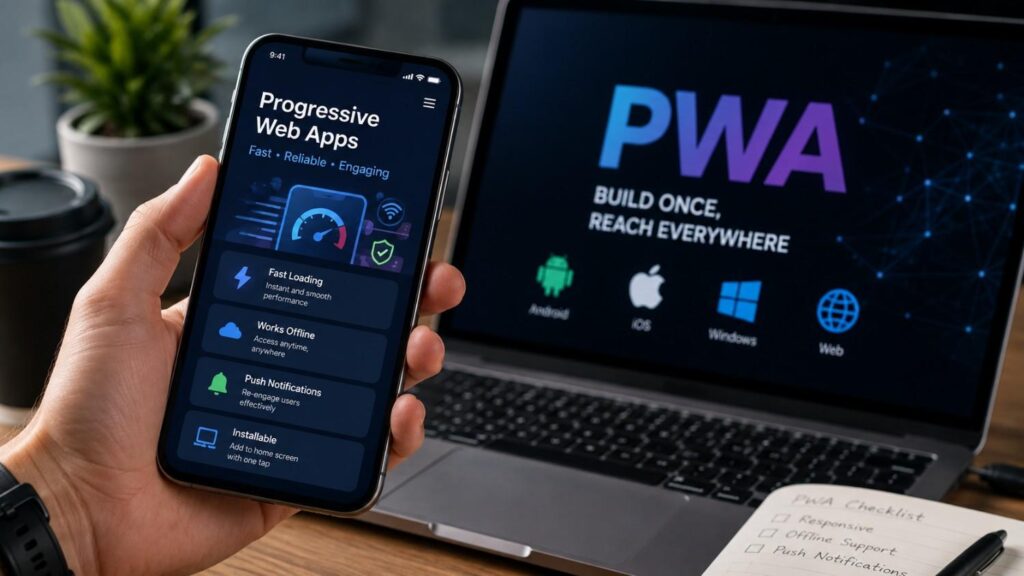
The Rise of Progressive Web Apps: What You Need to Know
The way people use the internet has changed. Visitors no longer judge a digital product only by the information displayed on a page. They also expect fast navigation, responsive layouts, saved preferences, reliable performance and simple access from any device. When a connection becomes slow or unstable, they still expect important parts of the service to remain useful.
These expectations have encouraged businesses and development teams to reconsider the traditional divide between websites and mobile applications. A website offers broad reach and immediate access through a link. A native application can provide deeper integration with a particular operating system. Progressive Web Apps introduce a third option by using web technologies to deliver an experience that may include installation, offline support and selected app-like capabilities.
The Rise of Progressive Web Apps: What You Need to Know explores this approach in practical detail. It explains how PWAs work, which technologies support them, where they offer a business advantage and where their limitations become important. It also covers development planning, browser testing, search visibility and realistic use cases.
A PWA should not be treated as a shortcut that automatically turns any website into a high-quality application. Its value depends on the underlying user experience. A slow, inaccessible or confusing website will not become effective simply because a manifest file and service worker have been added. Successful PWA development begins with user needs, sound web engineering and a clear understanding of the tasks that should remain available across different devices and network conditions.
What Is a Progressive Web App?
A Progressive Web App is an application built with web platform technologies that can offer an experience similar to platform-specific software. Like an ordinary website, it can run from a web address and work across different devices from a shared codebase. On supporting browsers and operating systems, it may also be installed, launched from an icon, used in a dedicated window and connected with selected device capabilities.
The term does not refer to one fixed product type. A news platform, ecommerce store, booking portal, learning system or business dashboard could all become PWAs. What matters is how the application is built and how it responds to the user’s environment. Its core functions should work as a website, while supported technologies provide additional capabilities when they are available.
This distinction prevents a common misunderstanding. Not every responsive website is automatically a PWA, and not every PWA needs to copy the full behavior of a native mobile application. A useful PWA might provide only installation and a reliable offline page. A more advanced system might cache account information, queue form submissions, display badges and send permission-based notifications.
The correct scope depends on the user journey. Developers should first identify which tasks matter most, which data can be safely stored and which features are supported across the intended devices. From there, progressive improvements can be introduced without making the basic experience dependent on one browser or operating system.
The Main Features of a PWA
A well-developed PWA usually begins with responsive design. The interface should adapt to phones, tablets, laptops and desktop monitors without forcing users to zoom or struggle with controls designed for another screen size. Responsive behavior also includes touch-friendly buttons, readable text, logical navigation and layouts that remain stable when the device orientation changes.
Installability is another common feature. A web app manifest provides information that a supporting browser can use when presenting and launching the application. It may define the name, short name, icons, start URL, theme colors and preferred display mode. The browser can then use this metadata to create a more integrated installed experience.
Many PWAs also use a service worker to manage selected network requests and stored resources. This may allow important interface files to load from a cache, provide an offline fallback or support faster repeat visits. Other possible features include notifications, background synchronization, badges and links that open directly in the application.
These capabilities should be treated as optional improvements rather than guaranteed features. Support differs across browsers and operating systems. A professional implementation tests each required feature, requests permissions only when necessary and provides a sensible alternative when a capability is unavailable.
Progressive Enhancement Explained
Progressive enhancement is the design principle that allows a PWA to serve people using different browsers, devices and network conditions. The process begins with a dependable core experience. Essential content, navigation and actions should work through widely supported web standards before the development team adds more advanced features.
Consider an online ordering service. At the basic level, users should be able to browse items, read prices and submit an order through the website. A supporting browser might then allow installation, save recently viewed products and provide a more focused standalone window. With further development, the application could queue certain changes during a temporary connection failure and submit them when access returns.
The advanced layer improves convenience, but it should not become the only path through the service. A visitor who declines installation or notifications must still be able to use the main website. Similarly, a browser that lacks a particular background feature should receive a clear alternative rather than a broken screen.
This approach helps teams avoid unnecessary browser restrictions. MDN describes PWAs as applications that use progressive enhancement so they can work as regular websites where advanced capabilities are unavailable. It also encourages better product decisions because each feature must solve a clear problem rather than being added only because the technology exists.
Why Progressive Web Apps Are Becoming More Important
Progressive Web Apps are becoming more relevant because users now move continuously between devices and channels. A customer might discover a service through search on a laptop, return through a social link on a phone and later complete a task from a tablet. Businesses need experiences that remain familiar and functional throughout that journey without forcing every visitor to download platform-specific software before receiving value.
Development economics also influence interest in PWAs. Maintaining separate websites, Android applications and iOS applications may require different technical skills, testing plans and release processes. A PWA does not remove all platform work, but it can allow a business to serve several environments through one primary web application. Teams can then focus their budget on responsive design, accessibility, performance and the features that matter most.
The web platform has also gained more application-focused capabilities. Modern browsers can support installation, service workers, notifications, sharing, file interactions and other features, although availability remains uneven. Microsoft describes PWAs as progressively enhanced websites that can behave like installed applications on supporting platforms while continuing to function as normal sites elsewhere.
Most importantly, PWAs match a growing preference for low-friction access. A visitor can use the service first and consider installation later. That order reduces the commitment required at the beginning of the relationship and allows the product itself to demonstrate value before asking for space, permissions or continued engagement.
One Web Experience Across Multiple Devices
A PWA can provide one connected experience across phones, tablets and computers because its foundation is still the web. Instead of building an entirely separate front end for every operating system, a development team can use a shared set of web technologies and adapt the interface to different screen sizes and input methods.
This approach can reduce duplication, but it should not be confused with writing code once and ignoring platform differences. Mobile users may navigate by touch and depend on limited data connections. Desktop users may expect keyboard controls, wider layouts, multitasking and integration with operating-system menus. An effective PWA recognises these differences while keeping its central design, account system and content consistent.
Shared development can also simplify feature releases. A server-side or web-interface improvement may become available without waiting for every user to install a traditional application update. However, cached assets and service-worker-controlled files require their own update strategy. Teams must make sure that users do not remain trapped on an outdated combination of HTML, JavaScript and stored resources.
The main advantage is therefore not complete uniformity. It is controlled consistency. A user should recognise the same service, information and account state across devices, while each layout remains suited to its environment. This balance makes PWAs useful for products that need broad access without maintaining entirely independent experiences for every platform.
Easier Access and Optional Installation
Traditional mobile applications often ask users to visit an app store, review a listing, approve a download and wait for installation before completing the first meaningful task. A PWA can reverse this sequence. The user opens a link, explores the service and decides later whether installation would make repeat access easier.
This difference can be valuable for services that people discover through search, advertising, QR codes, email campaigns or shared messages. Every public page can act as an entry point rather than directing all visitors to a store listing. When the application proves useful, the browser may provide an installation option. The installed version may then appear on a home screen, taskbar, dock or application menu, depending on the device.
Installation behavior is not identical across browsers. Some environments show an install icon or prompt when the application meets their criteria. Others depend on a browser menu or an “Add to Home Screen” action. Developers should therefore provide clear, device-appropriate guidance instead of assuming that one universal button will work everywhere.
Optional installation respects user choice. People who visit once can continue using the browser version, while frequent users can create quicker access. This flexible path is one of the strongest reasons businesses consider PWAs.
More Capable Web Platforms
The modern web platform can support far more than static pages. Depending on browser availability and user permission, web applications may use local storage, notifications, background operations, media controls, file access, sharing features and application badges. These capabilities allow teams to create experiences that once required platform-specific software.
Service workers are central to many of these improvements. They can respond to network requests outside the main page and support caching, push events and selected background behavior. The web app manifest adds identity and installation information, while other web APIs provide connections with device or operating-system features.
Apple’s support for standards-based Web Push demonstrates this continued development. Apple states that Home Screen web apps can use Web Push on iOS and iPadOS 16.4 or later, while Safari supports it on compatible macOS versions. Permission is still required, and the feature must be implemented according to browser and server requirements.
Advanced readers should avoid viewing these capabilities as one permanent checklist. Browser support changes over time, and some APIs remain limited to particular engines or operating systems. Feature detection, compatibility testing and graceful fallbacks remain essential. The growing capability of the web makes richer applications possible, but careful engineering determines whether those capabilities create a reliable product.
How Do Progressive Web Apps Work?
A Progressive Web App works by combining a standard web application with technologies that describe its identity, control selected network behavior and connect it with supported browser or operating-system features. Users still request pages and data through web technologies, but the application can manage parts of that process more deliberately than a traditional website.
The visible interface is normally created with HTML, CSS and JavaScript, often with help from a front-end framework. Responsive design allows the interface to adapt to different devices. A web app manifest provides installation-related metadata, while a service worker may manage cached resources, offline responses and background events.
These parts have separate responsibilities. The manifest does not create offline access, and a service worker does not automatically make an application installable in every browser. Installation criteria vary, and some browsers may allow certain sites to be installed without requiring all features traditionally associated with PWAs. Microsoft, for example, documents that a service worker is not required for installation in Microsoft Edge.
A professional PWA architecture therefore begins by defining expected behavior rather than blindly adding technologies. Developers decide which pages should be available offline, how fresh data must remain, which requests can be cached and what users should see when the network fails. They also plan how stored resources will be updated.
The following components explain how this architecture works in practice and why each part must be configured with care.
The Web App Manifest
The web app manifest is a JSON-based file that provides structured information about the application. The W3C specification defines it as a central place for metadata such as the application’s name, icons and preferred launch URL. A browser can use this information when displaying an installation interface and when launching the installed experience.
Common manifest members include name, short_name, icons, start_url, display, theme_color and background_color. The display setting can request a presentation such as standalone mode, which removes much of the normal browser interface. The browser still decides how the experience is presented and may adjust or ignore unsupported values.
Icons require particular attention. They should be supplied in suitable dimensions and tested against different shapes and backgrounds. A poorly prepared icon may appear cropped, surrounded by unwanted space or inconsistent with other installed applications. Developers may also provide maskable icons for environments that apply adaptive icon shapes.
The manifest should match the real product. Names, icons and launch settings must remain consistent with the website and should not mislead users about the application’s identity. After implementation, teams should inspect the file through browser developer tools and test actual installation rather than relying only on a code validator.
Service Workers and Caching
A service worker is a JavaScript worker that operates separately from the main webpage. It can respond when the application makes network requests and decide whether to use the live network, a stored response or another fallback. This network-control role makes service workers useful for performance improvements, offline access and resilient behavior.
Caching should be planned according to the type of resource. Stable interface files may be stored during service-worker installation. Images could use a cache-first or stale-while-revalidate approach. Frequently changing account data may require a network-first strategy or no long-term cache at all. Sensitive responses should never be stored without a clear security and privacy review.
A service worker also follows an installation and activation lifecycle. A newly downloaded version may wait while an older worker continues controlling open pages. This protects active sessions, but it can create confusion when interface files and application logic come from different releases. Development teams need a controlled update process and, where appropriate, a clear message asking the user to refresh.
Offline support is therefore not produced by one caching command. It requires decisions about freshness, storage limits, failed requests, expired content and user expectations. The objective is to make important tasks more reliable without serving misleading or outdated information.
HTTPS and Secure Delivery
Service-worker functionality is limited to secure contexts, which normally means the production application must use HTTPS. MDN identifies the Service Worker API as a secure-context feature because a service worker can intercept requests and control stored resources. Allowing that power over an unprotected connection would expose users to serious manipulation risks.
HTTPS encrypts data moving between the user and server and helps confirm that the user is communicating with the intended website. It does not solve every security problem, but it creates the trusted foundation required for service workers, modern permissions and many installation features.
A secure PWA still needs normal application protections. Authentication tokens must be handled carefully, private data should not be placed in public caches and server-side access controls must remain authoritative. Developers should validate user input, protect APIs, apply a sensible Content Security Policy and keep third-party dependencies updated.
Local development environments receive special treatment because browsers commonly allow service-worker testing on localhost. Production deployments should use a valid certificate and redirect insecure traffic to HTTPS. Teams must also check that every required asset, API and image is loaded securely. Mixed-content requests can fail or weaken the experience.
Security should remain part of design, development and maintenance rather than becoming a final launch task. Installation and offline access increase convenience, but they also make careful storage and update decisions more important.
Progressive Web Apps vs Native Apps and Websites
Progressive Web Apps occupy a practical position between traditional websites and native applications. A traditional website offers immediate browser access, shareable pages and search visibility, but it may provide limited offline behavior or operating-system integration. A native application can offer deep access to platform APIs and highly optimised performance, yet it normally requires installation and may need separate development for different operating systems.
A PWA attempts to combine web distribution with selected application features. Users can open it from a URL before deciding whether to install it. Developers can maintain one main web application while adding capabilities such as standalone display, caching and notifications where browser support allows them.
The comparison should not be reduced to development cost. Product teams must examine performance needs, required hardware, offline workflows, app-store strategy, discovery methods and long-term maintenance. A PWA may reduce duplicated front-end work, but it still needs responsive design, compatibility testing, backend development, security and ongoing optimisation.
Likewise, a native application does not automatically deliver a better user experience. Poor navigation, large downloads and unnecessary permissions can reduce its value. The best solution is the one that matches the user’s task.
The following table provides a general comparison. Exact capabilities depend on the application, browser and operating system rather than the label alone.
| Area | Progressive Web App | Native App | Traditional Website |
|---|---|---|---|
| Initial access | Browser link with optional installation | Usually installed through a store or package | Browser link |
| Main codebase | Shared web codebase | Often separate or platform-focused | Shared web codebase |
| Offline support | Designed through caching and storage | Commonly strong | Often limited unless enhanced |
| Device integration | Browser-dependent | Usually broad | Generally more limited |
| Search discovery | Public URLs may be indexed | Often supported through a related website or store | Public URLs may be indexed |
| Updates | Web deployment plus cache management | App releases and store processes | Web deployment |
| Best fit | Cross-platform services and repeat web tasks | Deep hardware or platform integration | Content and simpler web journeys |
When a PWA Has the Advantage
A PWA often has an advantage when a business needs immediate web access and continued engagement from returning users. Ecommerce catalogues, publishing platforms, booking services, account portals and learning systems benefit from being discoverable through links while also offering an installable experience to people who use them regularly.
Search visibility can be another advantage because public PWA pages remain part of the web. Product pages, articles, category pages and help resources can use individual URLs and receive links. This does not guarantee rankings, but it gives the application a discovery path that does not depend entirely on an app store.
PWAs may also suit businesses serving users with varied devices or limited storage. A visitor can use the service without committing to a traditional download. Carefully selected resources can be cached for faster repeat access, and essential screens may remain available during temporary network problems.
The model is particularly attractive when most important tasks already fit web technologies. Forms, catalogues, messages, dashboards, orders and content consumption often translate well to a responsive web interface.
However, the advantage exists only when the application is tested properly. Browser differences, update behavior and offline states must be designed as part of the product. Choosing a PWA for its potential cost savings while ignoring quality can result in an experience that feels less reliable than either a strong website or native application.
When Native Development May Be Better
Native development may be the stronger choice when an application depends on extensive, consistent access to platform-specific hardware or operating-system services. Examples include advanced three-dimensional games, specialised camera processing, complex Bluetooth device control, intensive background location tracking and products that require highly optimised graphics.
The decision may also depend on user expectations. Some professional tools need deep integration with operating-system menus, widgets, accessibility services, enterprise controls or platform-specific purchase systems. Although the web platform continues to grow, support for individual APIs can differ between browsers. A feature available in one environment may be unavailable or restricted in another.
App-store strategy also matters. PWAs may be packaged or listed in selected stores, but businesses seeking the fullest native store integration may prefer platform-specific development. Review processes, payment rules and feature requirements should be studied before selecting an architecture.
In some cases, a combined approach is best. A business might maintain a strong public web application for discovery and general access while offering native software for users who need advanced functions. Another option is to begin with a PWA, confirm demand and later invest in native development for a specialised audience.
The choice should follow a written requirements matrix. Each important feature should be matched against browser support, performance needs, development capacity and long-term maintenance rather than general assumptions about which approach is more modern.
Benefits and Limitations of Progressive Web Apps
The benefits of Progressive Web Apps can be significant, but they depend on the quality of the underlying implementation. A manifest file does not fix confusing navigation, and a service worker does not compensate for an overloaded page. A successful PWA begins with strong web fundamentals and adds capabilities that solve specific user problems.
For businesses, the main attraction is flexibility. The application can remain available through a URL while supporting installation for regular users. A shared web foundation may reduce the need to reproduce the same interface across multiple codebases. Updates can also be delivered through normal web deployment, although service-worker caches must be managed carefully.
For users, the benefits may include quick access, a focused application window, improved repeat performance and limited functionality during network interruptions. These improvements are particularly useful in areas where connections are unstable or expensive. However, developers should never describe a PWA as fully offline unless the required tasks have genuinely been designed and tested without a connection.
Limitations are equally important. Advanced browser capabilities are not available everywhere, installation methods differ and storage policies vary. Some applications will still perform better through native development.
A balanced PWA strategy therefore begins with two questions: which user problems can web technology solve well, and which capabilities remain essential enough to justify another approach? The answers help prevent overpromising and produce a product that uses PWA features where they provide measurable value.
Benefits for Businesses and Development Teams
A PWA can give a business one main digital destination for discovery, engagement and repeated use. Marketing campaigns can direct visitors to a normal URL, and the same application can later offer installation. This reduces the need to send new users through an app-store journey before they can understand the product.
A shared web codebase can also improve coordination between development, content and marketing teams. Product information, account functions and landing pages remain within one connected platform. Changes can be deployed through the web rather than waiting for every user to approve a traditional application update.
Businesses evaluating long-term digital strategies can also explore these business benefits of PWAs to better understand how organizations use PWAs to improve accessibility, engagement, and operational efficiency.
This model may reduce duplicated work, but it does not eliminate testing. Teams still need to review mobile and desktop layouts, browsers, operating systems, assistive technologies, permissions, offline behavior and service-worker updates. Savings are most likely when the required functions already fit the capabilities of the web.
PWAs may also support selected store-distribution options. Microsoft documents that PWAs can be available through the Microsoft Store as well as installed from Edge. Store availability should be treated as an additional channel rather than a guaranteed part of every PWA project.
The strongest business benefit is strategic flexibility. The organisation can preserve open-web access while offering a more application-like experience to users who demonstrate an ongoing need for it.
Benefits for Users
Users benefit when a PWA reduces unnecessary steps. They can open the application from a link without first committing to a large download or creating space on a home screen. If the service becomes part of their routine, installation can provide a faster way to return.
A well-designed installed PWA may open in a dedicated window and keep the user focused on the task. Depending on support, it can display an icon, use a theme color and connect with notifications or badges. The experience can feel more integrated while preserving the convenience of web access.
Caching may improve repeat performance because selected interface files or previously viewed content can be stored locally. During a connection failure, the PWA might show saved articles, recent orders, downloaded lessons or a clear offline screen. Web.dev notes that asset caching can work whether the user has installed the PWA or continues using it in a browser tab.
The benefit must be honest and task-focused. An offline screen that only displays an error is less useful than one that explains which functions remain available. Similarly, notifications should provide timely value rather than becoming a marketing interruption.
The best PWAs respect user choice. Installation, storage and permissions should improve convenience without becoming conditions for accessing the essential service.
Common PWA Limitations
Browser differences remain one of the most important PWA limitations. A capability may work well in one browser and be unavailable, restricted or implemented differently in another. Installation prompts, background behavior, notification permissions and operating-system integration all require device-specific testing.
Caching introduces another layer of complexity. A service worker can continue serving stored assets after a new website version has been deployed. Without a clear update strategy, users may receive mismatched files or remain on outdated screens. Web.dev recommends managing updates without delaying initial rendering or harming performance.
Storage is also limited and controlled by the browser. Developers cannot assume that cached data will remain forever. Users may clear it, the browser may remove it under storage pressure or privacy settings may restrict persistence. Applications should therefore recover safely when local data is missing.
PWAs may also provide less consistent access to advanced hardware than native software. Teams must confirm every required API across target environments rather than relying on support in one browser.
Finally, an installed appearance can raise expectations. Users may expect reliable offline behavior, smooth updates and strong integration because the product appears alongside native applications. If those expectations are not met, installation can expose weaknesses rather than create value. A PWA project needs ongoing maintenance, not only a one-time technical conversion.
How to Build or Upgrade a Progressive Web App
Building a Progressive Web App should begin with a product and user-experience review rather than a service-worker file. The team must first understand who uses the application, which tasks matter most and what happens when the device, browser or network cannot support an advanced capability.
An existing responsive website may provide a useful foundation, but it still needs a technical audit. Developers should review page performance, accessibility, navigation, authentication, API reliability and mobile usability. A poor core experience will remain poor after installation. In fact, placing it in a standalone window may make its weaknesses more noticeable.
The next stage is to define a realistic PWA scope. One project may only need installation and an offline fallback. Another may require cached product data, queued submissions and permission-based notifications. Each feature should have a documented user benefit, browser-support requirement and fallback behavior.
Security and data classification should be included at the planning stage. The team needs to determine which resources can be cached, which data is sensitive and how local information will be removed when a user signs out. Update behavior should also be designed before launch.
Development then becomes a controlled sequence: strengthen the web application, add the manifest, introduce service-worker behavior, test installation and validate failure states. This order reduces risk because every enhancement rests on a usable web foundation rather than replacing it.
| Development Area | Planning Consideration |
|---|---|
| Responsive design | Consistent experience across screen sizes |
| Web app manifest | Installation identity and application appearance |
| Service worker strategy | Resource caching and network request handling |
| HTTPS configuration | Secure delivery and browser compatibility |
| Performance optimization | Faster loading and smoother interactions |
| Browser testing | Feature consistency across supported platforms |
| SEO readiness | Crawlability, rendering, and indexability |
| Update management | Reliable deployment and cache version control |
Step-by-Step PWA Development Process
Begin by documenting the essential user journeys. Identify the pages, forms and account actions that must always work online and decide which parts should remain available during a temporary connection failure. This prevents the team from caching resources without a clear purpose.
Next, improve the core website. It should use HTTPS, responsive layouts, accessible controls and stable navigation. Developers can then create the web app manifest, provide suitable icons and set the launch behavior. The manifest should be linked from the relevant pages and inspected through browser development tools.
After that, register a service worker where it adds meaningful value. Start with a limited strategy, such as caching essential interface files and displaying a dedicated offline page. More advanced caching can be introduced after the basic lifecycle and update process have been tested.
A practical development sequence is:
- Define users and critical tasks.
- Audit performance and accessibility.
- Enforce HTTPS across the application.
- Create and validate the manifest.
- Prepare standard and maskable icons.
- Register the service worker.
- Select caching rules by resource type.
- Create useful offline states.
- Design permission and installation prompts.
- Test across real devices.
This staged approach keeps PWA development manageable. It also gives teams clear checkpoints for security, usability and browser compatibility before more complex features are introduced.
Test Installation, Updates, and Failure States
PWA testing should cover the complete application lifecycle rather than only the first successful installation. Developers need to examine what happens when the user returns after several days, opens multiple tabs, loses connectivity or receives a new service-worker version.
Installation must be tested on every priority environment because the process varies. A desktop browser may show an icon in the address bar, while a mobile browser may use a menu action. The installed application should launch from the correct URL, display the intended icon and behave properly when links move outside its defined scope.
Update testing is equally important. Teams should deploy a new version while an older version is active and confirm that the transition does not produce broken interfaces or lost work. Users may need a clear refresh message when an update is ready.
Failure testing should include slow connections, complete offline mode, expired sessions, failed APIs, missing cached files, denied permissions and cleared storage. Microsoft Edge DevTools provides panels for inspecting manifests, service workers, cache storage and stored application data.
Automated tests are useful, but they cannot replace real-device review. Touch interaction, installation wording, operating-system behavior and network changes should be observed on actual phones and computers. The objective is not simply to pass a PWA audit. It is to make the application predictable when real users encounter imperfect conditions.
Protect SEO and Search Visibility
A PWA remains subject to the same basic search requirements as any other website. Important pages need stable URLs, crawlable links, accurate titles, useful content and clear internal structure. Installation does not provide an automatic ranking improvement, and a service worker does not make a page more relevant to a search query.
JavaScript rendering requires particular care. Google can process JavaScript, but developers should make important content easy to access and avoid designs that depend on blocked files, unsupported interactions or delayed actions before meaningful information appears. Google’s guidance recommends using crawlable links, meaningful status codes and standard SEO practices for JavaScript applications.
For a broader marketing perspective, these PWA SEO considerations explain how progressive web apps can support visibility while still requiring sound technical SEO practices.
Server-side rendering, static generation or reliable hydration may help search engines and users receive useful content sooner. The correct method depends on the application architecture. Teams should test representative URLs through Search Console and confirm that rendered content, metadata and internal links appear as expected.
Offline behavior must also avoid confusing search crawlers. A service worker should not serve one generic cached page for every public URL in a way that hides the real content or status. Canonical tags, redirects and error responses should remain accurate.
PWA SEO is therefore an engineering and content responsibility. The application should preserve the discoverable structure of the web while adding installation and resilience. When developers treat it only as a full-screen JavaScript interface, search visibility and accessibility can suffer.
Related Articles
Where Progressive Web Apps Fit Best
Progressive Web Apps fit best when users need quick access, broad device compatibility and a reason to return regularly. The strongest use cases usually involve tasks that already work naturally through web technologies but can benefit from installation, saved resources or more resilient network behavior.
A retail store, for example, may want products to remain discoverable through search while giving repeat customers quicker access to their accounts and baskets. A learning platform may allow students to save lessons for unreliable connections. A field-service system might cache essential forms and queue non-sensitive changes until the connection returns.
The key factor is not the industry. It is the relationship between the task and the capabilities of the web. Content, forms, catalogues, account management, bookings, dashboards and communication tools often fit well. Products that depend on highly specialised hardware or constant background processing require a more careful review.
Teams should also consider the audience. A PWA may be useful when visitors use many device types, have limited storage or hesitate to install a conventional application before trying a service. It can provide value immediately through the browser and offer installation later.
However, a PWA should not be selected only because it appears cheaper. The organisation must still support security, accessibility, performance, offline states and browser testing. The right use case is one where those investments solve clear problems and where the application’s most important features remain reliable across the target environments.
| Decision Factor | Why It Matters |
|---|---|
| Target audience devices | Determines browser compatibility and platform support |
| Offline functionality requirements | Helps define caching and service worker strategy |
| Installation expectations | Evaluates whether users benefit from installable experiences |
| Cross-platform accessibility | Supports a single experience across multiple devices |
| Required hardware features | Identifies whether browser APIs are sufficient |
| Search engine visibility | Ensures content remains discoverable through web search |
| Update frequency | Influences deployment and maintenance approach |
| Long-term scalability | Supports future feature expansion without multiple codebases |
Strong PWA Use Cases
Ecommerce is a common PWA use case because product and category pages benefit from open-web discovery. Customers can browse without installation, while regular users may choose quicker home-screen access. Carefully managed caching can improve repeat navigation, although prices and stock information should remain fresh.
Publishing and news platforms can use PWAs to cache selected articles, saved reading lists and interface resources. Readers may continue accessing downloaded material when travelling or using an unstable connection. Notifications can support important updates when users have clearly requested them.
Booking, ordering and account-management services also fit well. Restaurants, transport services, event platforms and customer portals often rely on structured forms, searchable content and repeat visits. A PWA can provide a focused interface without removing the normal web path.
Learning systems may allow lessons, reference material or progress data to remain available offline. Field teams can use web applications to view instructions or prepare forms in locations with weak connectivity, provided conflicts and sensitive data are handled correctly.
Internal dashboards are another option, especially when staff use different operating systems. Installation can create convenient access while a shared web codebase supports central updates.
In every case, the team should define the exact offline promise. “Works offline” is too broad. A better statement identifies which screens, records or actions remain available and what happens when the application reconnects.
Questions to Ask Before Choosing a PWA
The first question is whether immediate access through a URL matters. When search discovery, shared links, campaign landing pages or QR codes are important, a PWA preserves a major advantage of the web. If every user already receives managed software through an enterprise system, that benefit may be less important.
The next question concerns required capabilities. Teams should list every device feature, background process and performance requirement, then verify support across the target browsers. A single unsupported capability may change the recommended architecture if it is central to the product.
Offline needs must be defined precisely. Which information should remain available? Can users edit data without a connection? How will conflicts be resolved? What information is too sensitive to store locally? These decisions affect development time and security.
Other useful questions include:
- Is app-store distribution essential?
- Which browsers and operating systems must be supported?
- How frequently does the content change?
- Can the team maintain service-worker updates?
- Does the product require intensive graphics?
- How will installation be explained?
- What should happen when permissions are denied?
- How will success be measured?
The final decision should compare a PWA, traditional website, native application and combined approach. A short technical proof of concept may be worthwhile when one browser capability is uncertain. This evidence-based process prevents the organisation from committing to an architecture based only on trends or general cost assumptions.
Quick Answer About The Rise of Progressive Web Apps: What You Need to Know
Progressive Web Apps, commonly called PWAs, are web applications designed to provide some of the convenience and functionality associated with installed software. Users can reach them through a normal web address, yet supported browsers may also allow them to be installed on a phone, tablet or computer. Once installed, a PWA may open in a separate window, display its own icon and feel more focused than a standard browser tab.
A PWA is not defined by one programming language, framework or downloadable package. It is normally built with standard web technologies and then improved through features such as a web app manifest, service worker, responsive interface and secure HTTPS delivery. These technologies may support installation, resource caching, offline fallback pages, push notifications and selected connections with the operating system. The exact capabilities depend on the browser, device and permissions granted by the user.
The rise of PWAs matters because businesses no longer have to choose only between a basic website and separate native applications. A well-planned PWA can provide broad web access while giving regular users a more app-like experience. However, it cannot automatically replace every native application. Hardware needs, performance demands, browser support, app-store goals, security and offline requirements must be reviewed before choosing this approach.
Direct Answer
The simplest way to understand a Progressive Web App is to view it as a website that can gradually behave more like an installed application. A visitor can usually open it from a search result, advertisement, email, social post or shared link. On a compatible device, that same visitor may then install it and launch it from an app icon without repeatedly navigating through the browser.
This model combines two valuable qualities. The first is the reach of the open web. Public pages can have stable URLs, receive links and appear in search results when they meet normal indexing requirements. The second is a more integrated user experience. Depending on browser support, a PWA may use offline caching, notifications, badges, file handling, sharing tools and standalone display modes.
The word “progressive” is important. Core content and functions should remain available even when a browser does not support every advanced feature. Instead of blocking users on older or less capable environments, the application adds improvements when those capabilities are present. This principle helps development teams build experiences that are inclusive, resilient and easier to distribute across different devices.
Frequently Asked Questions About Progressive Web Apps
Progressive Web Apps attract many questions because they combine familiar web behavior with features associated with installed software. People often want to know whether PWAs work offline, whether they can send notifications and whether they are suitable replacements for native applications.
The answers are rarely a simple yes or no. PWA capabilities depend on implementation, browser support, operating-system policies and user permission. A service that works fully offline in one carefully designed workflow may still need a connection for live prices, account verification or payment processing. Similarly, an API supported on one device may not be available on another.
It is also important to separate installation from quality. A browser may allow a web application to be installed, but that does not mean it provides fast performance, useful offline behavior or accessible navigation. These qualities must be designed and tested by the development team.
The following FAQs address the most common search questions in straightforward language while preserving the technical distinctions that business owners and developers need. Each answer should be understood as general guidance rather than a guarantee for every browser.
Before launching a PWA project, teams should verify current compatibility for their target audience. Browser documentation and real-device testing are more reliable than old feature lists because web-platform support continues to change. The questions below provide a practical starting point for that evaluation.
What Is a Progressive Web App in Simple Terms?
A Progressive Web App is a website that has been improved so it can offer some features normally associated with installed applications. Users can open it through a normal link, and supported devices may allow them to add it to a home screen, taskbar or application menu.
A PWA can have its own icon, launch in a separate window and use selected browser capabilities. It may also cache important resources, display an offline fallback and send notifications when the user has granted permission. The exact feature set depends on how the application was built and which browser is being used.
The main difference from a traditional website is not its appearance alone. A PWA is designed to remain useful across a wider range of situations, including repeat visits and temporary network problems. The main difference from a native app is that it is still based on web technologies and can normally be accessed without an app-store installation.
MDN describes a PWA as an application built with web platform technologies that offers an experience similar to a platform-specific app. It should still provide a dependable basic web experience when advanced features are unavailable.
Can a Progressive Web App Work Offline?
A Progressive Web App can work offline, but only to the extent that its developers have designed and prepared offline behavior. A service worker can store selected resources and return them when the live network is unavailable. These resources may include interface files, images, previously viewed content or an offline information page.
Full offline operation is not practical for every product. A live trading platform, real-time booking system or cloud gaming service may depend on current server data. In such cases, the PWA can still provide a useful offline screen, saved information or access to tasks that do not require a live connection.
Offline data also needs to remain accurate. Developers must decide how long information can be trusted, when it should be refreshed and how changes made on different devices will be reconciled. Sensitive information requires additional care because local storage can create privacy risks.
Web.dev explains that asset caching and offline data management are separate design concerns, and not every application needs a complete offline experience. A professional PWA should clearly communicate which functions are available offline instead of presenting a broad promise that cannot be maintained.
Can a PWA Replace a Native App?
A PWA can replace a native application when the product’s main functions are well supported by modern web technologies. Content platforms, ecommerce services, booking systems, dashboards, account portals and many business tools can often deliver their central experience through a responsive web application.
The decision becomes more difficult when the product requires deep or continuous access to platform-specific hardware. Advanced Bluetooth control, intensive three-dimensional graphics, specialised background processing and some operating-system integrations may be more dependable through native development.
Distribution goals also affect the decision. A PWA can be shared through a URL and may be packaged for selected app stores, but store policies and platform integrations differ. Businesses should not assume that every native distribution feature has a direct web equivalent.
A feature-by-feature comparison is more useful than a general debate. List the required APIs, performance targets, offline tasks, payment methods and notification needs. Then test them across the target devices.
In some cases, a PWA can replace the entire native product. In others, it can serve as the main public experience while a native application supports specialised users. The right answer depends on product requirements, not on whether one technology is newer or appears less expensive.
Can You Install a PWA on an iPhone?
A web application can be added to the iPhone Home Screen, where it may launch with a standalone, application-like presentation. The installation process and supported features differ from those seen in Android browsers or desktop environments, so instructions should be written specifically for iPhone users.
Installation commonly involves opening the site in a compatible browser, using the sharing controls and selecting the Home Screen option. The exact wording and interface may change between operating-system versions. Developers should test the current process instead of relying on old screenshots.
Apple also supports standards-based Web Push for Home Screen web apps on iOS and iPadOS 16.4 or later. The application must request permission through an appropriate user action, and the server must meet Apple’s Web Push requirements.
Not every capability available in another browser will behave identically on an iPhone. Storage, background operation and installation presentation can differ. A professional PWA should therefore detect supported features and provide alternatives.
The correct message for users is not that every PWA works the same on iPhone. It is that installation and several app-like capabilities are available, but the exact experience depends on the iOS version, browser behavior and application implementation.
Are Progressive Web Apps Secure?
Progressive Web Apps can be secure, but the PWA label does not provide security by itself. Service workers and many related features require a secure context, normally delivered through HTTPS. This protects data in transit and helps prevent unauthorised parties from changing the files sent between the application and user.
HTTPS is only one layer. Developers must still protect user accounts, validate all server-side requests and prevent unauthorised access to APIs. Authentication tokens should be stored and transmitted carefully. Sensitive responses should not be placed in general-purpose caches where another user or session might access them.
Local and offline storage also require planning. If an application saves personal records on a device, the team should define when that information expires and how it is removed after logout. Shared devices create additional risk.
Dependencies, service-worker files and content-security rules need regular review. A compromised script can be particularly damaging when it becomes cached and continues controlling network requests.
Users should also be shown clear permission requests. Notifications, location access and other capabilities should be requested only after the benefit is understood. A secure PWA combines HTTPS, careful backend design, controlled storage, responsible permissions and ongoing maintenance rather than relying on installation as a sign of trustworthiness.
Are Progressive Web Apps Good for SEO?
Progressive Web Apps can be suitable for SEO because they remain web applications with public URLs. Search engines may crawl and index their pages when the content is accessible, useful and technically well structured. A product page inside a PWA can therefore receive links and appear in search results like a product page on another website.
However, being a PWA does not create a ranking advantage by itself. Search visibility still depends on relevance, content quality, internal linking, page experience, metadata and technical accessibility. JavaScript-heavy applications require additional testing because important content may not be available in the initial response.
Google states that it can process JavaScript, but developers should follow JavaScript SEO practices and ensure that crawlers can access the required resources and links. Server-side rendering or static generation may help important content appear sooner, although the correct approach depends on the application.
Service-worker caching should not interfere with real URLs, redirects or error responses. Each indexable page should still represent its own content.
A PWA is good for SEO when it preserves the strengths of the web. It should remain crawlable, linkable and understandable while using installation and offline features as additional user benefits.
How Much Does PWA Development Cost?
There is no accurate universal price for PWA development because the term covers projects of very different sizes. Adding a manifest and basic offline page to an existing responsive site requires far less work than creating an account-based platform with queued submissions, notifications and complex offline data.
The condition of the current website has a major effect on cost. A fast, secure and accessible web application may already have much of the required foundation. An outdated site may need substantial front-end or backend work before PWA features can be added safely.
Other cost factors include the number of screens, authentication requirements, API development, caching rules, data synchronization, browser support and quality assurance. Custom installation guidance and store packaging may add further work.
Maintenance should also be included. Service-worker updates, browser changes, security reviews and dependency upgrades continue after launch. A low initial quote that ignores testing and maintenance may create higher costs later.
Businesses should request a requirements-based estimate rather than a price for “turning a website into a PWA.” The proposal should identify which tasks work offline, which devices will be tested, how updates are handled and which browser capabilities are required. This approach produces a more reliable budget and helps clients compare providers based on scope rather than an unclear headline price.
Conclusion
Progressive Web Apps provide a practical way to combine the broad reach of the web with selected features associated with installed software. They allow users to discover a service through a link, use it in a browser and, on supported devices, install it for quicker repeat access.
Their value extends beyond installation. A well-designed PWA may provide faster repeat navigation, useful offline states, permission-based notifications and a focused standalone interface. These capabilities can support ecommerce, publishing, education, booking, account management and other products built around repeated web tasks.
However, PWA development should remain grounded in realistic requirements. Browser support differs, and not every device API is equally available. Service-worker caching introduces update and storage responsibilities. Search visibility still depends on crawlable content, stable URLs and sound JavaScript SEO. Security also requires more than HTTPS alone.
The central lesson from The Rise of Progressive Web Apps: What You Need to Know is that a PWA is an architectural and product approach, not a simple website label. Its purpose is to make a web application more useful, resilient and integrated where the platform allows it.
Before choosing a PWA, businesses should compare their required features against browser support, native development and a standard responsive website. When the user journey fits the web and the team can maintain the additional technical layers, a PWA can offer a flexible and effective route to cross-device delivery.
Final Takeaway
A successful PWA begins with a strong website. It needs clear navigation, responsive design, accessible controls, fast performance and secure server-side systems before advanced capabilities are introduced. Installation should be treated as an improvement for regular users rather than the first measure of success.
The most effective development strategy is progressive. Start by identifying a meaningful problem, such as poor repeat access or unreliable connectivity. Add the smallest feature that addresses it, test the result across priority devices and then expand the experience when the evidence supports further work.
Businesses should also remain honest about limitations. A partially offline application should not be promoted as fully offline. A feature that works only in selected browsers should have a fallback. Users should understand why a permission or installation action is being requested.
When these principles guide the project, a PWA can provide a valuable balance between reach and functionality. It keeps the open, linkable nature of the web while offering a more integrated experience for users who need it.